
(PRO) Tasas de conversión automatizadas
Updated junio 15, 2023
Hemos incorporado una función que actualiza automáticamente los tipos de conversión multidivisa cada 12 horas.
Esta actualización automática garantiza que siempre trabaje con los tipos de cambio más actuales, haciendo que sus transacciones multidivisa sean más precisas y sin complicaciones.
Para activar esta función, deberá ir a la pestaña de configuración "Divisas", con la opción multidivisa activada, e ir a la sección "Tasas de conversión automatizadas".
Step 1: Select an API Provider
Use the “Select an API Provider” dropdown to choose which service the plugin should collect the rates from. Two providers are supported:
- apilayer.com (Recommended) – The APILayer free plan supports all base currencies and 100 requests per month, which is all that is required.
- exchangeratesapi.io – Note: currently only the “EUR” base store currency is supported on the Exchangerates API free plan. If you need to use a different base currency (for example USD), you will need to upgrade to their “Basic” API plan.
Step 2: Enter your API Key
Sign up for a free account with the provider you selected, and get your API key:
- APILayer: https://apilayer.com/marketplace/exchangerates_data-api
- Exchangerates API: https://exchangeratesapi.io
Then enter the key into the “API Key” field for that provider in the settings.
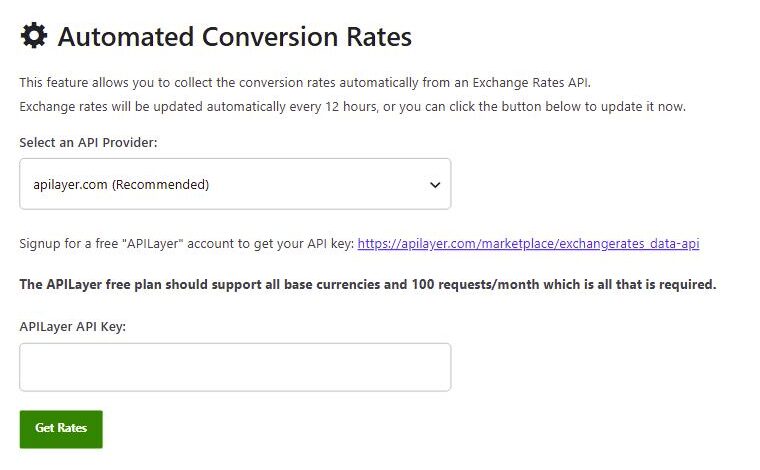
Step 3: Get Rates
A continuación, puede hacer clic en "Obtener tarifas" para obtener las nuevas tarifas al instante, o esto se hará automáticamente cada 12 horas.
Saving the rate used for each order
Because the rates change every 12 hours, you may want to enable “Save the conversion rate for each order”, found further up the “Currencies” tab. With this enabled, the plugin permanently saves and uses the conversion rate that was set at the time the order was created, even if you update the rates later. This keeps historical order totals and commission consistent.
For an overview of the multi-currency feature itself, see Soporte y configuración multidivisa.
 English
  Spanish
  German
  French