
Best AI Chatbots for WooCommerce (2026): 9 Tools Compared
A good AI chatbot on a WooCommerce store handles the questions your inbox gets all day (where’s my order, do you ship here, does this come in blue) and passes the tricky ones to a person. The problem with shopping for one is that most “best chatbot” lists are written by chatbot companies quietly ranking themselves near the top.
We build WooCommerce plugins, but we don’t sell a chatbot, so I’ve no reason to nudge you toward one over another. I’ve tried and tested many of these solutions on our own sites, so can give you an honest opinion.
Below are nine tools that really work with WooCommerce, who each one suits, and the catch that comes with it. Jump to whichever fits your situation:
- Tidio (Lyro AI): easiest way to get live chat and AI running in one widget
- WoowBot Pro: a native plugin with no monthly SaaS bill
- Zoho SalesIQ: cheapest route into visitor tracking plus a bot
- Chatbase: for a custom agent trained on your own content
- DocsBot: an answer bot grounded in your documentation
- Intercom Fin: the AI resolution rates larger teams are after
- Zendesk: if you already run a full help desk
- Help Scout: an email-first inbox with a tidy FAQ bot
- Crisp: flat per-workspace pricing for small teams on multiple channels
Where we stand: This site is published by RelyWP, the team behind the Coupon Affiliates and Simple Points and Rewards plugins for WooCommerce. We do not make or resell an AI chatbot, so none of the products ranked here are ours. The only link back to our own tools is the one clearly marked as such in the FAQ.
How we compared them
The single most important thing to check is whether a bot can actually see your store.
There are two types:
- Some tools only read your FAQ pages and help articles, so they can quote your returns policy but can’t tell a customer where their order is.
- Others connect to WooCommerce properly and can look up a real order, check stock, or apply a coupon inside the chat.
That difference decides whether you deflect tickets or eliminate them, and it maps loosely onto how a tool is built: native WordPress plugins and API-connected help desks tend to reach your live data, while the “train it on your content” agents mostly don’t until you wire the actions up yourself.
We also weighed how each tool installs (a native WordPress plugin versus an embed script) and how cleanly a human takes over when the bot stalls, plus which channels it reaches beyond the website.
The thing that confuses people the most is billing, so it’s spelled out for every tool below. Pay attention to which model you’re signing up to: flat monthly or one-time licences stay predictable, while per-seat plans climb with your team and per-resolution or credit-metered plans climb with a busy sales period.
Every price here was checked against the vendor’s own pricing page, but this category re-prices constantly, so confirm the current figure before you buy.
At a glance
| Tool | Best for | Starting price | How the AI is billed |
|---|---|---|---|
| Tidio (Lyro) | Live chat + AI in one widget | Free; paid chat from ~$29/mo | Lyro AI is a separate add-on from ~$32.50/mo |
| WoowBot Pro | Avoiding monthly fees | Free version; one-time Pro license | You supply your own OpenAI/Gemini key; the AI provider bills you |
| Zoho SalesIQ | Budget visitor tracking + bot | Free; paid from ~$10/operator/mo | Bundled in plan; smarter Answer Bot on Enterprise |
| Chatbase | A custom, content-trained agent | Free; paid from ~$40/mo | Credit-based; heavier AI models cost more credits |
| DocsBot | A doc-trained answer bot | Free; paid from $49/mo | AI Credits; model choice affects how fast you burn them |
| Intercom Fin | Higher AI resolution rates | No free plan; 14-day trial | $0.99 per resolution (plus seats if used inside Intercom) |
| Zendesk | Established help-desk teams | From $19/agent/mo (no free plan) | Per automated resolution, roughly $1.20–$2 each |
| Help Scout | Email-first inbox + FAQ bot | Free; paid from ~$50/mo | AI Answers at $0.75 per resolution |
| Crisp | Flat-price multichannel chat | Free; paid from $45/mo per workspace | Included from the $95 Essentials tier, credit-metered |
1. Tidio (with Lyro AI)
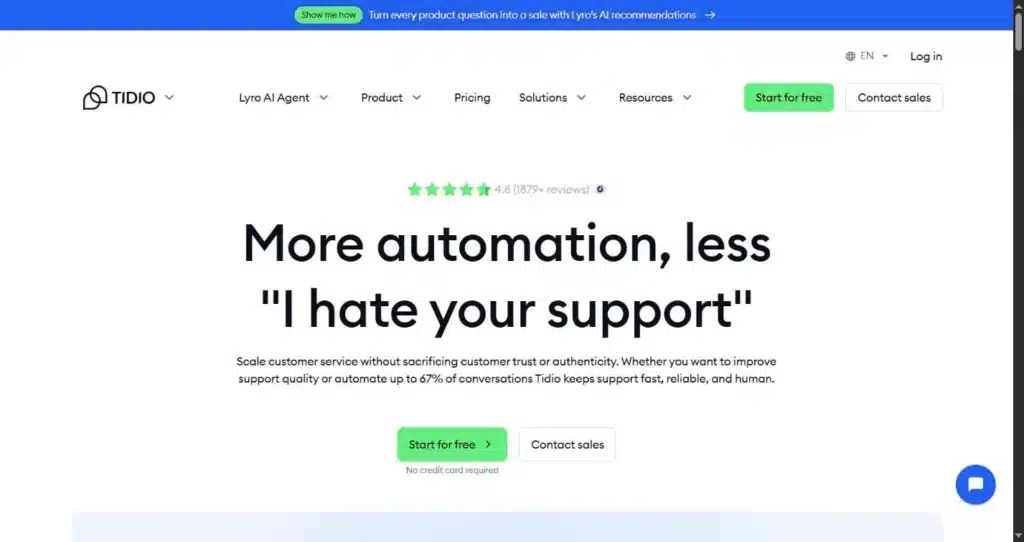
Tidio is the one most WooCommerce owners land on first, and there’s a reason it turns up everywhere. It installs as a WordPress plugin, connects to your store in a few clicks, and its Lyro AI agent starts fielding common questions from your existing content almost straight away.
The company puts its user base at around 300,000 businesses, so when something breaks or you need a walkthrough, an answer is rarely far away.
Under the hood you get two separate things: rule-based Flows that follow a script you build, and Lyro, the machine-learning agent that reads your help content and replies in its own words.
Best for: a store that wants a live chat inbox and an AI agent living in the same widget, without pulling in a developer to wire it together.
What’s good: setup is the fast part. The widget drops in through the plugin, the flow builder is drag-and-drop, and a shared inbox gathers Messenger, Instagram, WhatsApp, and email next to your website chats so nobody is hopping between tabs. Tidio says Lyro resolves up to 67% of incoming questions once it has your knowledge base to learn from. In practice many stores report landing lower, often in the 40 to 60% range, which still takes a real bite out of a repetitive queue.
The catch: pricing is where people get caught out. The AI is billed apart from the live-chat plan, and it meters across three separate pools: billable conversations, Lyro conversations, and Flow triggers. You’re charged for a Flow the moment it pops up, even if the visitor ignores it. The free Lyro allowance is a one-time 50 conversations for the life of the account, not 50 every month, so the “from $29” headline can quietly become $100-plus once the bot is doing real work. Lyro also answers from your written content rather than your live catalog, so it’s better at policy questions than at telling someone whether a specific variant is in stock. The three-pool billing is the part I can’t quite forgive: it’s why I always tell people to price out their real monthly volume before they trust the headline.
Prix : free plan with 50 live-chat conversations a month and a one-time batch of 50 Lyro conversations. Paid chat plans start around $29/mo (Starter) and $59/mo (Growth), then jump a long way to $749/mo (Plus), the first tier to bundle Lyro in. On the lower plans Lyro is a paid add-on from roughly $32.50 to $39/mo for 50 AI conversations, scaling up with volume. The meters and add-on rates change often, so read the live pricing page.
2. WoowBot Pro
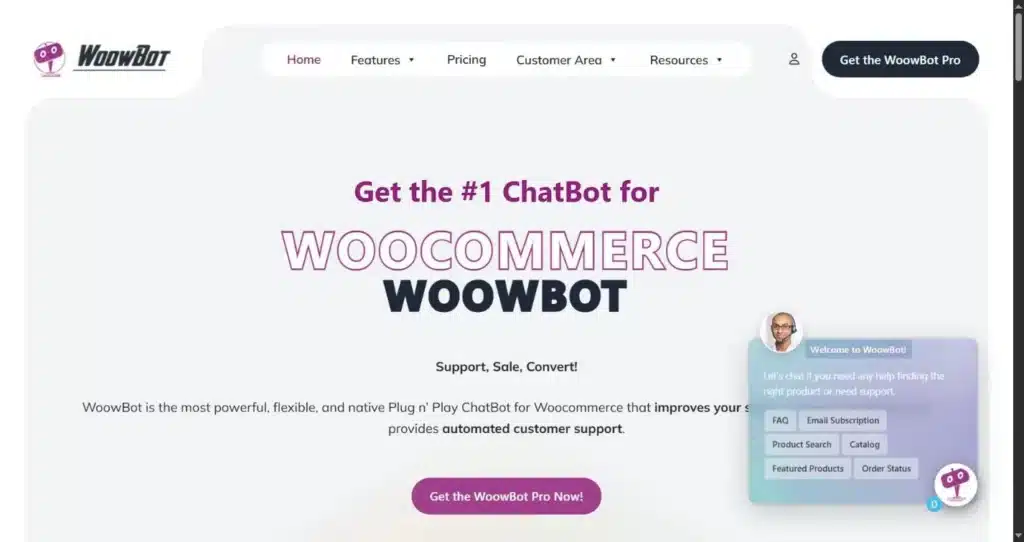
WoowBot, from QuantumCloud, goes the other way from the hosted crowd. It’s a native WooCommerce plugin that runs on your own server, with a capable free edition on WordPress.org and a paid Pro tier for the AI and retargeting features. Because it sits inside WordPress rather than piping through an external service, shoppers can search your catalog, open a product, and add it to the cart without leaving the chat window.
It connects to your choice of AI provider (OpenAI, Gemini, Mistral, OpenRouter, or DialogFlow) and can be trained on your site content plus uploaded PDFs and spreadsheets through a retrieval knowledge base.
Best for: owners who would rather pay once, keep their chat logs in their own database, and step off the monthly subscription treadmill.
What’s good: this is where the native features earn their place. Product search, cart actions, order-status lookups, and abandoned-cart retargeting are built in rather than reserved for a pricey tier, and the exit-intent offers (which fire on scroll, on a timer, or when a visitor moves to leave) do the job of a separate popup plugin. Since you plug in your own AI key, you aren’t tied to one vendor’s model choice or their markup on tokens, and the licence keeps working even if you stop renewing.
The catch: the flip side of bringing your own API key is that the AI replies get billed straight to you by the provider on top of the plugin licence, and that usage bill rises with your traffic, so a busy store can spend more on tokens in a month than the plugin itself cost. The admin screens feel dated next to the polished SaaS dashboards, setting up custom intents and training takes some patience, and product variations created by certain third-party plugins don’t always behave inside the in-chat catalog.
Prix : the free version on WordPress.org covers the core shopping-bot features. Pro is a one-time licence with no recurring platform fee (QuantumCloud’s related WPBot Pro line starts at a lifetime licence around $149, and WoowBot Pro is also sold through CodeCanyon), and the AI runs on your own provider’s usage costs on top. Confirm the current licence tier on QuantumCloud’s site before buying, since the exact figure moves.
3. Zoho SalesIQ
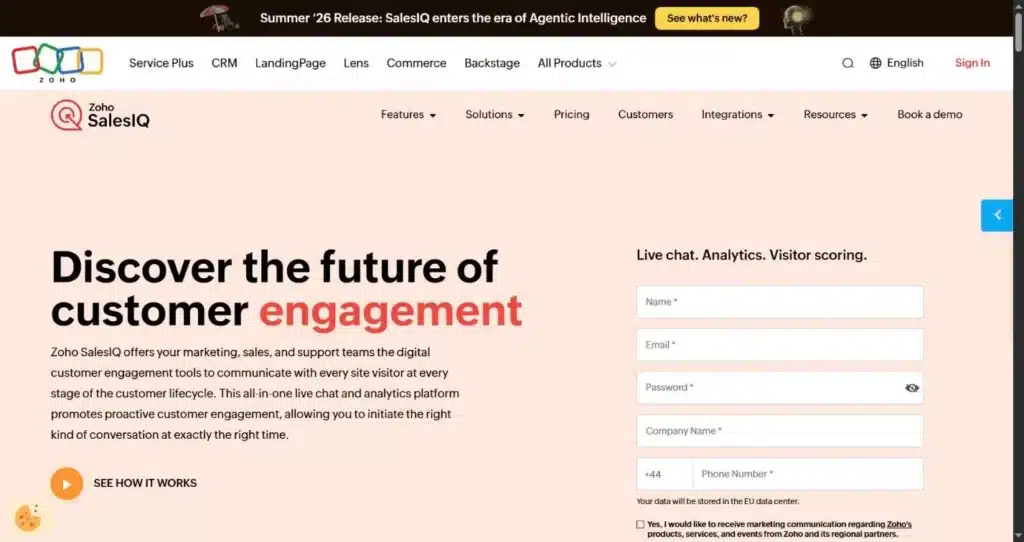
SalesIQ is Zoho’s live chat and visitor-tracking product, and it ships an official WordPress plugin with WooCommerce support (Zoho also lists native hooks for Shopify and Magento). It gives you two kinds of bot: the Answer Bot, which uses intent detection and your knowledge base to reply, and Zobot, a codeless flow builder you can extend with scripts and API calls. Alongside the chat you get a live feed of who’s on your site, which pages they’re viewing, and where they arrived from, which helps you catch a hesitating shopper before they close the tab.
Best for: growing stores that want proactive chat and visitor analytics on a small budget, and Zoho CRM users who want it feeding the same records.
What’s good: the entry price is hard to argue with, and the free tier covers three operators. The visual Zobot builder is approachable for non-developers, and on the ecommerce side you can wire up flows for order tracking, product recommendations, size guidance, and cart-abandonment nudges through the API. Screen sharing and co-browsing come built in for the fiddly cases where a customer needs walking through something on the page.
The catch: the properly smart bot, the AI Answer Bot that reads your knowledge base, is held back to the Enterprise tier. Below that you’re building flows by hand in Zobot, which is fine for simple paths but gets unwieldy once the logic branches a lot. Some reviewers report the bot struggling to answer accurately from a knowledge base even after training, and the mobile app draws the odd complaint, so plan on spending time tuning it rather than expecting it to work well out of the box.
Prix : free plan with up to three operators and around 100 chat sessions a month. Paid tiers run roughly $10/operator/mo (Basic), $17 (Professional), and $25 (Enterprise) on annual billing, with monthly billing a little higher. The bot count climbs with each tier, from one Zobot on Basic up to ten plus the Answer Bot on Enterprise, so match the plan to how much automation you actually need.
4. Chatbase
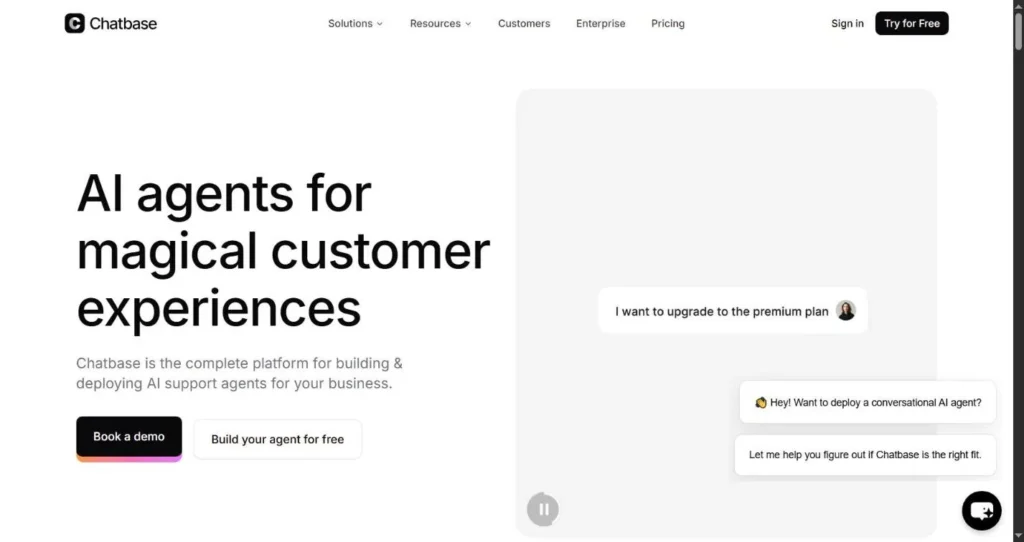
Chatbase belongs to a different family from the live-chat tools. You feed it your own sources (a website crawl, PDFs, help docs, question-and-answer pairs), choose which AI model runs it, and embed the finished agent on your store. It leans hard into the “agent” framing, so beyond answering questions it can take AI actions through connected APIs, such as looking up an order or booking a slot, and it lists WordPress among its integrations alongside Shopify, Zendesk, Stripe, and the usual messaging channels.
Best for: anyone who wants an agent shaped tightly around their own content and brand voice, and is content embedding a widget rather than running a full support inbox.
What’s good: training is quick. Point it at a URL, let the crawler index the pages, and you can be talking to the bot in the playground minutes later. It supports a broad menu of models from several providers, so you can trade cost against answer quality per agent, and it keeps your data out of model training. For a store with a decent help centre already written, it turns that content into instant answers without much setup. I ran Chatbase on one of our sites for a good while, and the training side was never my problem: you point it at your docs and it’s live quickly. Where it stopped fitting for me is the thing I get into under Help Scout below.
The catch: the billing runs on message credits, and this is the part to model carefully. A reply on a light model costs one credit, but heavier models cost several each (the top-end Claude and Grok models can run to five credits a message), so your real capacity swings with the model you pick, and credits don’t roll over month to month. Removing the “Powered by Chatbase” badge and adding a custom domain are expensive extras rather than cheap toggles, and the lower tiers skip a proper human handoff, so a stumped bot can dead-end a customer.
Prix : free plan with about 50 message credits a month, one agent, and a catch: agents are deleted after 14 days of inactivity, which makes it a sandbox rather than something to leave running. Paid plans run from roughly $40/mo (Hobby, or about $32 billed annually) through $150/mo (Standard) to $500/mo (Pro), with custom Enterprise pricing above. Credit allowances and add-on prices vary between write-ups, so read the live pricing page and map it to your expected message volume and model choice.
5. DocsBot
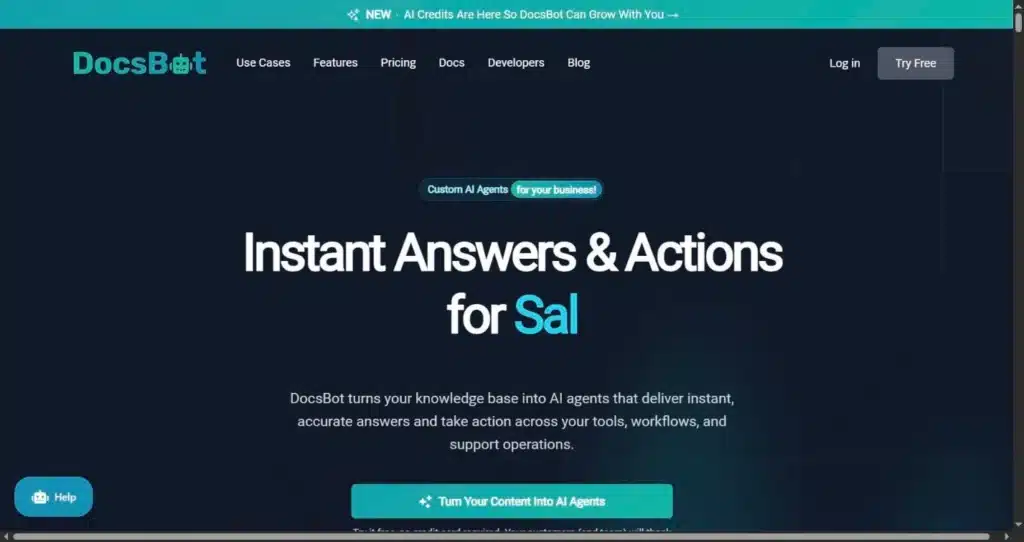
DocsBot is similar to Chatbase, built around the same idea of grounding an agent in your own material. You give it your sources (websites, PDFs, Word and Markdown files, spreadsheets, RSS feeds, even a product export) and it runs them through a retrieval pipeline so answers stay tied to your documentation instead of drifting. It embeds on any site, WordPress included, and it can sit on top of a help desk like Help Scout, Zendesk, Intercom, or Freshdesk to draft ticket replies rather than run a front-end widget.
Best for: stores sitting on a lot of documentation or a detailed knowledge base that want an answer bot anchored firmly to their own sources.
What’s good: what sells it is the breadth of source types. It ingests around 28 different formats, replies in more than 100 languages, and can refresh compatible sources on a schedule so answers don’t go stale. Its retrieval step is tuned to fetch and rank the most relevant passage before the model writes, which keeps replies close to what your docs actually say. It’s the kind of tool a support lead reaches for when accuracy across a big body of content matters most: DocsBot cites a customer case (Sony) that handled 30,000 inquiries at roughly 80% resolution in a single month, though your own numbers will hinge entirely on how good your docs are.
The catch: like Chatbase, it answers from what you train it on, so out of the box it won’t check a live order or apply a coupon the way a store-native plugin does, and the integrations that add actions take setup. Stripping the DocsBot branding off the public widget is reserved for the $499 Business plan, usage runs on credits that heavier models burn through faster, and the entry price sits a little above some rival answer-bot builders. Team seats are capped too, topping out around ten users on Business.
Prix : free plan with 100 messages a month, one bot, and a 50-page source limit, with bots deleted after 30 days of inactivity. Paid plans are $49/mo (Personal), $149/mo (Standard), and $499/mo (Business), plus custom Enterprise pricing that adds options like Azure OpenAI and self-hosting. Annual billing takes off roughly two months, and the unbranded widget only appears from the Business tier up.
6. Intercom Fin
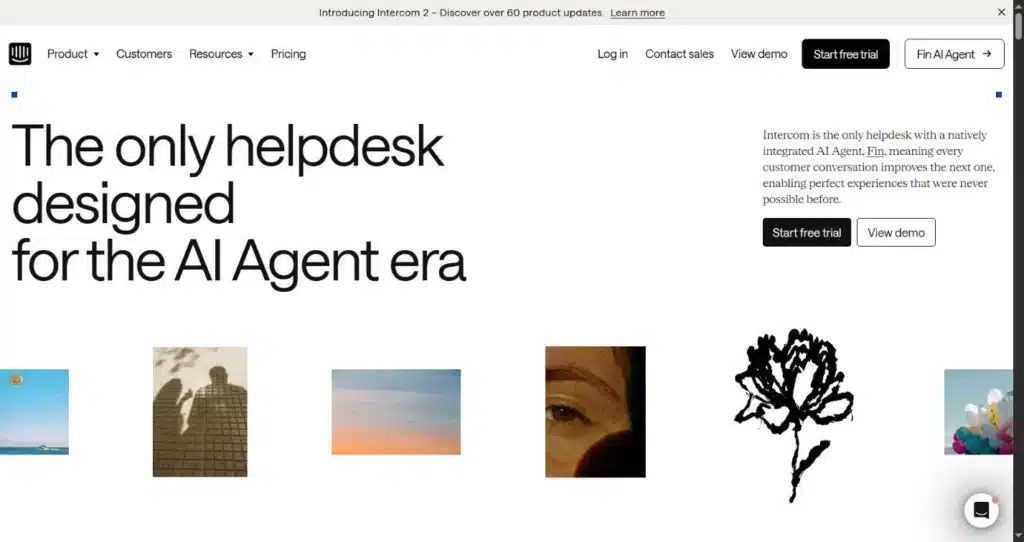
Fin is the AI agent inside Intercom’s support platform, and it’s built its name on resolving a high share of conversations without a human stepping in. One detail that makes it easier to try: Fin can run as a standalone agent on top of a help desk you already use, so you don’t have to migrate your whole operation to Intercom just to test it. Two developments in 2026 matter for a longer commitment. Intercom rebranded itself around Fin, and in June 2026 Salesforce agreed to acquire the company for roughly $3.6 billion (Salesforce says Fin resolves about 76% of requests autonomously across its customer base). The deal hadn’t closed at the time of writing and pricing was unchanged, but packaging and roadmaps often shift once an acquisition completes.
Best for: larger stores and support teams that care most about how much the AI can close on its own, and can live with a bill that moves with volume.
What’s good: resolution quality is what you’re paying for, and independent write-ups broadly back the claim that Fin sits at the top end of the category. The messenger and inbox are well built, and the standalone option lets you point Fin at your existing Zendesk, Salesforce, HubSpot, or Zoho setup while keeping your current tools. On that route billing is per outcome rather than per seat, so a small team isn’t paying for chairs it doesn’t fill.
The catch: usage-based pricing cuts against you exactly when the bot is doing well. At $0.99 a resolution, your best month is also your most expensive, and forecasting a monthly figure takes a spreadsheet and a realistic resolution estimate. It pays to read how Intercom defines a billable outcome, since an “assumed” resolution can mean a customer who simply left rather than one who confirmed they were helped. Intercom bills in US dollars only, and there’s no free plan, just a 14-day trial.
Prix : Fin is $0.99 per outcome (a resolution, a procedure handoff, or a disqualification), with lead qualifications billed at $9.99 and a 50-outcome monthly minimum. Run it standalone on your existing help desk and that’s a floor around $49.50/mo with no seat fees. Used inside Intercom, you add seats on top, from about $29/seat/mo on the annual Essential plan up to the low $130s per seat on Expert, plus the per-outcome charge.
7. Zendesk
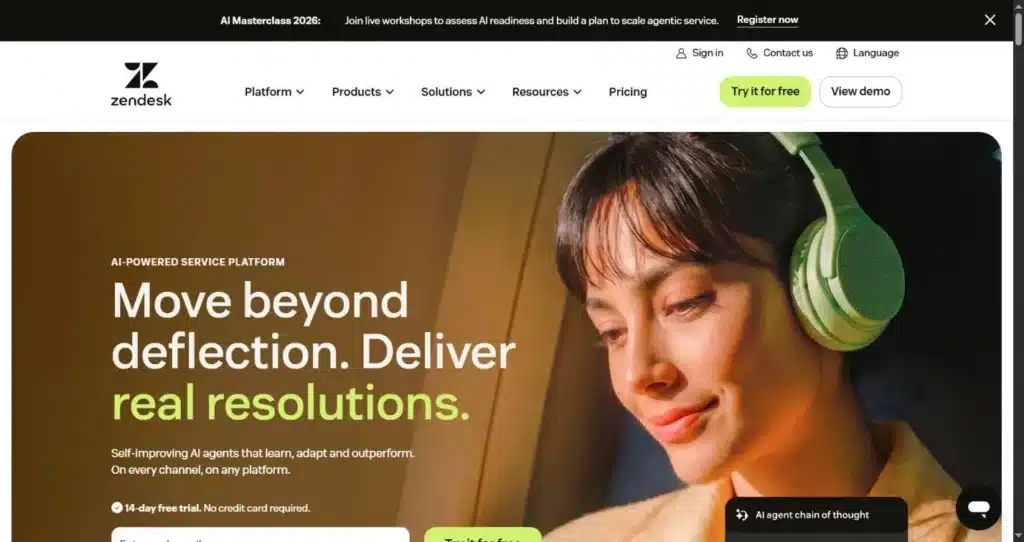
Zendesk is the heavyweight of the help-desk world, used by more than 100,000 companies including names like Uber and Lush, and its AI agents now ship inside every Suite plan rather than sitting behind a separate add-on. If your store has grown into a real support operation with tickets, routing rules, and a team of agents, Zendesk gives the bot a full workspace to plug into instead of a lone chat widget. It splits into two product lines: Support, which is ticketing only, and Suite, which adds live chat, messaging, a help centre, and the AI.
Best for: stores that already run, or are about to outgrow their tools into, a multi-agent help desk with ticketing, SLAs, and proper reporting.
What’s good: you’re buying maturity here. The automation and omnichannel routing run deeper than anything the lighter tools offer, and the reporting is built for real volume. The AI draws on the help-centre articles you’ve probably already written, and the catalogue of integrations is enormous, so for a team drowning in tickets across email, chat, and social it brings an order that a simple widget can’t.
The catch: the sticker price is the smallest line on the invoice. Per-agent seats, per-resolution AI charges, and add-ons such as Copilot stack on top of one another, and a mid-2026 change means AI resolutions above your allowance bill automatically, so a busy month can arrive as a surprise. Zendesk also confirms a resolution once a conversation goes quiet for a set period, which can count a customer who simply wandered off as a success. For a small store this is far more platform than you need, and standing it up is a project rather than an afternoon’s work. If you’re just starting out, I’d point you almost anywhere else on this list first; Zendesk is something you grow into, not somewhere you begin.
Prix : no free plan, only a 14-day trial. Support Team is $19/agent/mo (annual) for email and ticketing. The Suite plans that carry the AI start at $55/agent/mo (Team, with a small monthly allowance of automated resolutions) and $115 (Professional), with Enterprise quoted by sales. Automated resolutions above your allowance run roughly $1.20 to $2 each, and the Copilot agent-assist add-on is about $50/agent/mo on top.
8. Help Scout (AI Answers)
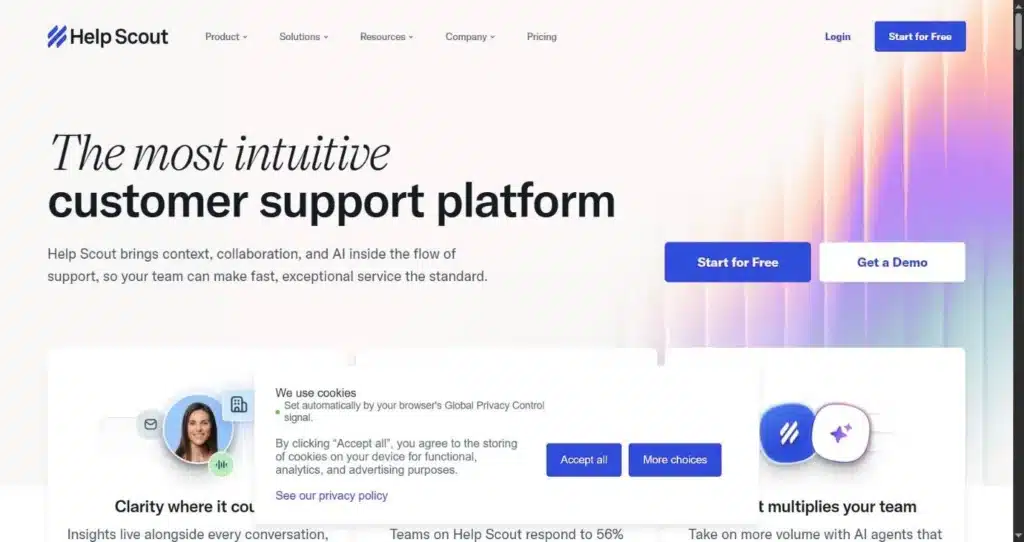
Help Scout is the tidier, email-first answer to the big help desks, built around a shared inbox that reads like ordinary email rather than a ticket queue. Its customer-facing bot, AI Answers, lives in the Beacon widget and replies from your knowledge base, escalating to a person when it’s out of its depth. Around it sits a set of agent-side AI tools (draft suggestions, tone and translation help, thread summaries), and there’s a WooCommerce integration that shows a customer’s details and orders next to the conversation for whoever picks it up.
Best for: smaller support teams that want a clean shared inbox with a no-nonsense FAQ bot attached, especially if your help articles already live in Help Scout Docs.
What’s good: this is the one I landed on myself, so I’ll be upfront that I’m biased toward it. I’d been running Chatbase, but the moment I switched the AI on here I preferred it. Our docs live on our own site, and Help Scout syncs to them without much fuss, so between that and every past conversation sitting in the inbox, both its customer answers and the reply drafts it suggested matched how we actually talk to people, instead of me feeding a separate tool the same material by hand. Past that personal bias, the inbox itself is what people talk about: quick to learn, collision-aware so two agents don’t reply to the same person, and messages that land like normal email rather than an automated ticket. New accounts also get three months of unlimited AI Answers, which is a fair way to judge the bot on your own traffic before any per-resolution charge starts.
The catch: AI Answers is a read-only knowledge-base bot. It can recite your returns policy but can’t look up an order or take an action. It answers from the sources you connect, your synced website docs plus your past conversations, so it’s only as sharp as what you keep wired in and up to date, and there’s no visual chatbot flow builder if you want to script custom paths. The base pricing is mid-transition between a per-seat and a per-contact model, so the number you see depends on when your account was set up, and the $0.75-per-resolution AI charge climbs steadily with volume.
Prix : free plan covering up to around 50 contacts a month with one inbox and one Docs site. Paid plans start near $50/mo on the contact-based model (or about $25 per user if your account is on the per-seat model), rising through a Plus tier that unlocks Salesforce, Jira, and HubSpot, and a sales-quoted Pro tier. AI Answers is billed separately at $0.75 per resolved conversation after the three-month free trial, with an optional monthly spending cap to keep it predictable.
9. Crisp
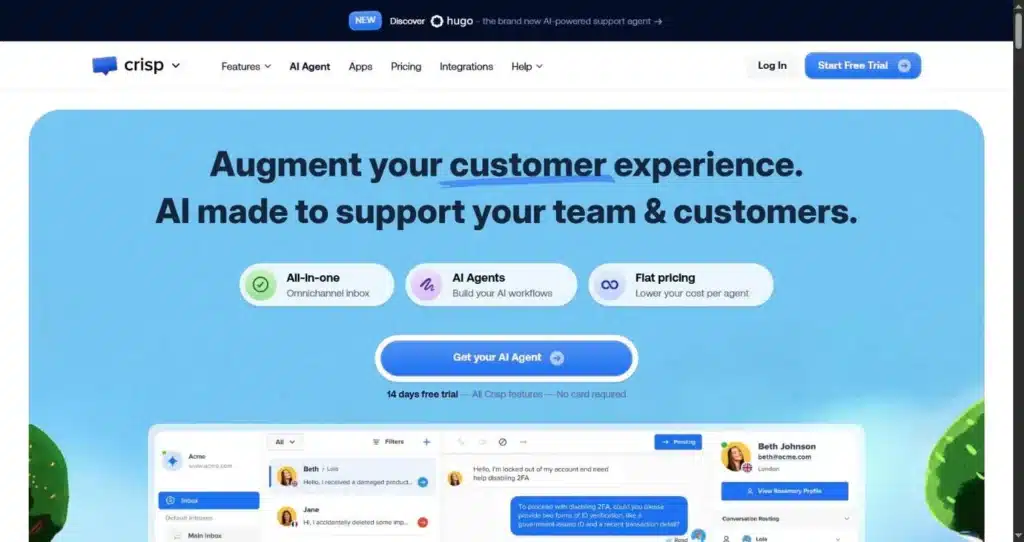
Crisp is a neat multichannel messaging platform with native plugins for WordPress and WooCommerce (plus Shopify, Magento, and Wix). Its distinguishing move is the pricing: you pay a flat rate per workspace rather than per agent, so the cost per person falls as the team grows. It pulls website chat, email, WhatsApp, Instagram, and other channels into one clean inbox, and it bundles co-browsing for the times a customer needs guiding through a page.
Best for: small-to-mid teams juggling several channels who want a predictable flat bill instead of counting seats.
What’s good: the interface is consistently rated among the nicest in the category, the free tier is usable for testing rather than a teaser, and the WooCommerce plugin gets the widget live in minutes. Because billing is per workspace, a five- or ten-person team isn’t punished for adding a colleague, which is a real saving against the per-seat help desks.
The catch: the AI chatbot and the workflow builder are locked to the $95 Essentials plan and up, and the AI itself runs on a limited pool of credits that adds cost once you lean on it. Long-time users have been openly critical that Crisp’s AI features have been slow and uneven to mature, so treat the bot as a work in progress rather than a finished agent. Its ecommerce hooks also aren’t as deep as tools built specifically around a store catalog.
Prix : free plan with two seats, basic live chat, and no AI. Paid tiers are $45/mo per workspace (Mini), $95/mo (Essentials, where the AI chatbot and workflow builder arrive), and $295/mo (Plus), each priced per workspace rather than per agent, with extra seats on Plus around $10/mo each. The AI credit allowance on Essentials is tight, so heavy use tends to push you toward Plus.
A note on tools that didn’t make the list
If you’ve been researching ecommerce AI more broadly, you’ll have run into Gorgias AI Agent, Rep AI, and Shopify’s own Sidekick and Magic features. They’re good products, but their AI is built for Shopify. A basic Gorgias help desk can display WooCommerce customer data in a sidebar, for example, yet the AI automation stays Shopify-only. We left them off so you don’t spend an afternoon on marketing pages for something that won’t run its AI on your store.
Frequently asked questions
Do I actually need an AI chatbot for a WooCommerce store?
If a big share of your inbox is the same handful of questions (order status, shipping times, returns, sizing), a bot pays for itself by clearing those before they reach you. If you get a trickle of highly specific enquiries, a plain live-chat widget or a good FAQ page may serve you better than paying for AI you’ll rarely use.
Will the chatbot see my WooCommerce products and orders?
Only if it’s built to. Native plugins like WoowBot read your catalog and order data directly. Tools such as Zoho SalesIQ and Intercom Fin can reach order data through their WooCommerce integrations or the REST API. Others, including DocsBot, Chatbase, and Help Scout’s AI Answers, reply only from the content you train them on, which is fine for policy questions but useless for “where is my parcel.” Confirm this before you commit.
How much should a small store expect to pay?
For a lean setup, most stores land somewhere between free and about $70 a month once the AI is switched on. Watch for the pricing model more than the headline number: per-resolution and credit-based billing can spike during a busy sale, while flat per-workspace or one-time-licence models stay predictable through a Black Friday rush.
Can a chatbot replace my support team?
No, and treating it that way tends to annoy customers. The setup that works is a hybrid: the bot takes first-line, repetitive questions and hands anything complex or sensitive to a human with the full conversation attached. Make sure whichever tool you pick has clean handoff, because some of the cheaper tiers don’t.
What if my chatbot drives sales through a coupon or referral?
Several of these bots can pop an exit-intent coupon or a discount code to nudge a wavering shopper. If that code is also tied to an affiliate or partner, tracking who earned the sale is a separate job from the chatbot itself. That’s the part we work on: Coupons affiliés tracks referrals through the coupon code a customer uses, which keeps working even when a customer’s browser blocks cookies. For the wider picture on AI in this space, see our guide on the impact of AI in affiliate marketing.
So which one should you pick?
There’s no single winner here, and any list that gives you one is usually selling it. For most WooCommerce owners starting out, Tidio is the path of least resistance, and WoowBot Pro is the pick if you’d rather own the plugin than rent a subscription. Zoho SalesIQ and Crisp reward budget-conscious teams. Chatbase and DocsBot both suit anyone who wants an agent trained on their own content. Intercom Fin makes sense once resolution rate is what you care about most, and if you’ve grown into a full help desk, Zendesk or the lighter-touch Help Scout fit there.
One honest disclosure to close on: we make WooCommerce plugins ourselves, just not a chatbot, so we had no product to slot into the rankings above. For what it’s worth, Help Scout is the one I’ve stuck with on our own sites, for the docs-and-inbox reasons up in its section. Whatever you choose, run it against your own real questions for a week or two before you pay, and pay closest attention to two things: can it see your store data, and what does the bill actually look like once the AI is doing the work.
Avis de non-responsabilité : This article contains some affiliate links. If you make a purchase after clicking one of these links we may earn some commission from the sale.

Elliot Sowersby est un développeur WordPress du Yorkshire, au Royaume-Uni. Il est le fondateur et le développeur principal de Coupons affiliés et RelyWP.

 English
  Spanish
  German
  French
Laisser un commentaire