
(PRO) Benutzerdefinierte Felder für die Partnerregistrierung
Updated September 3, 2026
With the PRO version, you can add your own custom fields to the affiliate registration form.
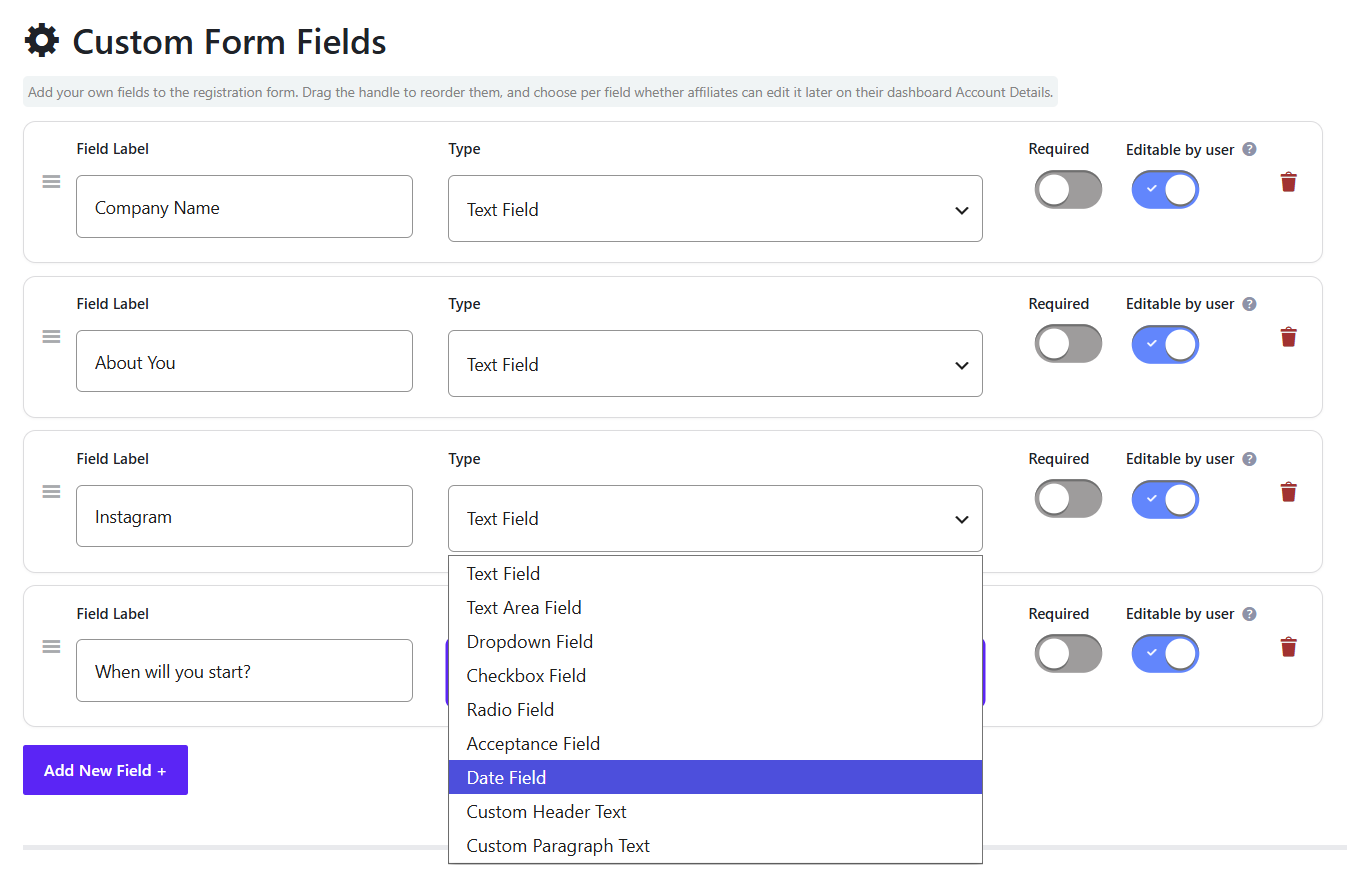
You can add an unlimited number of custom fields. Field types include text, text area, dropdown, checkbox, radio, acceptance, and date, plus custom header text and paragraph text to separate sections of the form.
Benutzerdefinierte Formularfelder
On the Registration settings, open Benutzerdefinierte Formularfelder. Each field is a card. Drag the handle to reorder, set the label and type, then choose Erforderlich und Editable by user. Use the trash icon to delete a field, or Add New Field to add another.
Editable by user controls whether the affiliate can change that answer later on their dashboard Account Details.
Where the answers appear
The same fields can show in:
- The affiliate dashboard Account Details (there is a master show/hide for registration custom fields on the Settings tab)
- View Affiliate → Edit User
- The WordPress user profile
New applications from someone who is already logged in now save their answers to the profile, as well as on the application.
Restore Registration Field Answers
Older applications from already-logged-in users may have answers on the application only, with blank fields on Account Details and the admin screens. Restore Registration Field Answers unter Verwaltungs-Tools copies those answers onto the profile. The tool only appears if your site has any answers left to copy.
 English
  Spanish
  German
  French