
¿Cómo aplico ajustes fiscales personalizados a las estadísticas y comisiones?
Updated agosto 25, 2021
Si por alguna razón tienes un impuesto sobre las ventas que no se aplica a los pedidos de WooCommerce en el checkout o como un valor desglosado, es posible que desees aplicar un ajuste de impuestos personalizado para calcular la comisión y las estadísticas correctamente.
A “Custom Tax Adjustment (%)” option is available in the “Commission” settings tab (under “Tax Settings”). The percentage you enter is deducted from the order subtotal before the percentage (%) commission is calculated.
You can also enable “Display adjusted total and subtotal” to show the adjusted “total” and “subtotal” for orders on the affiliate dashboard. When this is disabled, only the “commission” stat is affected by the adjustment.
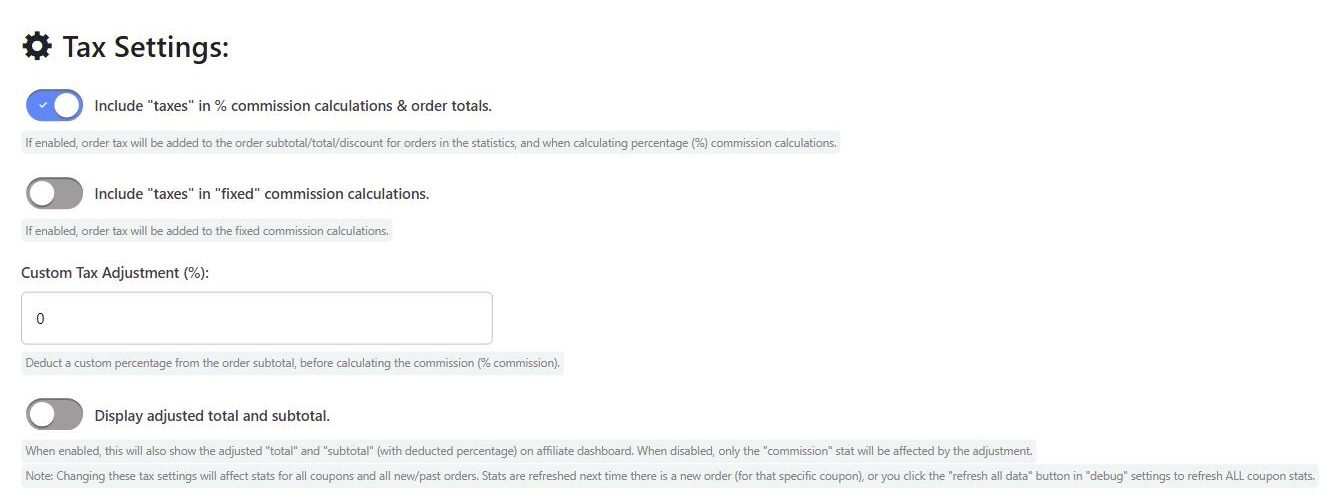
Note: Changing these tax settings will affect stats for all coupons and all new and past orders. Stats are refreshed the next time there is a new order for that coupon, or you can click the “refresh all data” button in the “Debug” settings tab to refresh all coupon stats.
For a full explanation of how tax is handled in commission calculations, see Tax Calculations.
 English
  Spanish
  German
  French