
(PRO) Pagos - Cómo pagar a los afiliados
Updated septiembre 3, 2026
Para pagar a sus afiliados, en primer lugar debe activar y configurar sus métodos de pago preferidos en la sección "pagos" de la configuración del plugin.
Una vez configurados, sus afiliados pueden elegir entre estos métodos de pago en la pestaña de configuración de su panel de afiliado e introducir sus datos de pago (o conectar la cuenta de pago).
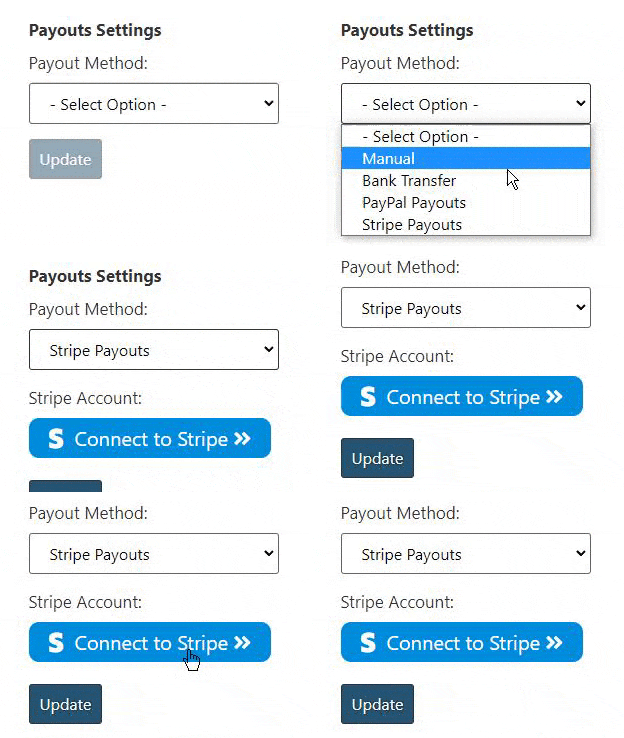
Cuando soliciten el pago de su comisión, recibirá una notificación por correo electrónico y podrá gestionar los pagos con un solo clic a través del panel de administración.
Las opciones de pago disponibles son:
- 2 métodos de pago "manuales" personalizados
- Transferencias bancarias manuales
- Transferencias bancarias semiautomáticas con Wise
- Pagos con Stripe con un solo clic
- Pagos de PayPal con un solo clic
- Pagos a crédito en la tienda
Si es necesario, hay una opción para establecer el "método de pago por defecto" que se selecciona para todos los afiliados de forma automática.
Processing Commission
“Processing Commission” allows affiliates to track commission from orders that are not yet completed, but are still displayed on the dashboard (for example, orders that are still “processing” or “on-hold”).
This is useful for showing withheld commission. Once the order is completed, it is converted into “unpaid commission”, which the affiliate can then request a payout for.
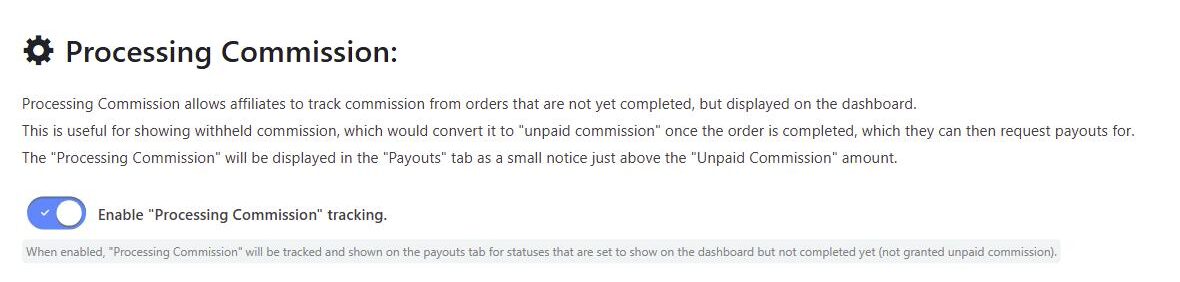
To enable this, go to the “Payouts” tab in the plugin settings, scroll down to the “Processing Commission” section, and toggle on “Enable Processing Commission tracking”.
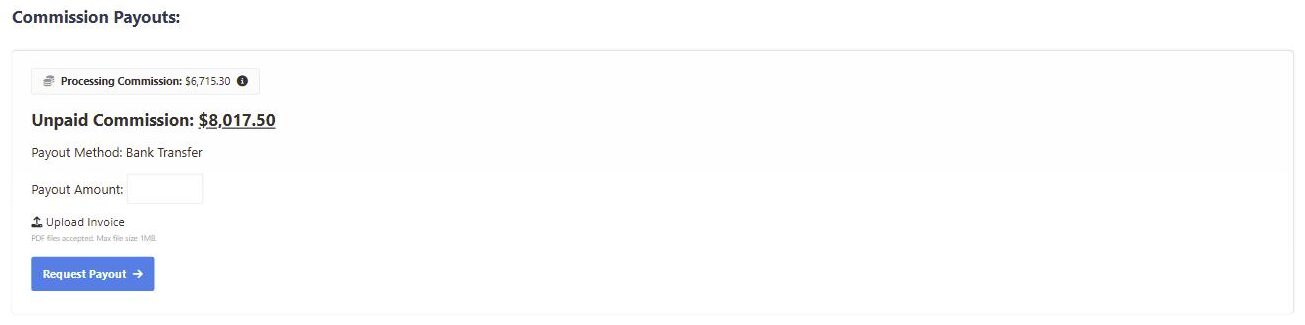
When enabled, the processing commission is displayed in the “Payouts” tab of the affiliate dashboard as a small notice just above the “Unpaid Commission” amount, so affiliates can see commission that is on its way but not yet available to request as a payout. Hovering the info icon explains that the amount may change, and that it will become unpaid commission once the order status is updated to completed.
Processing commission is only tracked for order statuses that are set to show on the affiliate dashboard but have not yet reached the status that grants unpaid commission (“Completed” by default). See Seleccione qué estados de pedido mostrar en el panel de afiliados.
Bulk Payouts
From the Payouts admin page, open Bulk Pay to review all pending payout requests and pay them in one click across every payout method. Progress is shown as each payout is processed, along with any failures.
Export Payouts
The Export Payouts option lets you filter payouts by status, payment method, and date range. You can optionally include payment details, and export as a CSV file or a landscape PDF.
 English
  Spanish
  German
  French