
(PRO) Auszahlungen - Wie man Affiliates bezahlt
Updated September 3, 2026
Um Ihre Affiliates zu bezahlen, müssen Sie zunächst Ihre bevorzugten Auszahlungsmethoden im Abschnitt "Auszahlungen" der Plugin-Einstellungen aktivieren und konfigurieren.
Nachdem diese eingerichtet sind, können Ihre Partner auf der Registerkarte "Einstellungen" ihres Partner-Dashboards zwischen diesen Zahlungsmethoden wählen und ihre Zahlungsdaten eingeben (oder das Zahlungskonto verbinden).
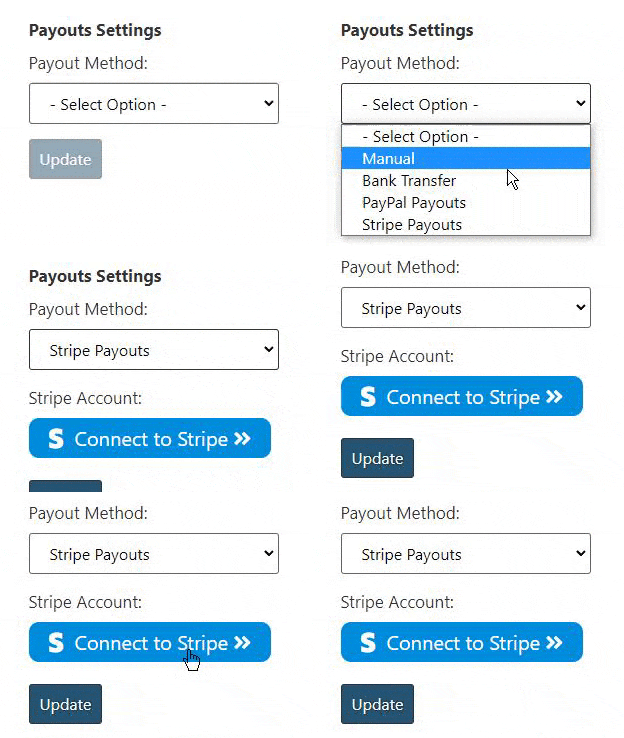
Wenn sie eine Auszahlung für ihre Provision beantragen, werden Sie per E-Mail benachrichtigt und können die Auszahlungen mit einem Klick über das Admin-Dashboard verwalten.
Die verfügbaren Auszahlungsoptionen sind:
- 2 x benutzerdefinierte "manuelle" Auszahlungsmethoden
- Halbautomatische Banküberweisungen mit Wise
- Ein-Klick-Streifen-Auszahlungen
- PayPal-Zahlungen mit einem Mausklick
Bei Bedarf können Sie die "Standardauszahlungsmethode" festlegen, die automatisch für alle Partner ausgewählt wird.
Processing Commission
“Processing Commission” allows affiliates to track commission from orders that are not yet completed, but are still displayed on the dashboard (for example, orders that are still “processing” or “on-hold”).
This is useful for showing withheld commission. Once the order is completed, it is converted into “unpaid commission”, which the affiliate can then request a payout for.
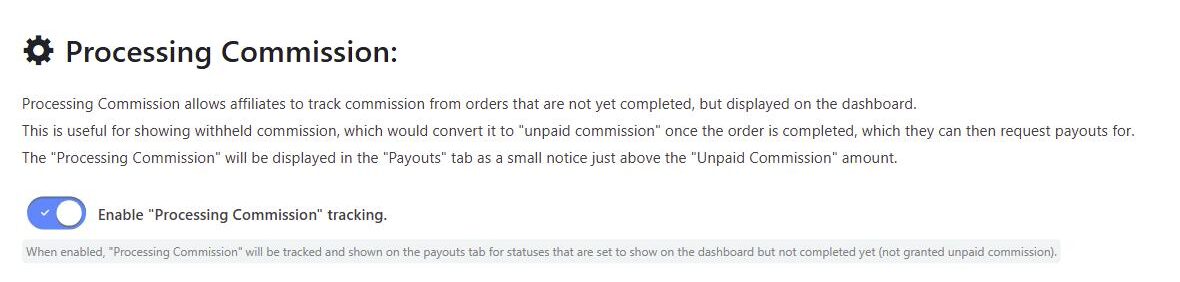
To enable this, go to the “Payouts” tab in the plugin settings, scroll down to the “Processing Commission” section, and toggle on “Enable Processing Commission tracking”.
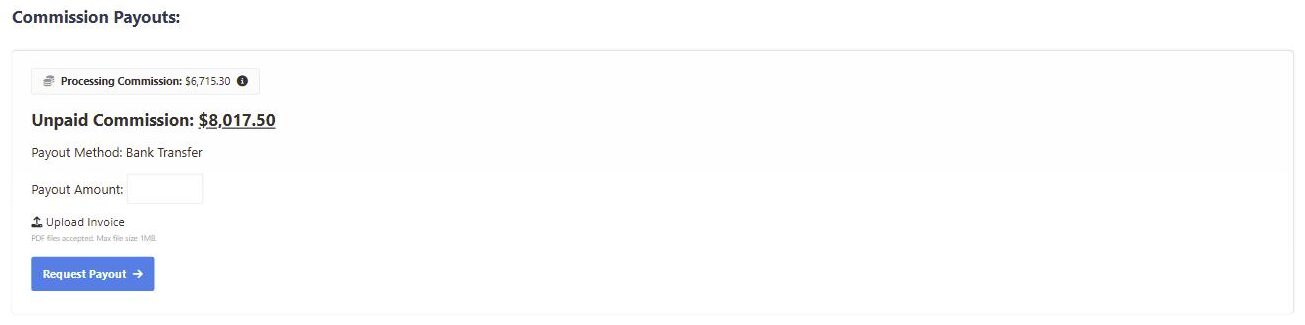
When enabled, the processing commission is displayed in the “Payouts” tab of the affiliate dashboard as a small notice just above the “Unpaid Commission” amount, so affiliates can see commission that is on its way but not yet available to request as a payout. Hovering the info icon explains that the amount may change, and that it will become unpaid commission once the order status is updated to completed.
Processing commission is only tracked for order statuses that are set to show on the affiliate dashboard but have not yet reached the status that grants unpaid commission (“Completed” by default). See Wählen Sie aus, welche Auftragsstatus auf dem Dashboard des Partners angezeigt werden sollen.
Bulk Payouts
From the Payouts admin page, open Bulk Pay to review all pending payout requests and pay them in one click across every payout method. Progress is shown as each payout is processed, along with any failures.
Export Payouts
The Export Payouts option lets you filter payouts by status, payment method, and date range. You can optionally include payment details, and export as a CSV file or a landscape PDF.
 English
  Spanish
  German
  French