
Déclarations (PRO)
Updated septembre 3, 2026
Générer automatiquement un relevé PDF pour chacune des demandes de paiement de vos affiliés.
This makes it easy to send payment/tax statements to affiliates to assist with bookkeeping or tax reporting, and to document them for your own records.
Once enabled, a statement will be automatically generated and can be downloaded by the affiliate in the affiliate dashboard Paiements tab.

A variety of customisations are available in the plugin settings, to set your address, company name, logo, and other details displayed on the statement.
Affiliates can fill in their own billing information on the affiliate dashboard Paramètres tab. That information is shown on the statement under Paid To.
Customise affiliate details fields
Sur le site Factures settings tab, the Customise affiliate details fields panel lets you rename, show or hide, and mark as required the company, address, and tax number fields the affiliate fills in. You can also add extra fields of your own.
Labels are left blank by default, so nothing changes until you enter your own wording.
The tax number, and any extra fields you add, are labelled in the Paid To section of the PDF.
You can also set a tax rate to display on the statements, with either an inclusive or exclusive tax rate for the commission.
PDF layout
The payout statement PDF includes a clear header and a status badge (for example PAID), side-by-side From et Paid To panels, a tidy items table, and a highlighted total that uses the button colour from your Design settings.
Voici un exemple de déclaration PDF générée :
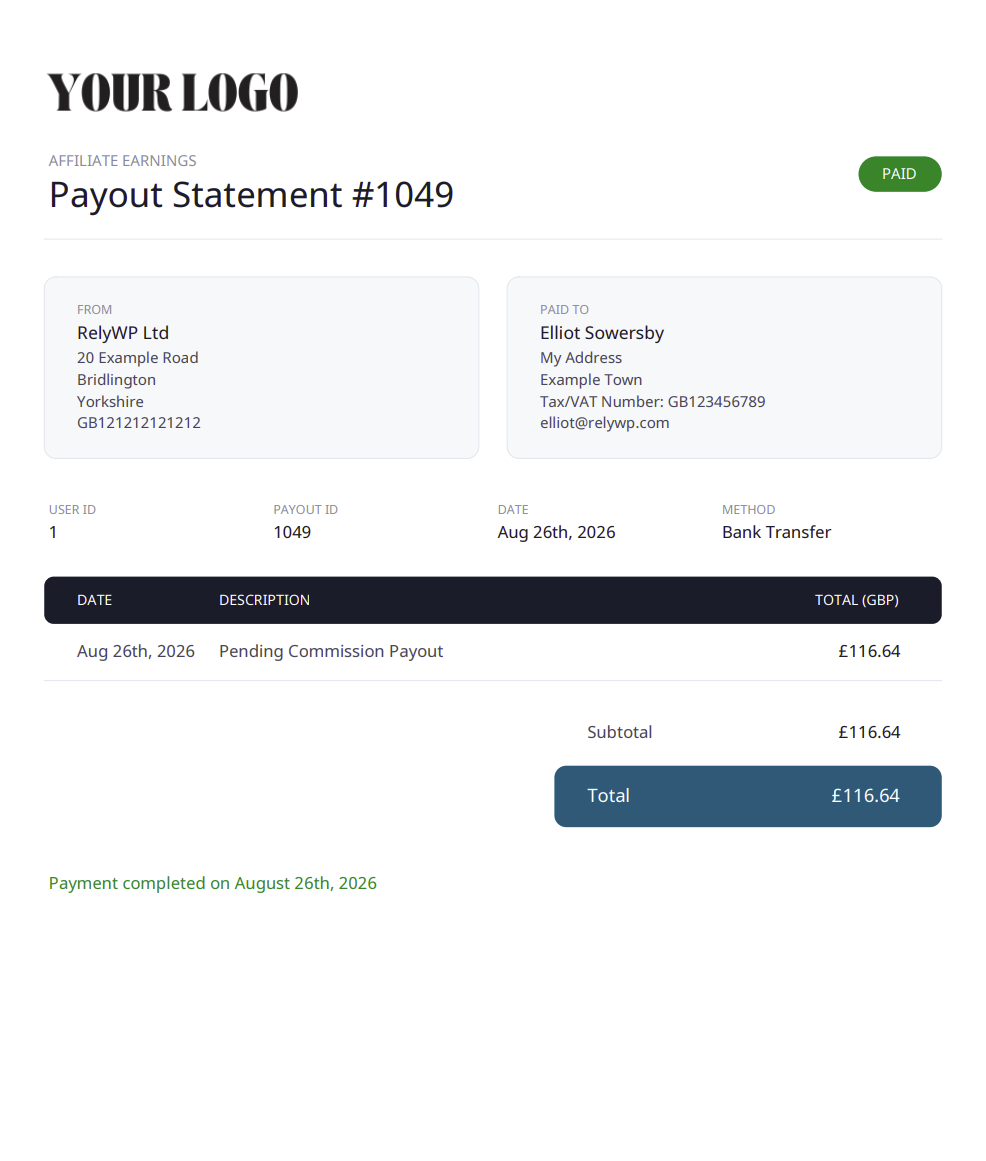
To get started, enable the Déclarations PDF module on the plugin settings page. An Factures tab will then appear so you can customise the settings further.
 English
  Spanish
  German
  French