
(PRO) New Customer Bonus
Updated September 3, 2026
The “New Customer Bonus” feature lets you increase the commission earned if the referred customer is placing their first order.
This gives your affiliates a stronger incentive to find brand-new customers for your store, rather than just referring customers who have already purchased from you before.
Getting Started
To enable this feature, go to the “Commission” tab in the plugin settings, scroll down to the “New Customer Bonus” section, and toggle on “Enable New Customer Bonus commission”.
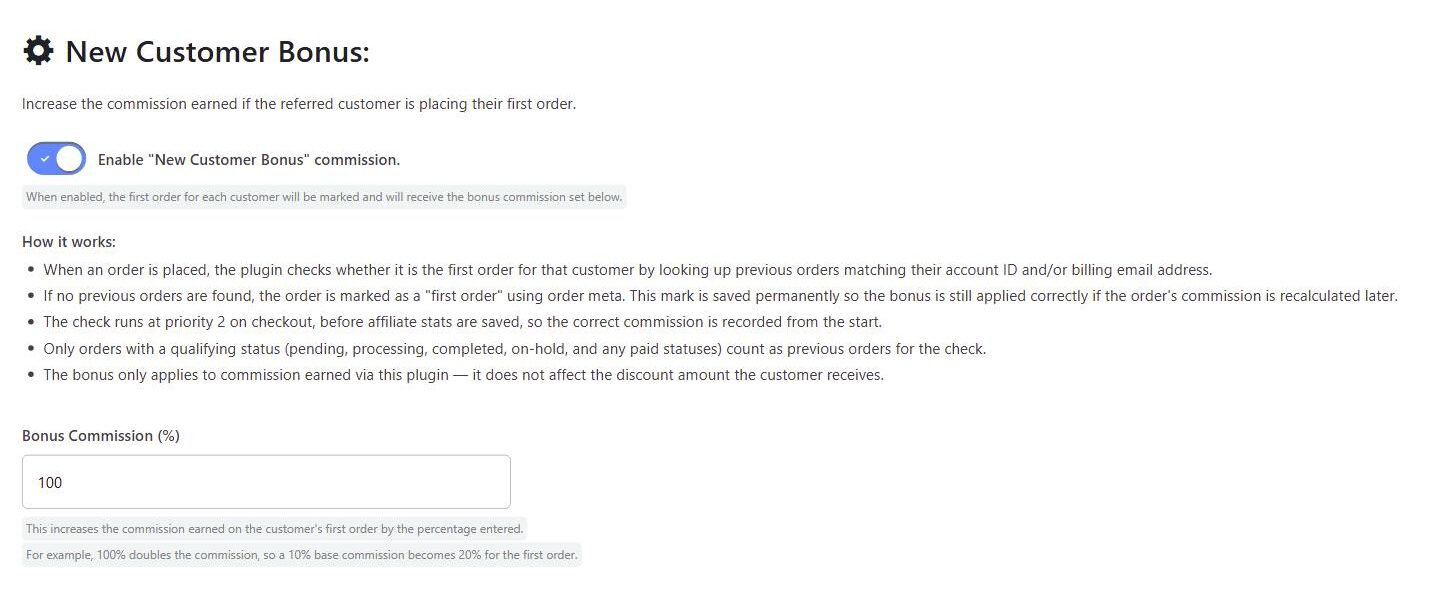
You can then enter the “Bonus Commission (%)”. This increases the commission earned on the customer’s first order by the percentage entered. For example, if you set this to 100%, the commission is doubled, so a 10% base commission becomes 20% for the first order. If you set it to 50%, a 10% base commission would become 15%.
How it works
When an order is placed, the plugin checks whether it is the first order for that customer, by looking up any previous orders matching their account ID and/or billing email address.
If no previous orders are found, the order is marked as a “first order”. This is saved permanently on the order, so the bonus is still applied correctly if the order’s commission is recalculated later (for example, when refreshing statistics).
Only previous orders with a qualifying status count towards this check: pending, processing, completed, on-hold, and any statuses that WooCommerce treats as “paid”. Cancelled or failed orders do not count, so a customer whose only previous order was cancelled will still be treated as a new customer.
The bonus only applies to the commission earned via the plugin. It does not affect the discount amount the customer receives.
Note: This is separate from the “New Customers Only” option in the Fraud Prevention settings, which stops existing customers from using affiliate coupons at all. The New Customer Bonus does not restrict who can use a coupon; it only rewards the affiliate more when the customer is new.
 English
  Spanish
  German
  French