
How do I include or exclude tax/VAT from stats and commission?
Updated September 4, 2026
By default, tax/VAT is excluded from the affiliate dashboard stats and commission calculations.
However, if you want to include it, go to the “Commission” settings tab, scroll down to “Tax Settings” and enable the relevant option:
- Include “taxes” in % commission calculations & order totals – order tax is added to the order subtotal, total and discount shown in the statistics, and is included when calculating percentage (%) commission.
- Include “taxes” in “fixed” commission calculations – order tax is also included when calculating fixed commission amounts.
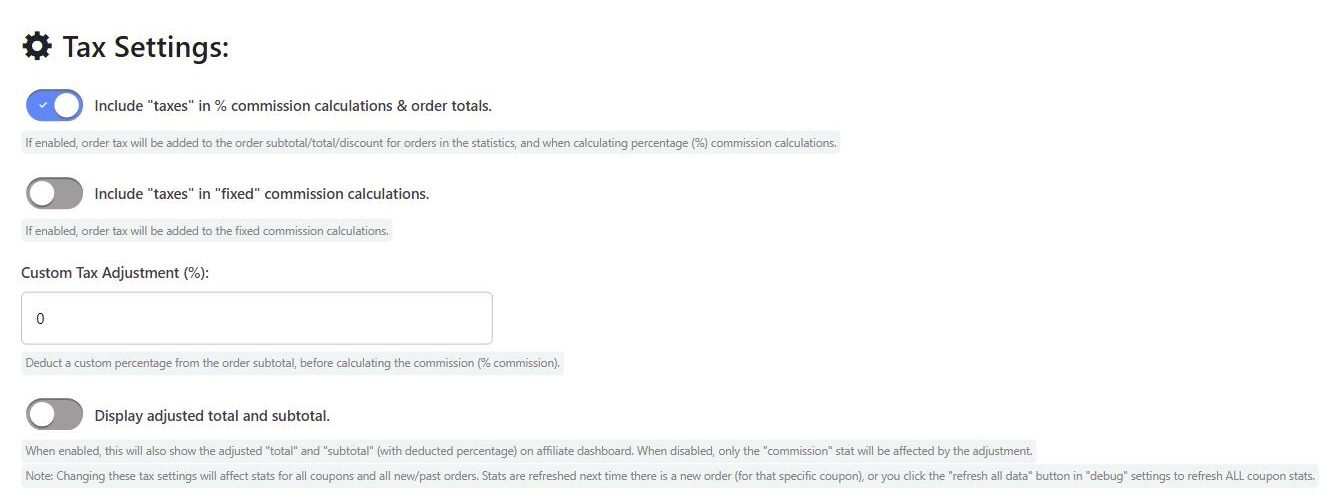
Note: Changing these tax settings will affect stats for all coupons and all new and past orders. Stats are refreshed the next time there is a new order for that coupon, or you can click the “refresh all data” button in the “Debug” settings tab to refresh all coupon stats.
For a full explanation of how tax is handled, including custom tax adjustments, see Tax Calculations.
 English
  Spanish
  German
  French