
Admin Reports & Analytics
Updated September 6, 2026
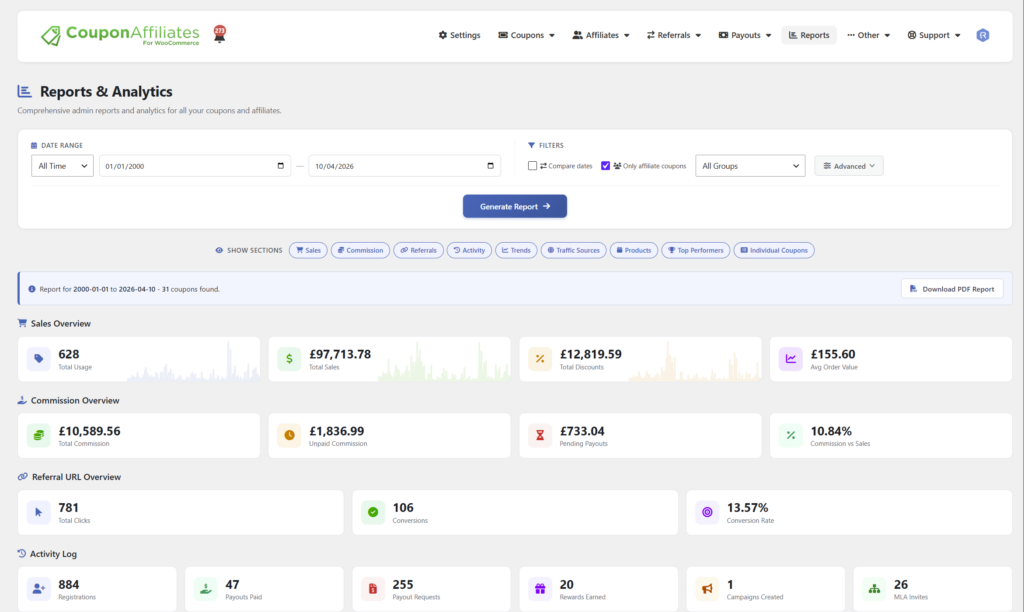
On the “Reports & Analytics” page under the Coupon Affiliates admin menu, you can generate detailed reports to view analytics and usage statistics for ALL of your affiliate coupons, based on a specific date range, and other specific criteria you select.
Generating a Report
Choose a date range using one of the presets (Today, 7 Days, 14 Days, 30 Days, This Month, Last Month, 3 Months, 90 Days, This Quarter, Last Quarter, 12 Months, This Year, Last Year, All Time) or select “Custom” to enter your own start and end dates.
You can then narrow the report down with the following filters:
- Compare dates (PRO) – Compare the selected date range with a second range, and optionally only show coupons whose sales have increased or decreased by at least a chosen percentage.
- Affiliate group (PRO) – Only include coupons belonging to a specific affiliate group.
- Advanced filters – Only include coupons where Total Usage, Total Sales, Commission Earned, Conversion Rate or Unpaid Commission is equal to, more than, or less than a value you enter.
- Show Sections – Choose which sections to include in the report: Sales, Commission, Referrals, Activity, Trends, Traffic Sources, Products, Top Performers and Individual Coupons.

Once you’ve selected your filters and date range, click “Generate Report” and the report will be displayed.
What the Report Includes
- Sales Overview – Total usage, total sales, total discounts and average order value.
- Commission Overview – Total commission, unpaid commission and pending payouts, plus a “Commission vs Sales” chart.
- Referral URL Overview – Total clicks, conversions and conversion rate.
- Activity Log – Counts of registrations, payouts paid, payout requests, rewards earned, campaigns created and MLA invites in the period.
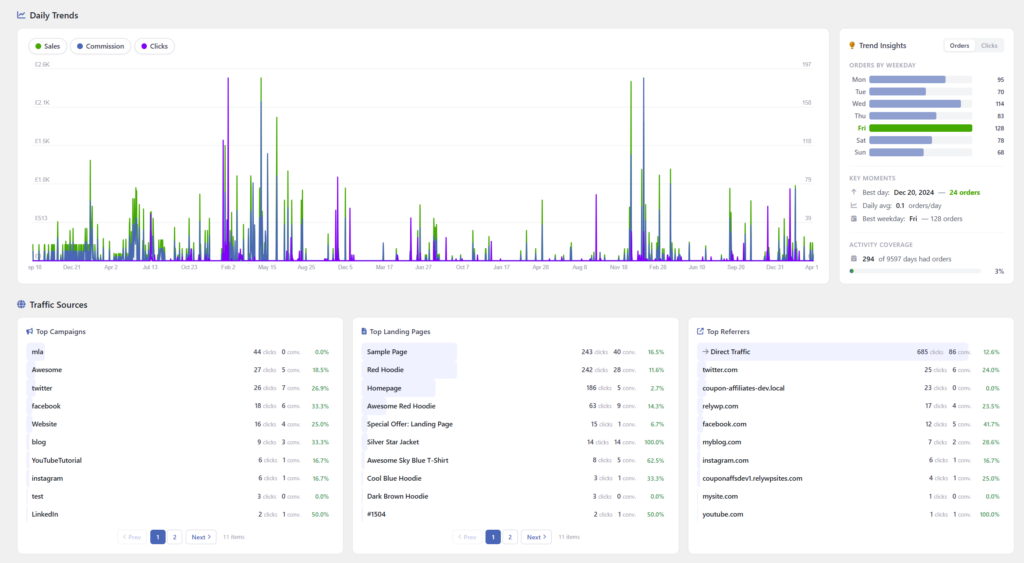
- Daily Trends – A day-by-day chart of sales, commission, orders and clicks, with trend insights.
- Traffic Sources – Top campaigns, top landing pages and top referrers.
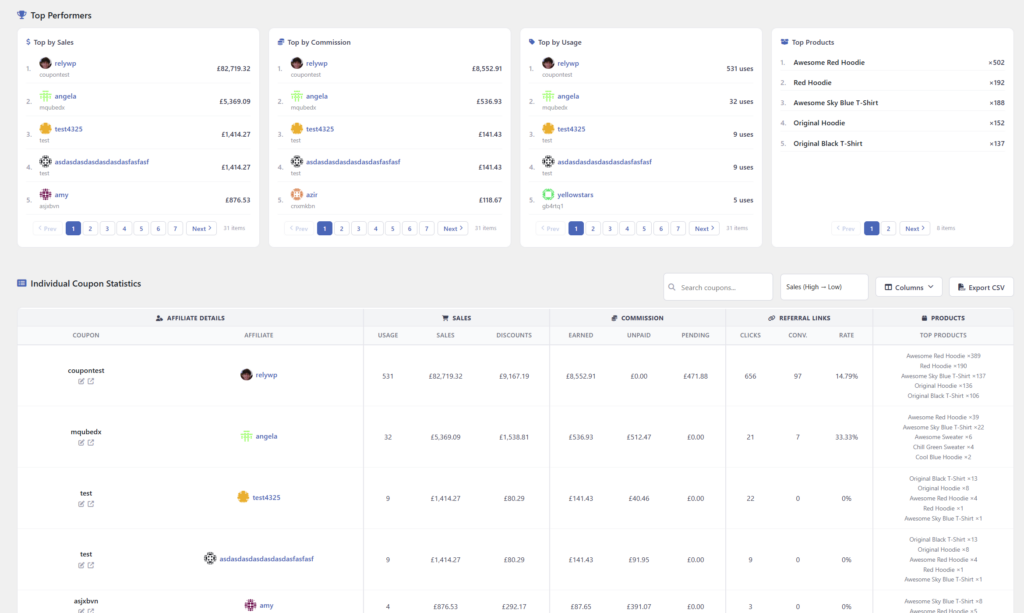
- Top Performers – Top coupons by sales, by commission and by usage, and top products.
- Individual Coupon Statistics – A searchable list of every coupon that meets the criteria, with a usage summary for each. You can sort the list by sales, usage, commission, discounts or name.
Here are some example screenshots of the admin reports:
Exporting a Report
Once a report has been generated you can click “Download PDF Report” to save it as a PDF, or “Export CSV” (PRO) to download the coupon statistics as a CSV file.
If you would like reports emailed to you automatically, see (PRO) Affiliate Email Reports.
Pro Version Features
With the Pro version you get access to an unlimited date range on the admin reports, export to CSV, filtering by affiliate group, and the date comparison features, to compare analytics between 2 sets of dates.
Free Version Features
The free version of Coupon Affiliates can also generate admin reports, but can only generate reports for the past 3 months, and does not include the date comparison, group filter or CSV export features.
 English
  Spanish
  German
  French