
Affiliate Registration for WooCommerce
Grow your program with a hands-off sign-up process.
Add an affiliate registration form to any page of your WooCommerce store. When you approve an application, the affiliate’s account and coupon are created and they’re emailed a link to their dashboard, all automatically.
Free
Grow your program
Affiliate registration form
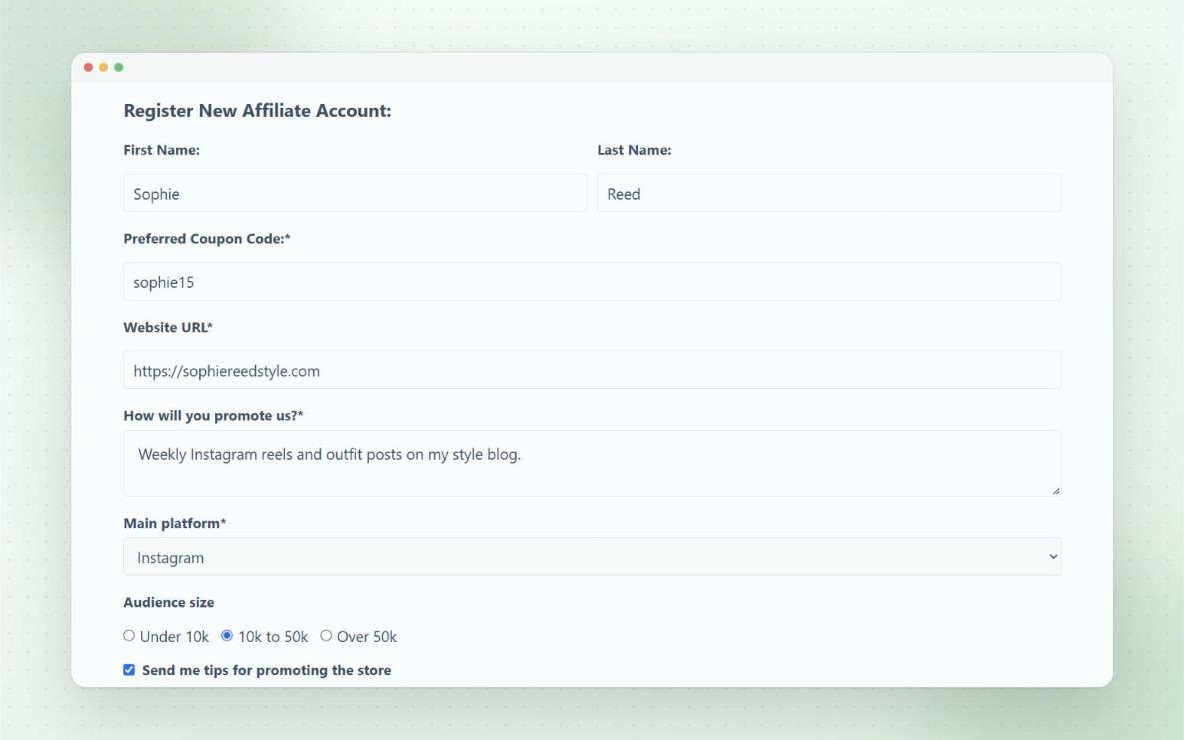
Add the form to any page with the [couponaffiliates-register] shortcode. When someone applies, you’re emailed, and you can review the application on the Registrations page.
Click accept or decline, add a message, or change the coupon code they asked for. With Pro, you can accept applications automatically, for everyone or just certain roles or groups.
- Choose from 3 form styles
- Applicants pick their preferred coupon code
- Customisable accepted and declined emails
- Automatic approvals (Pro)


How it works
From application to active affiliate
Every new affiliate follows the same simple path, so there’s nothing to set up by hand.
- 1ApplySophie appliesShe fills in your registration form and picks her preferred coupon code.
- 2ReviewYou accept herAccept or decline in one click, or turn on auto-accept.
- 3CouponHer coupon is createdsophie15 is made from your template coupon and assigned to her.
- 4GoShe starts promotingShe gets an email and can log in to her affiliate dashboard straight away.
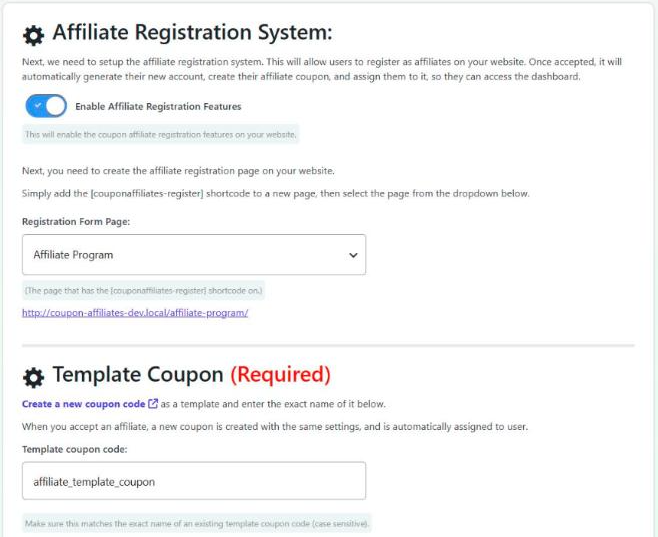
Your settings, discount and commission rates come from the template coupon, so every affiliate is set up the same way.
Free
Set up in seconds
Coupons created for you
Set up a template coupon with the discount and settings you want. When an affiliate is accepted, their coupon is created from the template, assigned to them, and their account is created if they don’t have one.
With Pro, you can create several template coupons for applicants to choose from, or generate every code automatically in a format you set.
- Every template setting is copied to the new coupon
- Multiple template coupons (Pro)
- Automatic code generation (Pro)
Pro
Ask what you need
Custom registration fields
Add as many custom fields as you need, like text boxes, dropdowns, checkboxes, radio buttons and dates. Drag them into order, and choose which are required.
Answers show in the affiliate’s account details and on the admin View Affiliate page, and you can let affiliates edit them later.
- Required or optional fields
- Headings and paragraphs between fields
- Website and “How will you promote us?” fields
Pro
Turn customers into affiliates
Join from checkout
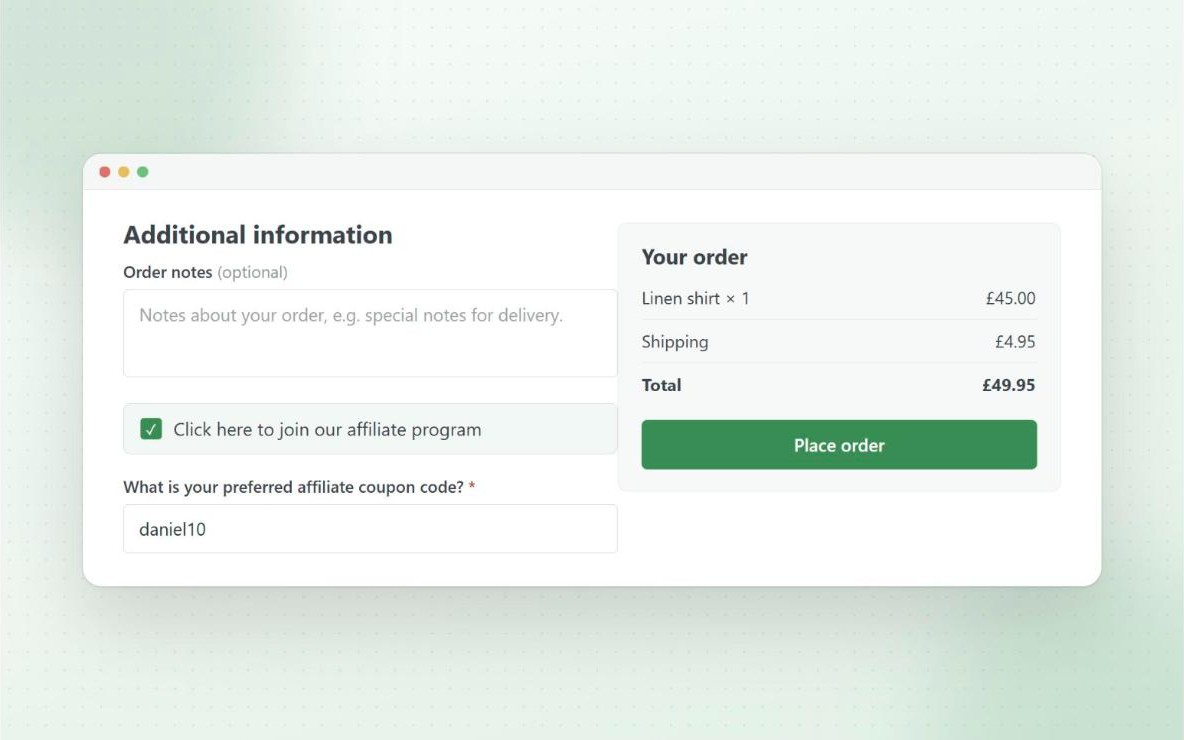
Your customers are often your best affiliates. Add a “join our affiliate program” checkbox to your checkout, so they can apply while they place an order.
Or register every new user as an affiliate automatically, however their account is created.
- Customise the checkbox label
- Optionally ticked by default
- Works with automatic approvals
Free
Keep bots out
Spam protection
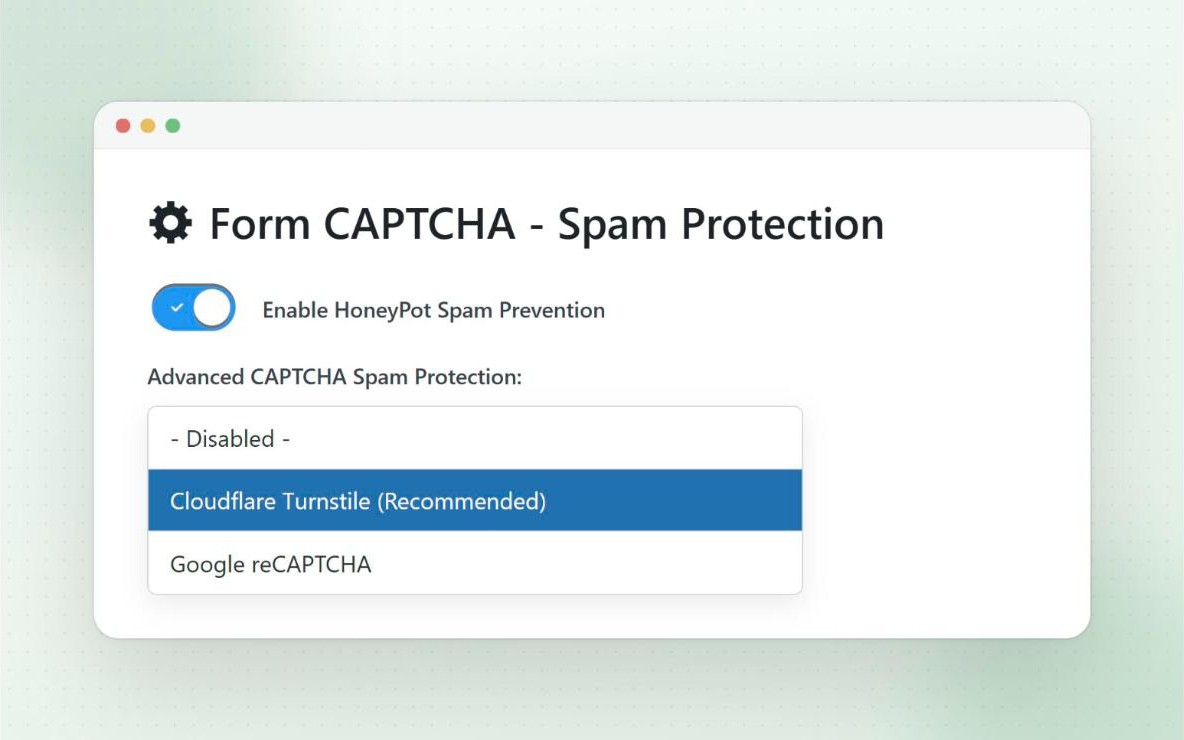
A hidden honeypot field is on by default to catch bots. You can also add Cloudflare Turnstile or Google reCAPTCHA to the form in a couple of clicks.
Visitors you’ve blocked in the visitors blacklist can’t register as affiliates either.
Pro
Stay in touch
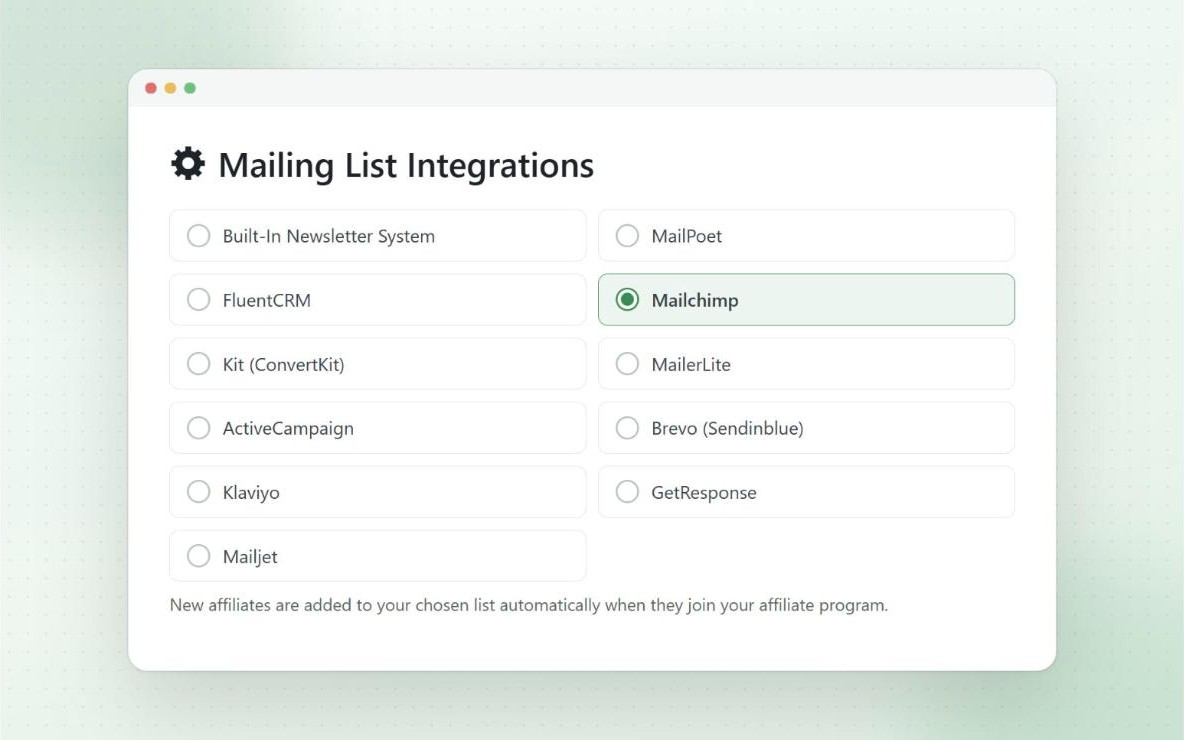
Mailing list integrations
Automatically add new affiliates to your mailing list when they’re accepted, so you can keep them engaged with tips, offers and news.
It works with Mailchimp, Kit, MailerLite, ActiveCampaign, Brevo, Klaviyo, GetResponse, Mailjet, MailPoet and FluentCRM.
Free
Already have affiliates?
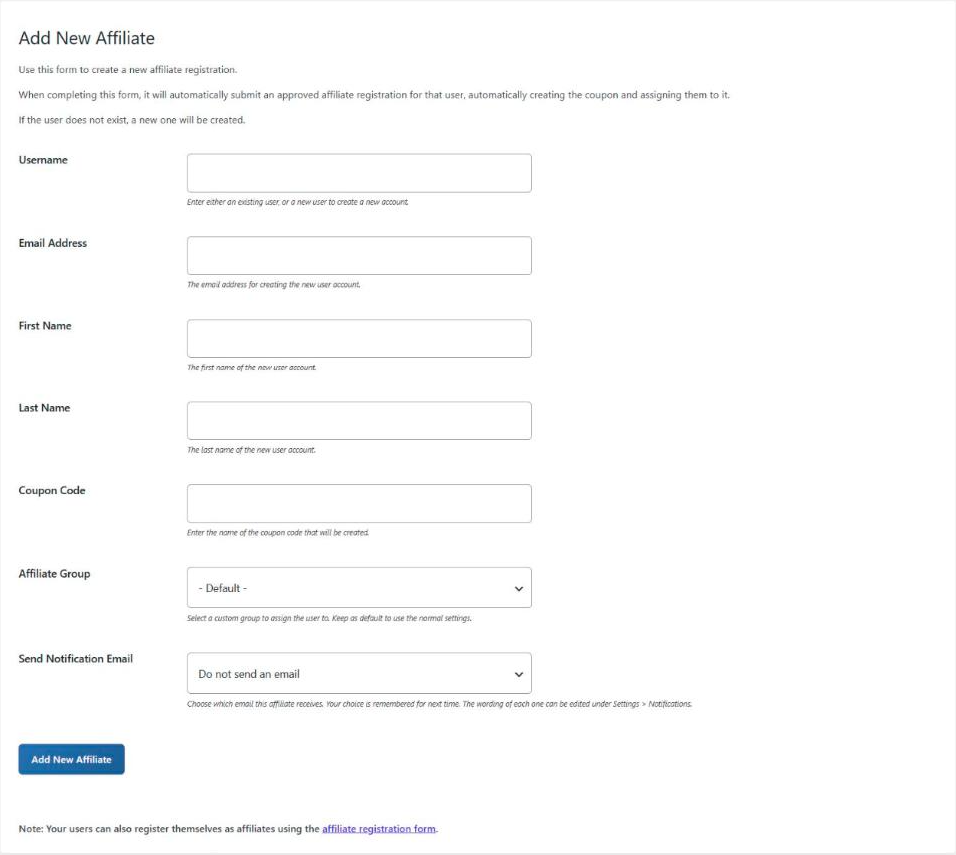
Add affiliates yourself
Add a new affiliate from the admin in seconds. Their user account and coupon are created and assigned, and you choose which email they get.
Bringing over an existing program? Bulk create affiliate coupons and users in one go, or assign a user to any existing coupon.
- Create the user, or link an existing one
- Bulk create affiliates from your template coupon
- Assign affiliates to existing coupons
And more
Also included
- Terms & conditions generator Pro
Generate a terms page for your program, and link it from the form. - Registration on the portal Free
The Affiliate Portal includes its own login and registration forms. - Groups per template coupon Pro
Put affiliates in a group based on the template coupon they pick. - Review with AI Free
Ask Claude or ChatGPT to review pending applications for you.
Questions
Frequently asked questions
What happens when I approve an application?
The affiliate’s coupon is created from your template coupon and assigned to them, and they’re emailed a link to their dashboard. Registration guide
Can applications be approved automatically?
Yes, with Pro. It can apply to everyone, or only to certain roles or groups. Automatic approvals guide
How do I stop spam sign-ups?
A honeypot field is on by default, and you can add Cloudflare Turnstile or Google reCAPTCHA in the registration settings. Spam protection guide
Can customers join from the checkout?
Yes, with Pro. A “join our affiliate program” checkbox at checkout submits an application. Join from checkout guide
Can I offer different coupons to different affiliates?
Yes. With Pro, you can create several template coupons for applicants to choose from, or lock a form to one template. Multiple templates guide
Ready to launch your affiliate program?
Try Coupon Affiliates Pro free for 7 days, or get started with the free version on WordPress.org.