
Affiliate Fraud Prevention for WooCommerce
Protect your margin from coupon misuse and fake referrals.
Built-in affiliate fraud prevention settings help keep your program honest, all in one Fraud Prevention tab. Commission adjusts automatically for refunds, and tracking stays on your own site.
Free
All in one place
One tab for fraud prevention
Every fraud setting lives in the Fraud Prevention tab of the plugin settings, so you can see at a glance how your program is protected.
Most of the rules are included in the free version, and each one can be switched on or off to suit how you run your program.
Your rules
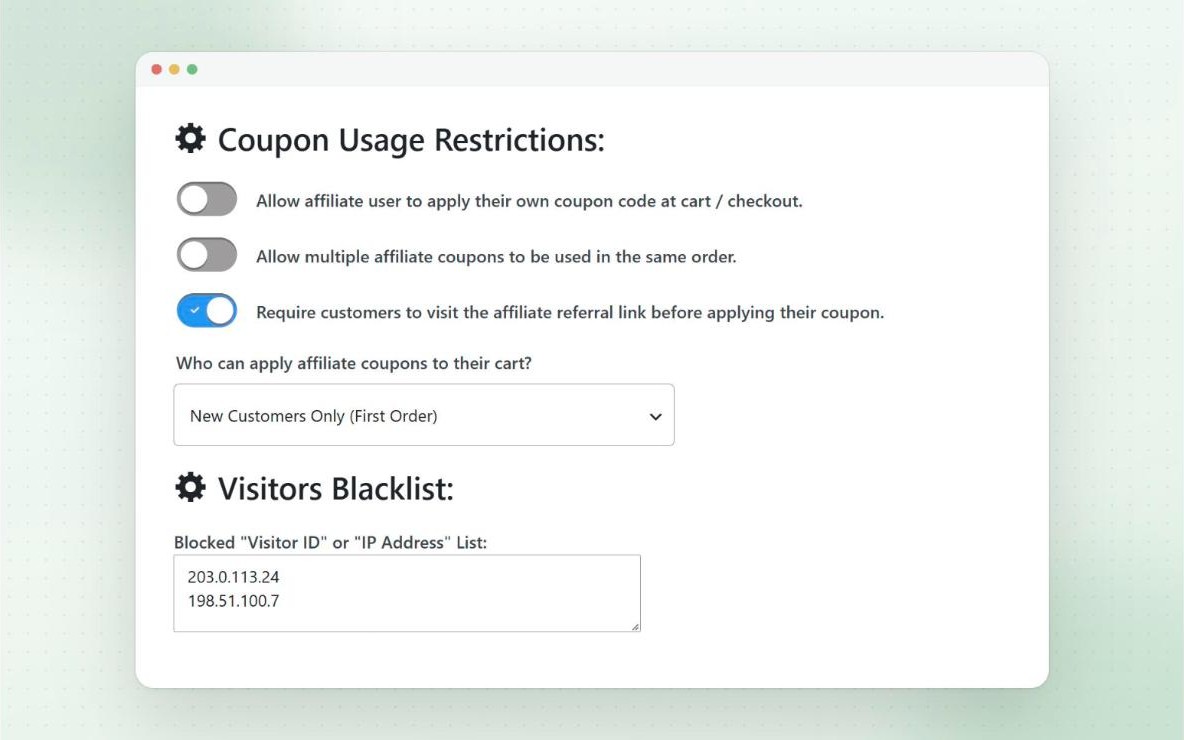
Affiliate fraud prevention rules
Choose the rules that fit your program. Each one targets a common way affiliate coupons get misused.
Free
Own Orders
Stop affiliates using their own coupon, or let them use it for the discount without earning commission.
Free
New Customers Only
Only let first-time customers use affiliate coupons, across your store or for specific coupons.
Free
One Coupon Per Order
Only one affiliate coupon can be used on an order by default, so referrals can’t be stacked.
Free
Require a Referral Link
Only let an affiliate coupon apply if the customer arrived through that affiliate’s referral link.
Pro
Strict Direct Links
Only let affiliate coupons work when the customer came straight from the affiliate’s approved website.
Free
Visitors Blacklist
Block visitor IDs or IP addresses from using affiliate coupons or registering, and add them straight from the visits log.
Pro
Domains Blacklist
If a code ends up on a coupon site, stop it applying for visitors from that site, and optionally block manual use too.
Free
Spam-free Sign-ups
A hidden honeypot field is on by default, and you can add Cloudflare Turnstile or reCAPTCHA to the registration form.
Free
Suspend Affiliates
Pause an affiliate’s dashboard and lock their coupons, without deleting any of their data.
Free
What customers see
Stopped at the cart, not after the sale
Rules are checked as soon as an affiliate coupon is applied, so a coupon that breaks one never makes it into the order. There’s no commission to cancel later.
The customer sees a short, clear message at the cart or checkout instead, and every message can be translated like the rest of the plugin.
- Checked at the cart and at checkout
- Clear messages customers understand
- Genuine customers aren’t affected
Free
Pause, don’t delete
Suspend an affiliate, keep their history
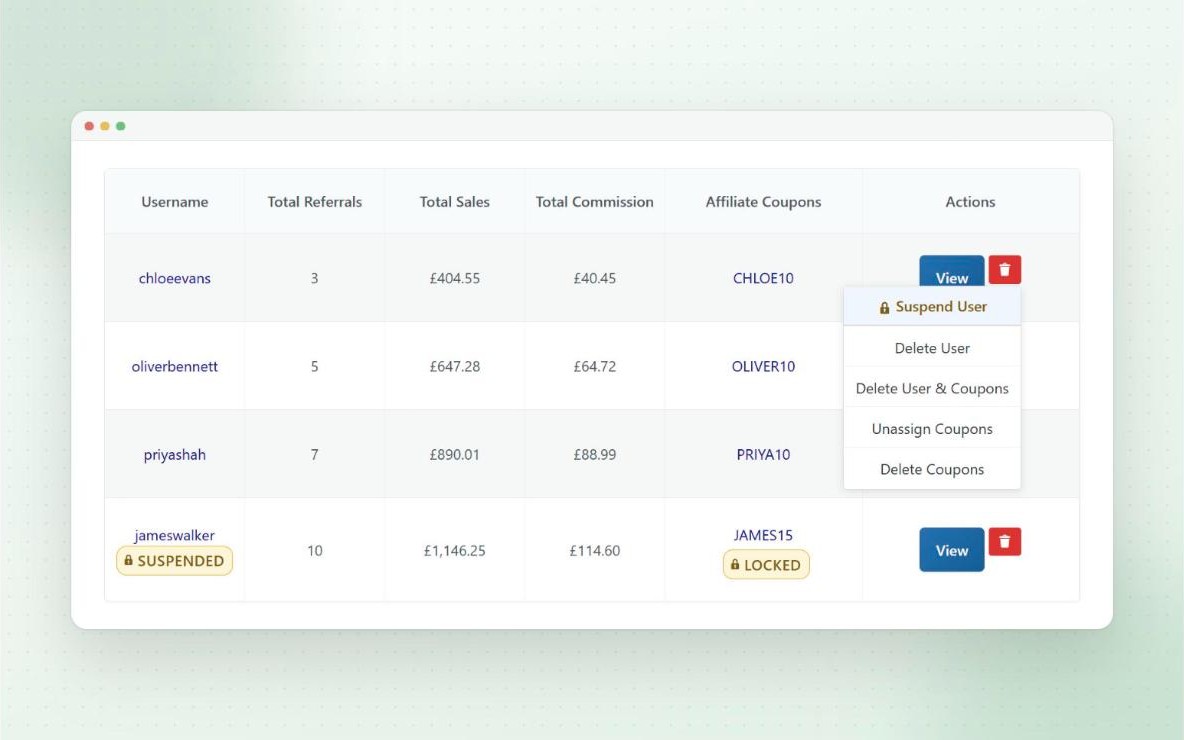
If something doesn’t look right, suspend the affiliate from their View Affiliate page or the affiliates list. They lose access to their affiliate dashboard, portal and MLA dashboard, and their coupons can no longer be applied or used at checkout.
Nothing is deleted. Their coupons, statistics, commission and payout history all stay as they were, and you can lift the suspension at any time.
- “Suspended” badge on the affiliates list
- Their coupons show a “Locked” padlock
- Recorded in the activity log
Free
Only pay for real sales
Refunds and delayed commission
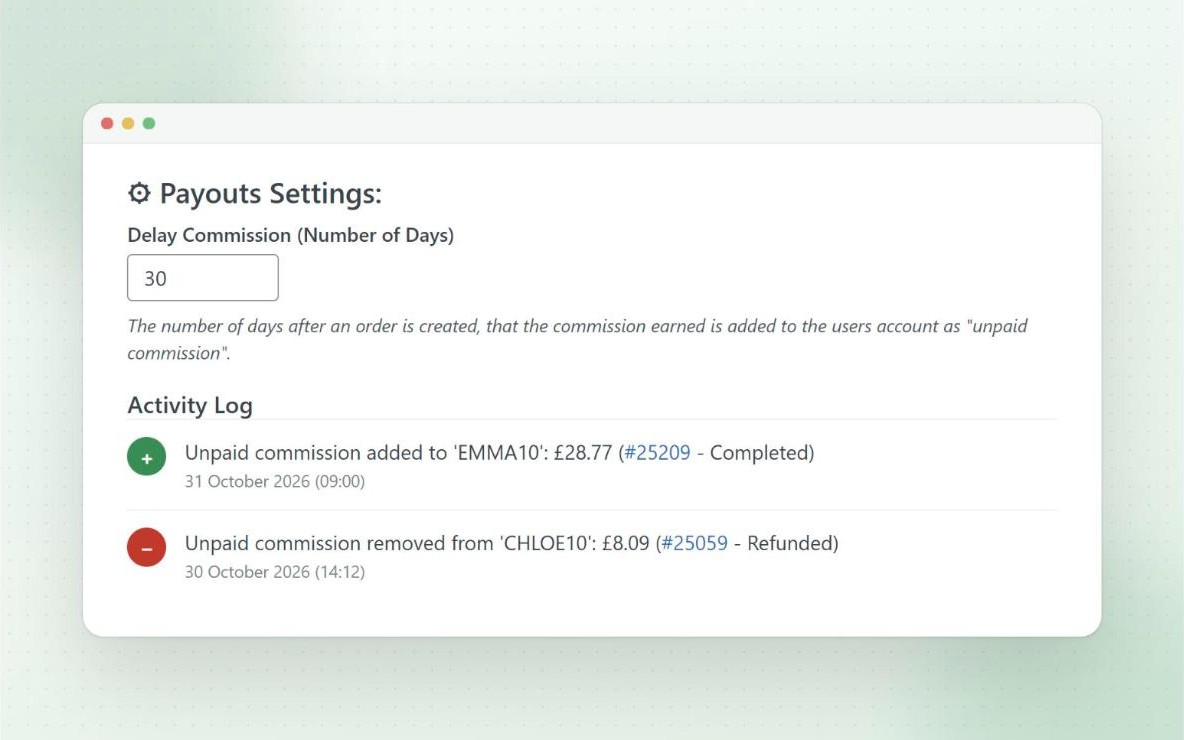
When a referred order is fully or partially refunded, the commission is recalculated and taken off the affiliate’s unpaid commission automatically, as long as it hasn’t been paid yet.
With Pro, you can delay commission by a set number of days to cover your refund window, so it’s only payable once the order is safe.
- Automatic refund handling
- Choose which order status grants commission
- Delayed commission (Pro)
Free
Privacy friendly
Privacy and cookies
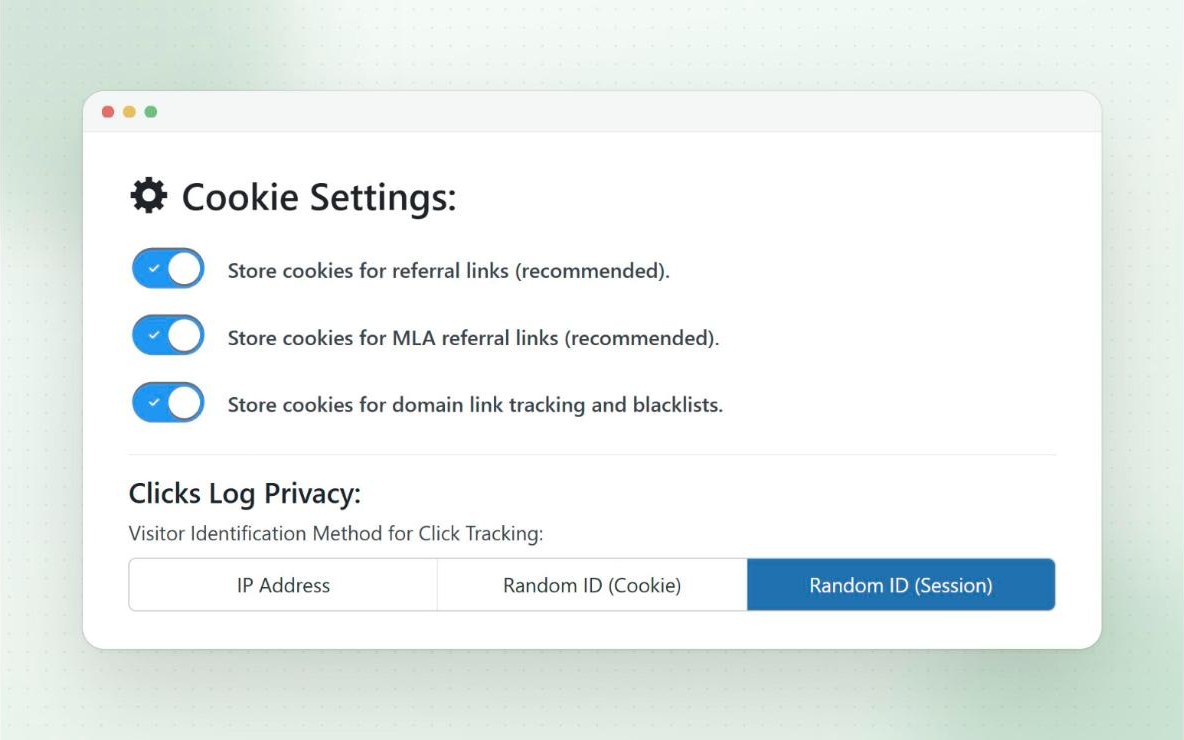
Referral tracking only uses first-party cookies on your own domain, and all the data is stored on your own site, not a third-party platform.
You choose how long cookies last, which ones are used, and how clicks are identified, including a session-based option that doesn’t save IP addresses or add another cookie.
- First-party cookies only
- Custom cookie duration
- Optionally clear cookies once an order is placed
- Warnings if your cache setup could strip cookies
Free
Security built in
Secure by default
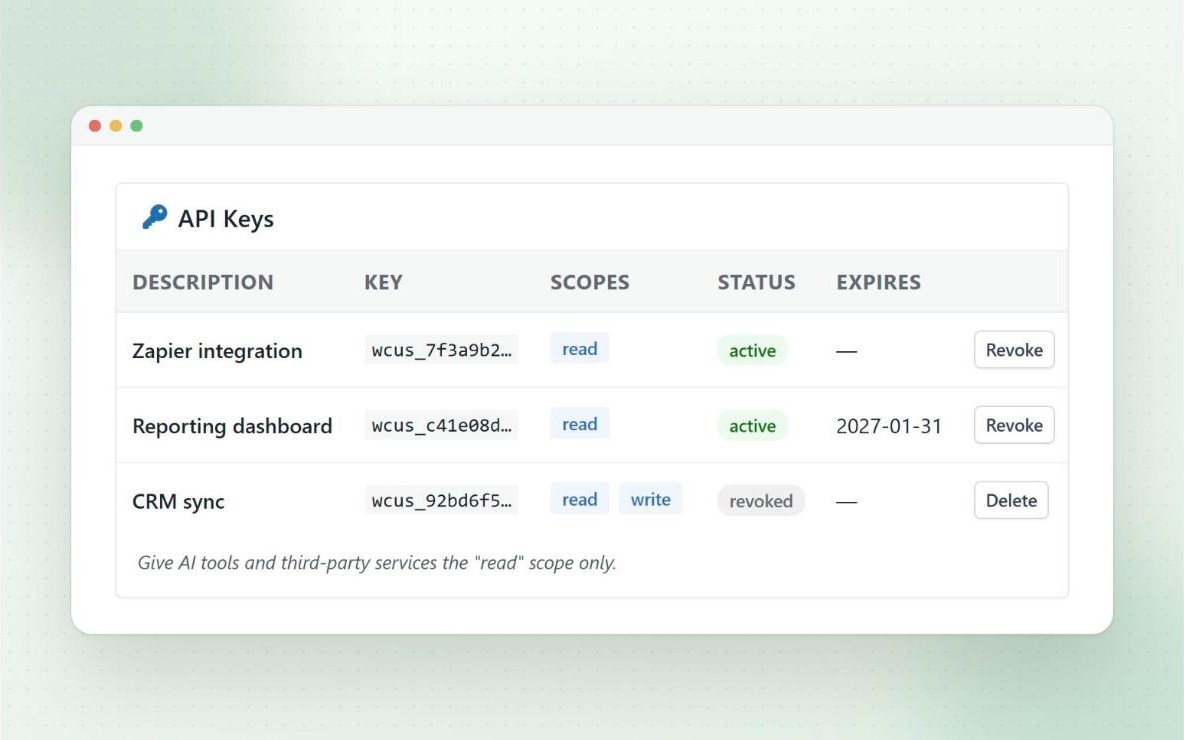
The REST API, webhooks and AI features are all off until you switch them on. API keys have their own permissions and need HTTPS, and AI apps are read-only and admin-only by default.
Webhooks are signed so you can check they came from your store, and bank details for Wise payouts can be encrypted.
- Scoped, revocable API keys
- AI actions ask for confirmation first
- Signed webhooks (Pro)
- A responsible disclosure process for security reports
Questions
Frequently asked questions
Can I stop affiliates earning on their own orders?
Yes. Stop them using their own coupon, or let them use it without earning commission. Fraud prevention guide
What happens when a referred order is refunded?
Commission is recalculated for full and partial refunds, and taken off the affiliate’s unpaid commission if it hasn’t been paid yet. Refunds guide
Can I hold commission until my refund window closes?
Yes. With Pro, delayed commission adds it after a set number of days. Refunds guide
Can I limit affiliate coupons to first orders?
Yes, for all affiliate coupons, or per coupon. New customers only guide
What if an affiliate’s code ends up on a coupon site?
With Pro, add the site to the domains blacklist. Visitors from it won’t get the coupon applied automatically, and you can block manual use too. Fraud prevention guide
What do customers see when a coupon is blocked?
A short message at the cart or checkout, such as “Sorry, only new customers can use this coupon code.” The coupon isn’t applied, so no commission is recorded.
What happens when I suspend an affiliate?
They can’t access their affiliate dashboard, portal or MLA dashboard, and their coupons can’t be used. Nothing is deleted, so you can lift the suspension at any time.