
Affiliate Referral Links for WooCommerce
Track every click, and apply the coupon automatically.
Affiliates share their affiliate referral links or coupon code, and both are tracked. When someone clicks a link, the affiliate’s coupon is applied at checkout for them, and every click and conversion shows on the affiliate’s dashboard.
Free
Share any page
Generate affiliate referral links for any page
Affiliates can generate a referral link to any page on your site from their dashboard, or you can create one for them. Links look like yoursite.com/?coupon=CODE.
The URL variable is fully customisable, so you can use ?ref=, ?partner= or anything else that fits your brand.
- Link to any page on your site
- Choose the default landing page
- Clean, SEO-friendly URLs

How it works
From one click to commission
Here’s what happens when a customer follows Sophie’s referral link.
- 1ShareSophie shares her linkHer referral link, a short link, or a QR code.
- 2ClickA visitor clicks itThe click is logged, and the referral is saved in a cookie for 30 days.
- 3CheckoutHer coupon is appliedThe customer gets their discount at checkout without typing a code.
- 4EarnSophie earns commissionThe order is credited to her, and the commission is added once it completes.
No codes to remember, and the referral still counts if the customer comes back later. You can also track sales from the link alone, even if the coupon isn’t used.
Free
No code to remember
Coupons applied automatically
When someone visits through a referral link, the affiliate’s coupon is applied at checkout automatically. Customers get their discount without typing anything, and the affiliate gets the credit.
The referral is saved in a cookie for 30 days by default, so it still works if they come back later. You can change that to any number of days.
- Optionally apply the coupon on the first page they visit
- Custom cookie duration
- Removed if the customer takes the coupon out of their cart
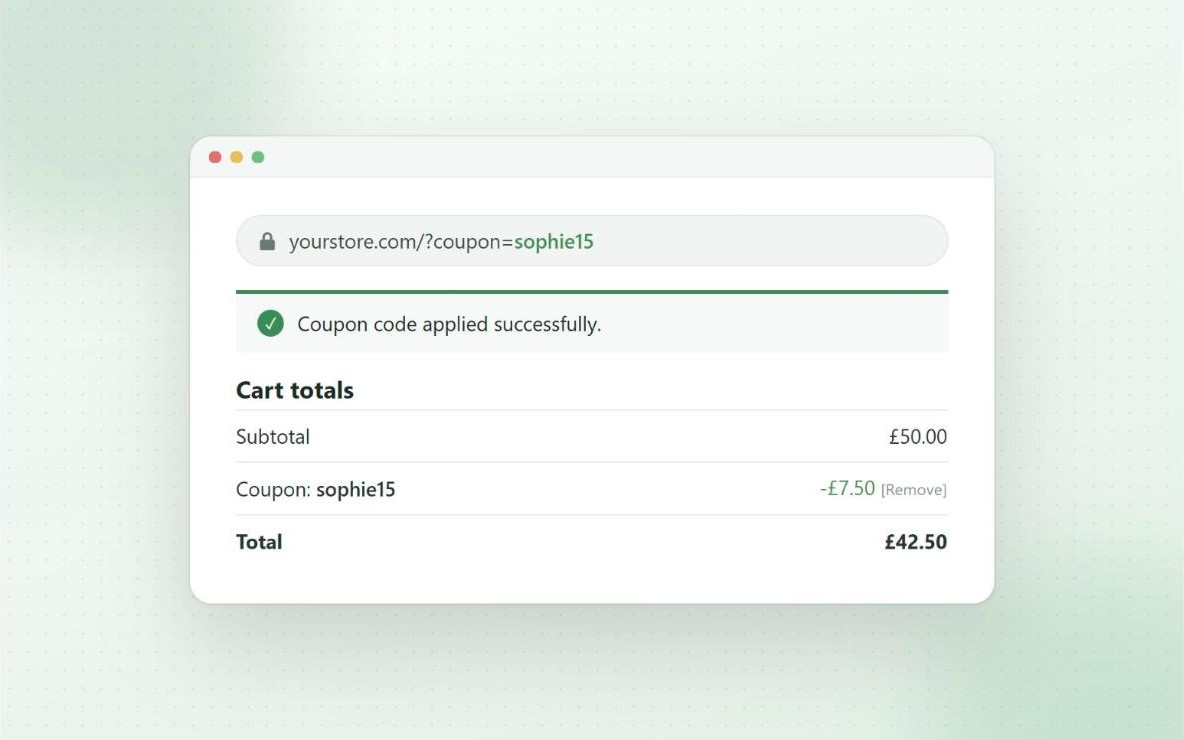
I worry about conventional affiliate programs because people tend to use more than one device… Affiliate coupons solve that problem.
Avlis Productions Inc on WordPress.org
Free
See what converts
Click and conversion tracking
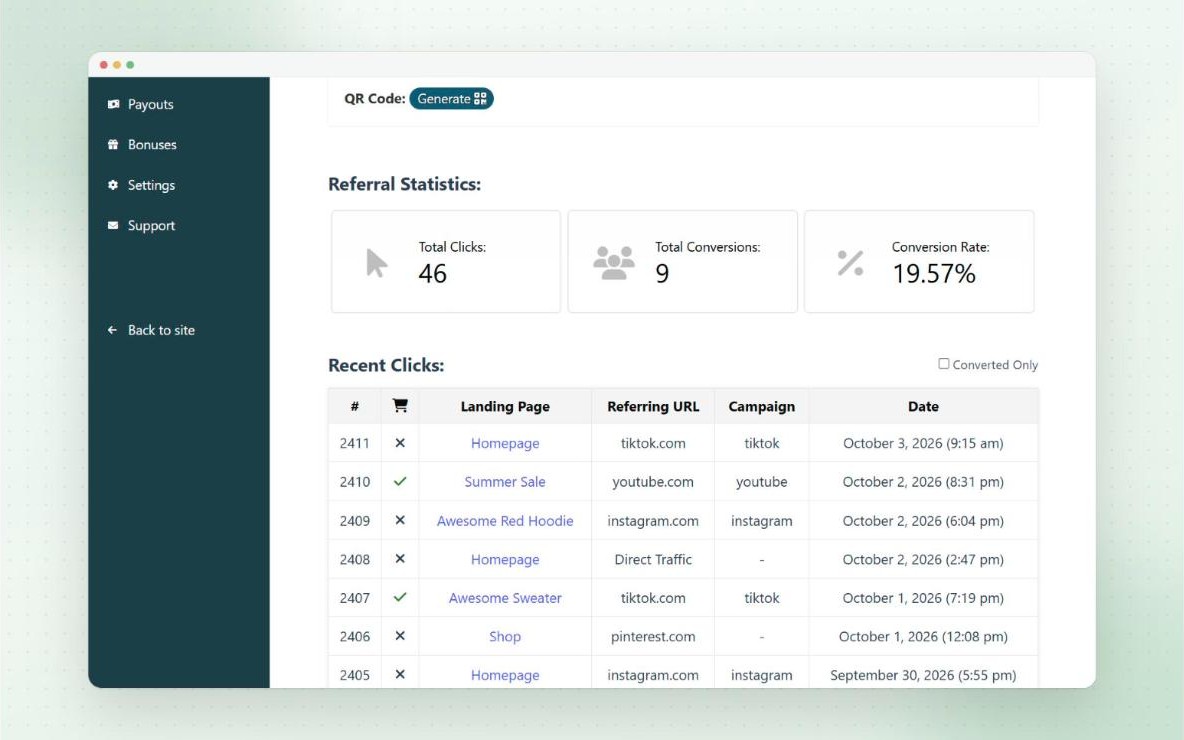
Every click on a referral link is logged. Affiliates see their clicks, conversions and conversion rate, plus a log of recent clicks with the landing page, referring URL and whether it converted.
You can see referral visits for every affiliate in your admin, filtered by coupon, campaign or referrer.
- Filter the log to converted clicks only
- Admin Referral URL Visits page
- Block suspicious visitors from the visits log
Pro
Know which channel works
Referral campaigns
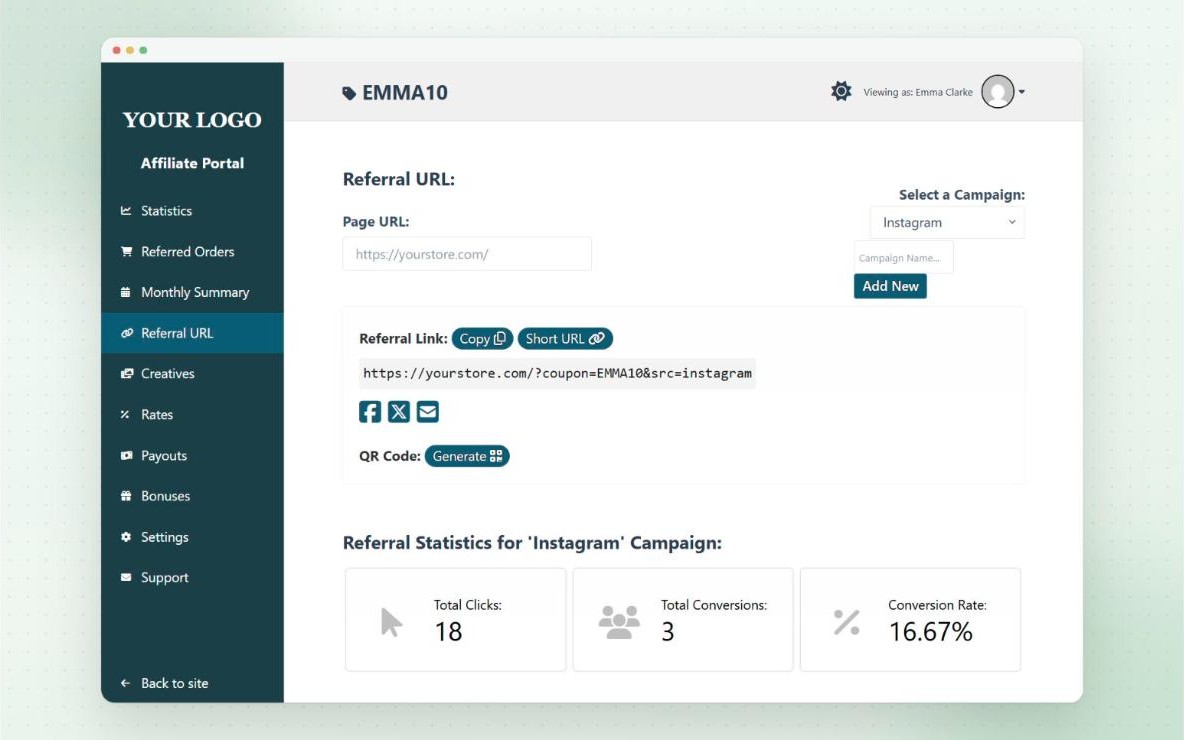
Affiliates can create a campaign for each place they share their link, like Instagram, YouTube or their newsletter. Each campaign gets its own link, with its own clicks, conversions and conversion rate.
It shows affiliates which channels bring in sales, so they can focus on what works.
- Unlimited campaigns per affiliate
- Stats and recent clicks for each campaign
- Customisable campaign URL variable
Pro
Easy to share
Short links, QR codes and social sharing
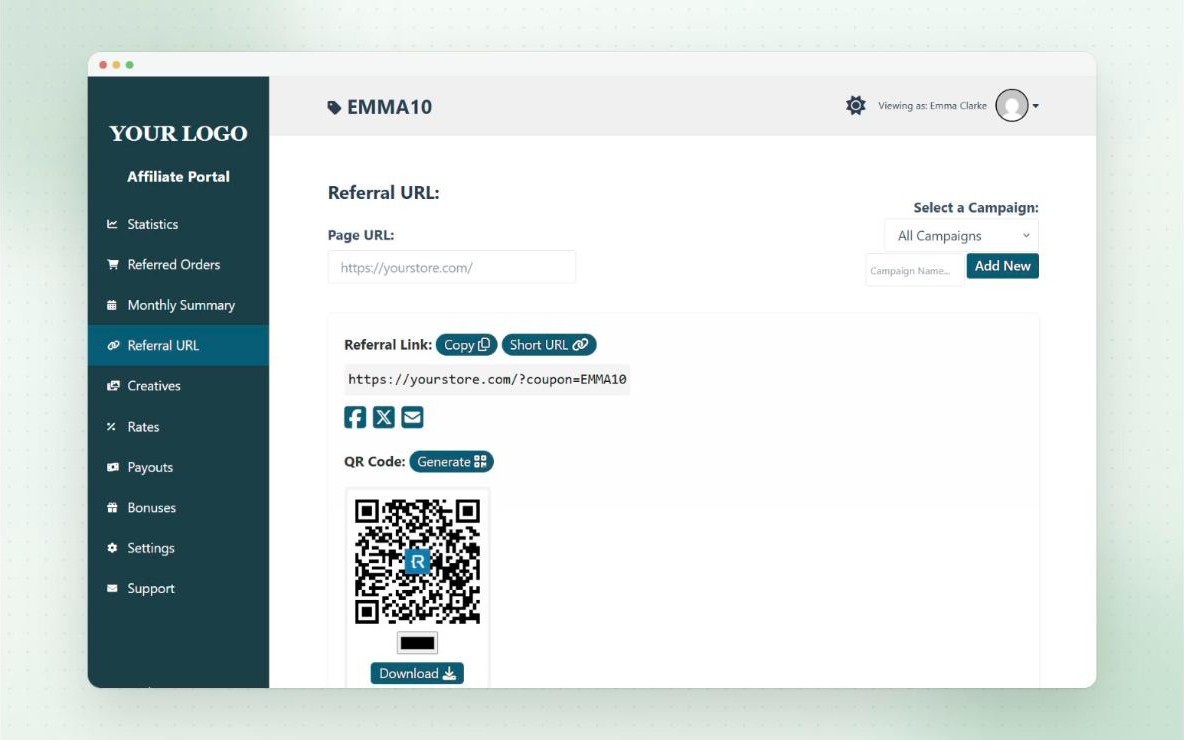
Add buttons to the referral URL tab so affiliates can turn any link into a short URL on your own domain, or a QR code for print and in-person promotion.
Social sharing buttons let them post their link to Facebook, X, WhatsApp, Reddit, Tumblr or email in one click, with your own share text.
- Short links on your domain, like yoursite.com/link/a1b2c1
- QR codes update with the campaign and page
- Optional logo in the centre of QR codes
Pro
A warm welcome
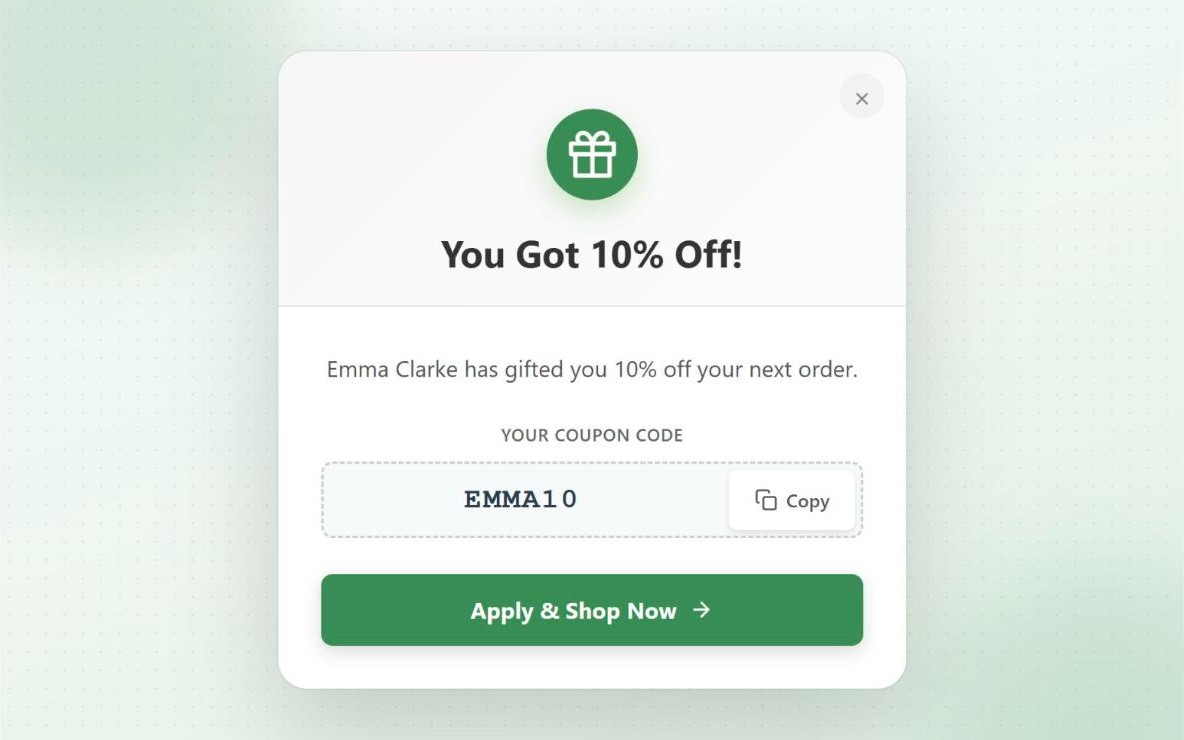
Referral welcome popups
Greet referred visitors with a popup showing their discount, the coupon code and who referred them. It reassures them the discount is real, and gives the affiliate the credit.
Show it as a centred popup, a bar at the top or bottom, or a small corner widget.
- Choose how often it shows
- Your own icons, colours and animations
- Turn it off on mobile if you prefer
Pro
No link needed
Affiliate landing pages
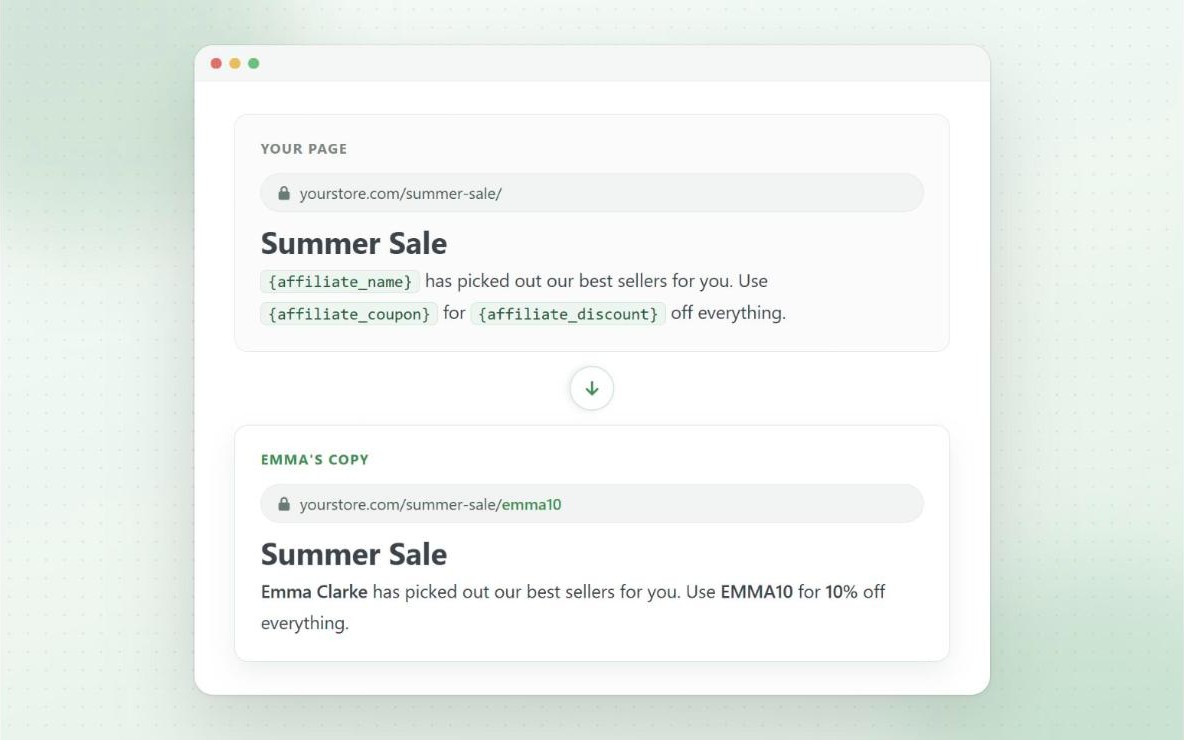
Assign a coupon to any page, and that page works just like the affiliate’s referral link. Affiliates see their landing pages on their dashboard, ready to share.
Dynamic landing pages go further. Design one page, and every affiliate gets their own copy at yoursite.com/page/code, with their name, code and discount filled in.
- Works with any page builder
- Show different content to referred visitors
- Merge tags for the affiliate’s name, code and discount
Pro
For affiliate websites
Direct link tracking
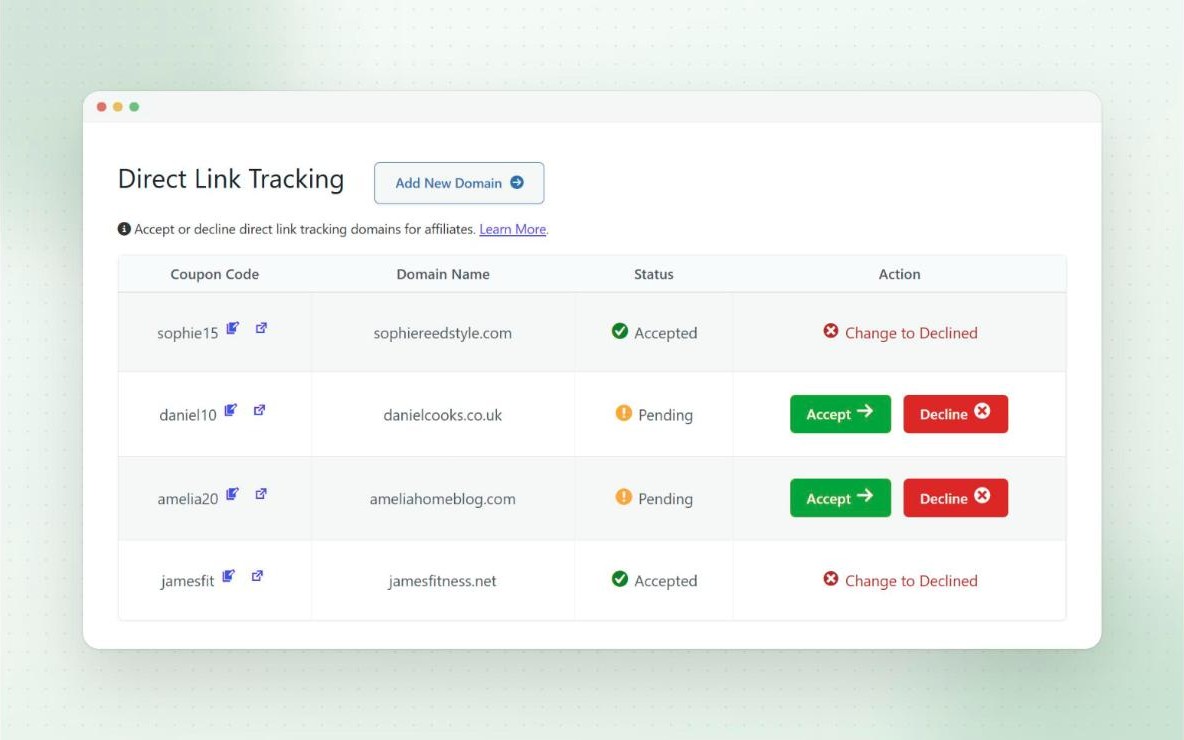
Affiliates with their own website can link straight to your store with a normal link, with no referral code in the URL. Visitors from their site are still tracked, and the coupon is applied.
Affiliates submit their domain from the dashboard, and you approve it. They’re emailed once it’s approved.
- Optionally tie each domain to a campaign
- Strict mode only allows coupons from approved domains
Free
Your rules
Attribution and privacy
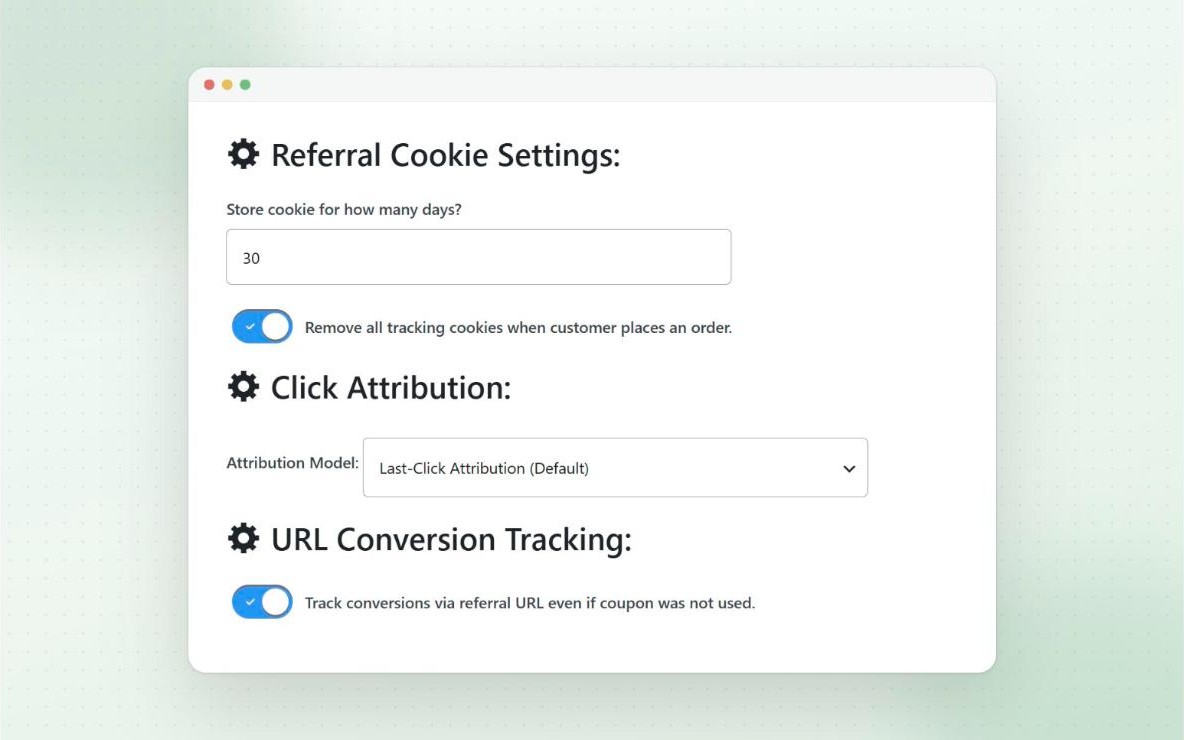
Choose last-click attribution, where a newer referral link replaces an older one, or first-click, where the first affiliate keeps the referral. You can also track conversions from referral links when the coupon isn’t used.
Referral tracking only uses first-party cookies on your own domain, and the data is stored on your own site. Clicks can be identified without saving IP addresses.
- First-click or last-click attribution
- Track conversions without the coupon
- First-party cookies only
- Optionally clear cookies once an order is placed
Questions
Frequently asked questions
What does a referral link look like?
By default, yoursite.com/?coupon=CODE. You can rename “coupon”, and affiliates can point the link at any page on your site. Referral URLs guide
How long does a referral last?
The cookie lasts 30 days by default, and you can change it to any number of days. Referral URLs guide
Can affiliates earn if the customer doesn’t use the coupon?
Yes, if you turn on conversion tracking for referral links. The sale is credited from the referral cookie, but the customer doesn’t get the discount. Tracking without coupons
Is it first-click or last-click?
Last-click by default. You can switch to first-click in the referral link settings. Attribution guide
Is referral tracking privacy friendly?
It only uses first-party cookies, and data is stored on your own site. You can also identify clicks with a session-based ID instead of an IP address. Privacy guide