
Affiliate Commission Settings for WooCommerce
Reward your affiliates your way, from one simple rate to per-product deals.
Set affiliate commission rates once for everyone, or fine-tune them for each affiliate, product, role or group. Percentage, fixed and combined commission are all included in the free version.
Free
The basics
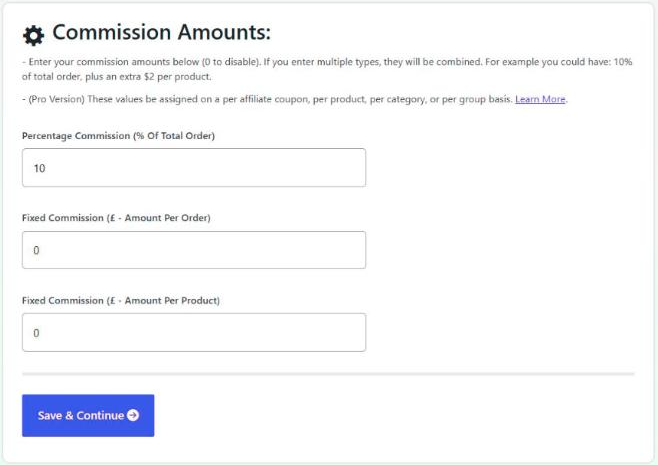
Percentage, fixed or both
Pay affiliates a percentage of the order total, a fixed amount per order, or a fixed amount per product. Use one, or combine them.
For example, you could pay 5% of the order, plus £1 for each product, plus £5 per order. Set any of them to zero to turn it off.
- Percentage of the order total
- Fixed amount per order
- Fixed amount per product
- Set it all up in the setup wizard
See it in action
How one order’s commission adds up
Here’s an order using Sophie’s coupon, with 5% of the order, plus £1 per product, plus £5 per order.
- £OrderTwo products, £20 off£105£120 of products, minus the £20 discount, plus £5 shipping
- %Percentage5% of the order£5Worked out on £100, after discounts and without shipping
- PPer product£1 for each product£2Two products in the order
- OPer order£5 for the order£5A flat amount on every referred order
Sophie earns £12 on this order. Hover over the commission on any order to see a breakdown like this.
Pro
Individual deals
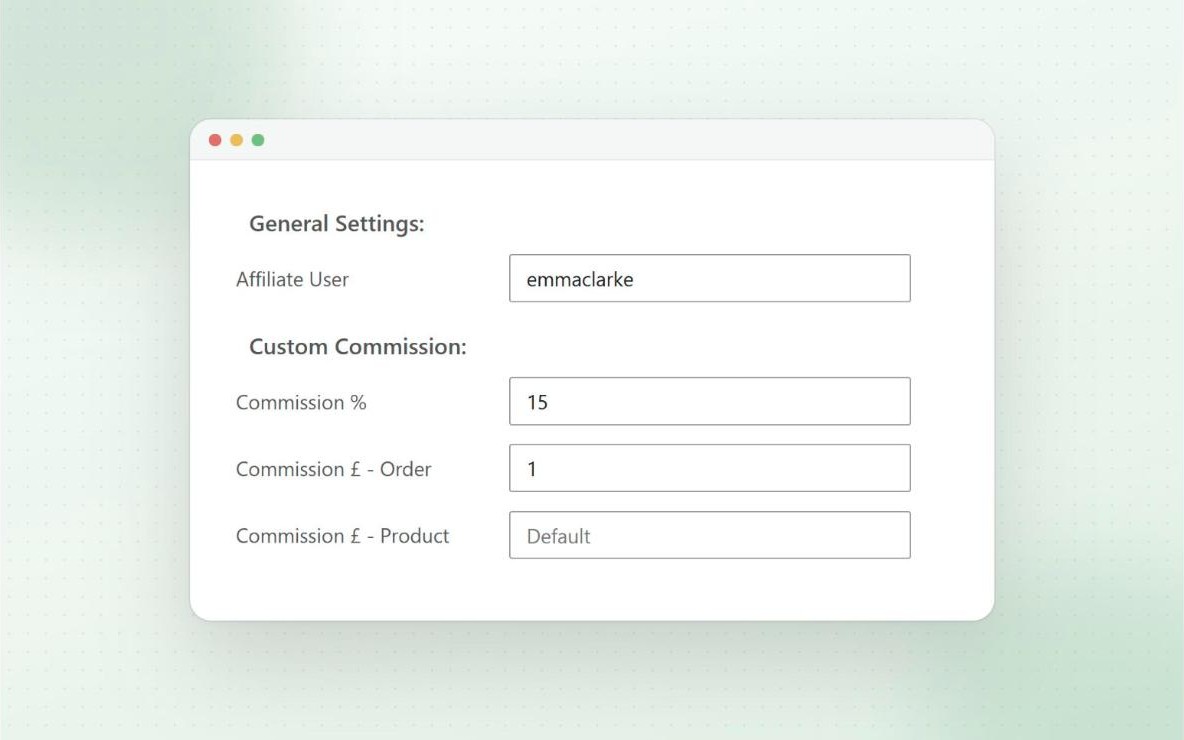
Commission rates per affiliate
Give any affiliate their own rate. Edit their coupon, open the Coupon Affiliates & Commission tab, and set the percentage and fixed amounts that override your defaults.
The same box shows that affiliate’s all-time sales and commission, so you can see who has earned a better deal.
- Override any of the three commission types
- See sales, commission and unpaid commission at a glance
- Assign the affiliate user on the same screen
Pro
Protect your margins
Commission rates per product
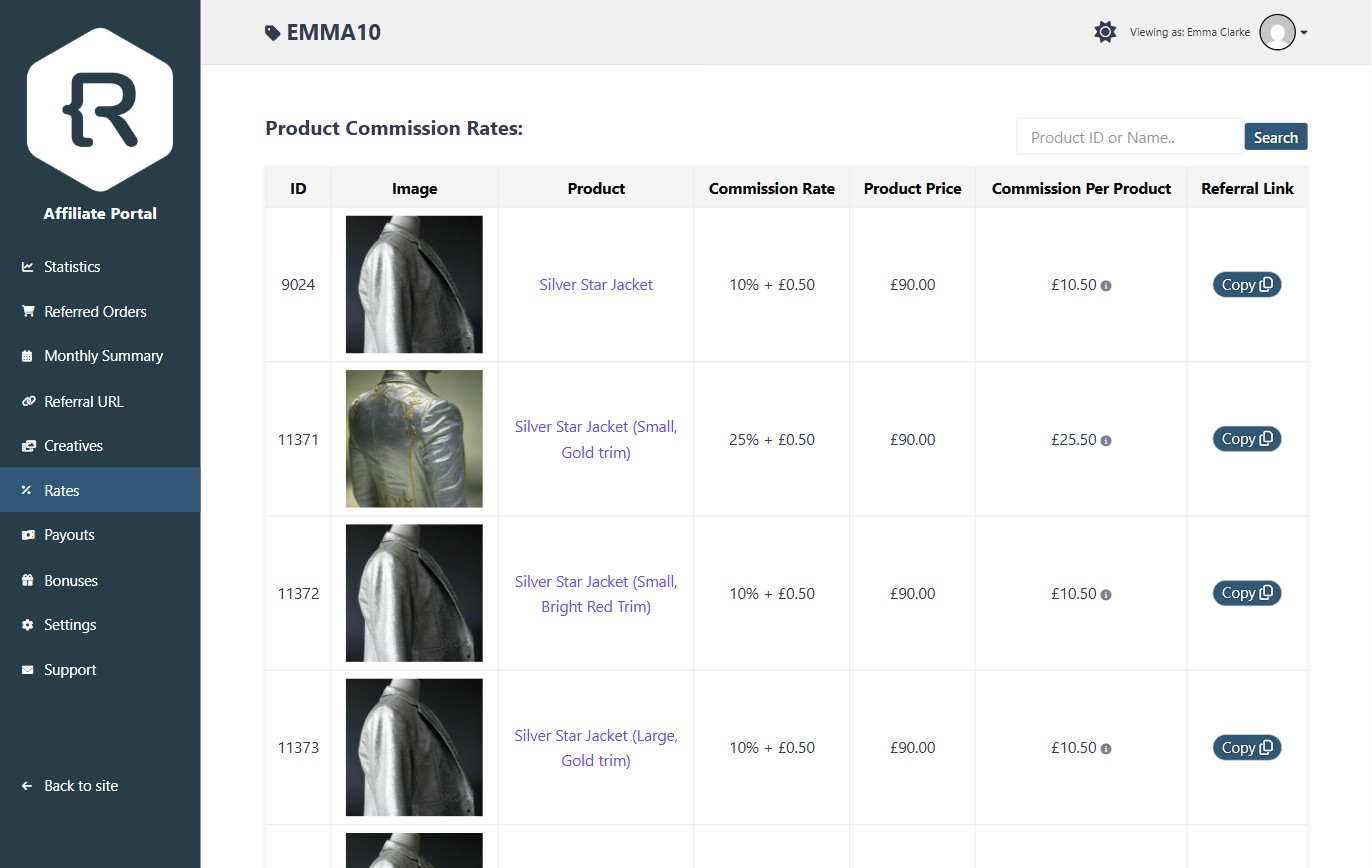
Not every product has the same margin. Set a percentage and fixed commission on individual products, product categories and even single variations.
You can also give specific affiliates their own rate on a product, by coupon, username or user role. Affiliates can see every rate on the Rates tab of their dashboard.
- Per-product, per-category and per-variation rates
- Per-affiliate rates for each product
- Bulk edit, import or export product rates
Pro
Affiliate tiers
Affiliate commission rates for roles and groups
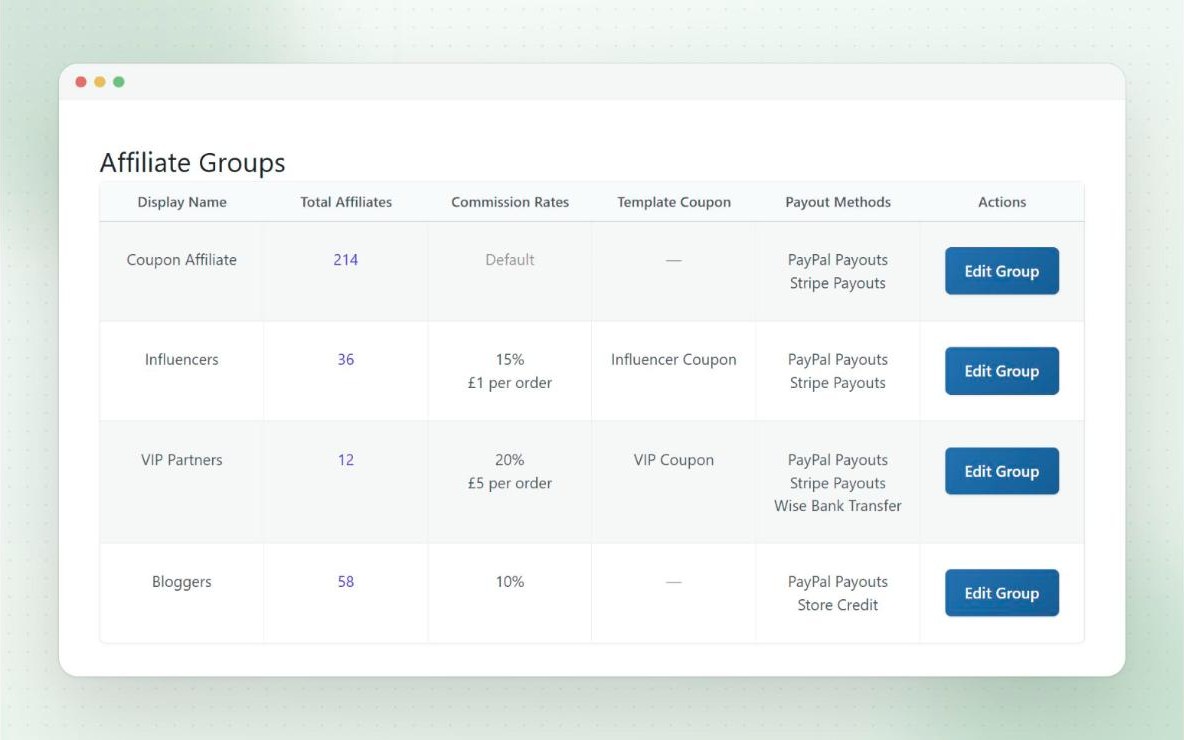
Working with different types of affiliates, like influencers, wholesale partners or VIPs? Put them in affiliate groups, or use any user role, and give each one its own commission rates.
Coupon and product rates come first, then role and group rates, then your global defaults. When both a coupon and a product rate are set, you choose which one wins.
- Works with any user role, including other plugins’ roles
- Each group can have its own rates and settings
- Upgrade affiliates to a better group with performance bonuses
Pro
Long-term rewards
Lifetime commission
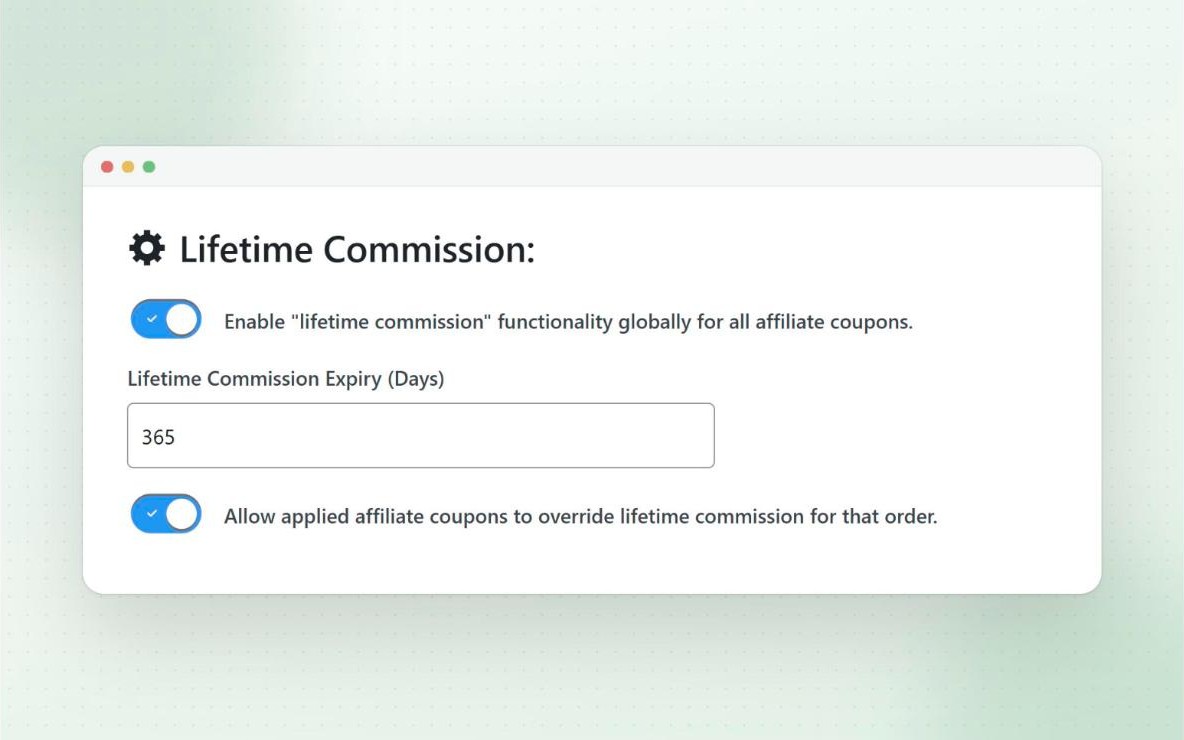
Link a customer to the affiliate who first referred them, and the affiliate keeps earning on that customer’s future orders, even when they don’t use the coupon again.
Set an expiry in days, or keep the link forever. Turn it on for everyone, or only for certain coupons.
- Optionally link customers who register through a referral link
- Choose whether repeat orders extend the expiry date
- View and link customers from the affiliate’s Lifetime tab
Pro
Reward growth
New customer bonus
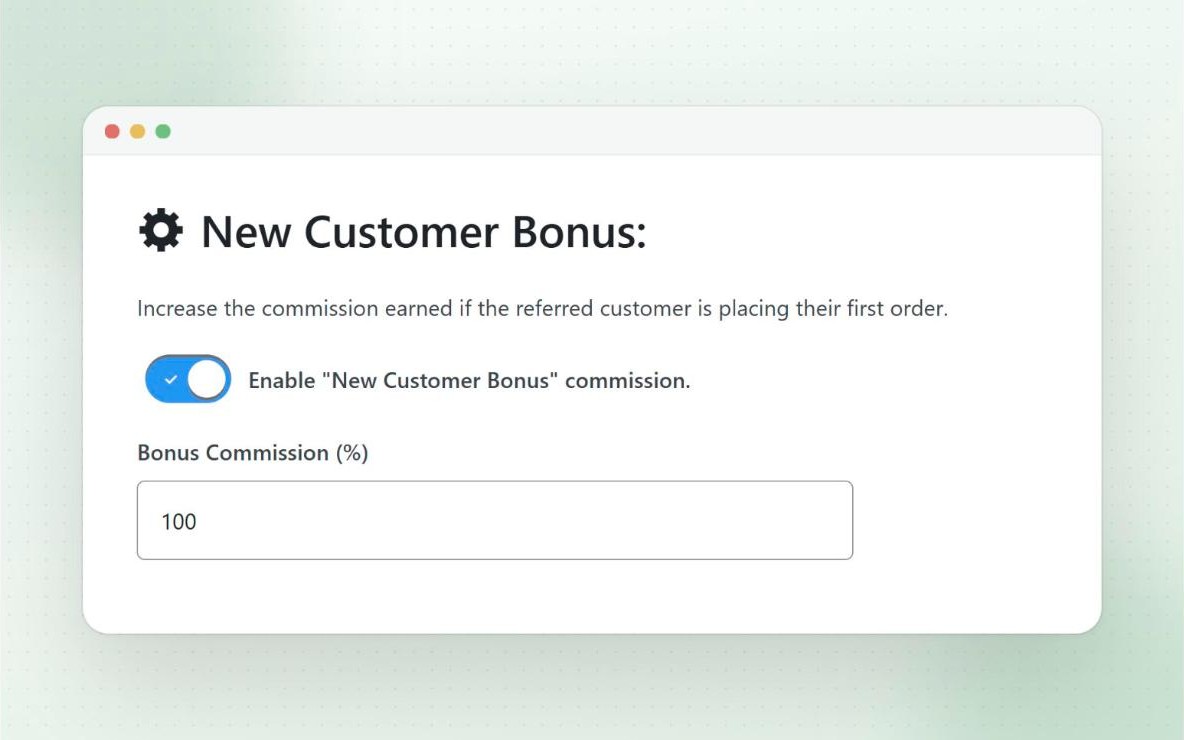
Reward affiliates more for bringing you brand new customers. Boost the commission on a customer’s first order by a percentage you choose, so 100% doubles it.
First orders are checked by account and billing email, and cancelled or failed orders don’t count. The customer’s discount stays the same.
Free
Exactly how you want it
Control how commission is calculated
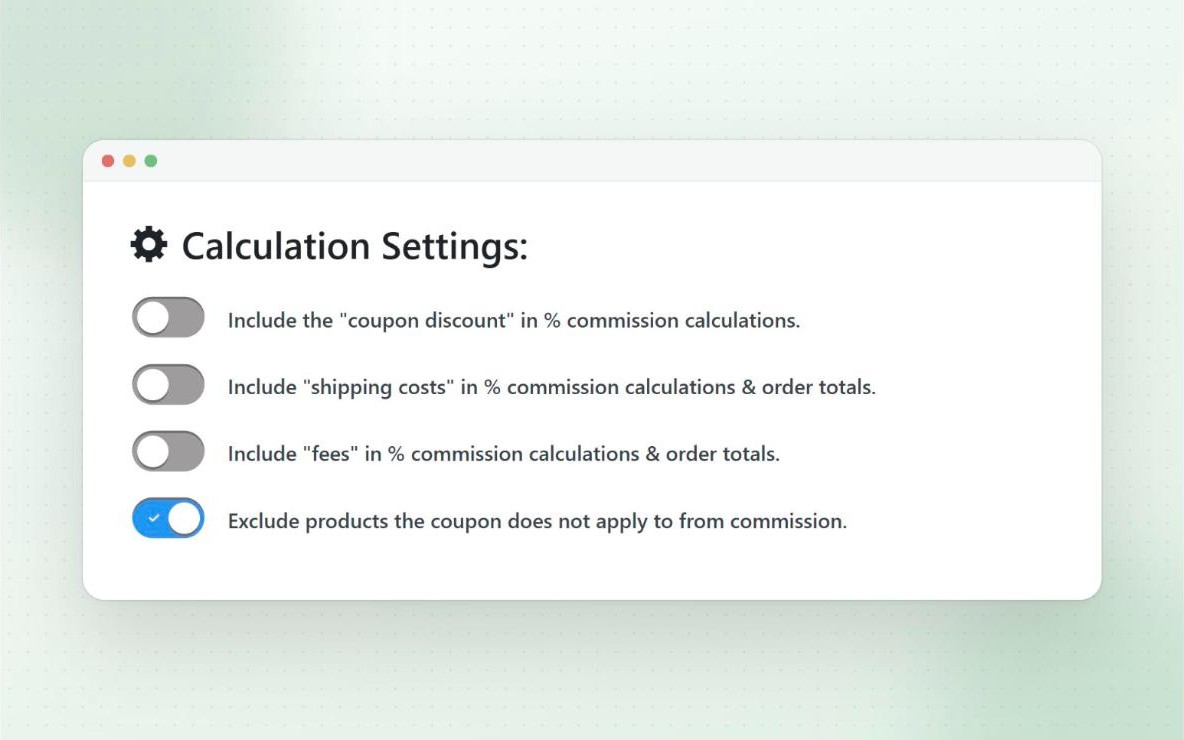
By default, commission is calculated on the order after discounts, without shipping, fees or tax. Each of these can be switched on if you’d rather include them.
Hover over the commission on any order to see a full breakdown of how it was worked out.
- Include or exclude shipping, fees and tax
- Set a maximum commission per order
- Round to the nearest amount, or always round down
- Exclude products the coupon doesn’t apply to
Try it
Affiliate commission calculator
Enter an order and your rates to see what the affiliate would earn. For more scenarios, try the free affiliate commission calculator. Change the settings to see how including shipping, or working it out before the discount, changes the result.
- Percentage5% of £100.00£5.00
- Per product2 × £1.00£2.00
- Per orderA flat amount on every referred order£5.00
- Maximum per orderCapped
Worked out like the plugin’s default settings: after discounts, without shipping, fees or tax. Per-affiliate, per-product and group rates can change the result.
And more
Also included
- Max commission per order Free
Cap the commission an affiliate can earn from any single order. - Commission breakdown Free
See exactly how the commission on each order was calculated. - Automatic refund handling Free
Commission is recalculated when a referred order is refunded. - Product rates table Pro
Show affiliates the commission rate for every product on their dashboard. - Bulk edit product rates Pro
Edit, import or export commission settings for all your products at once. - Custom tax adjustment Free
Adjust the tax used in percentage commission calculations.
Questions
Frequently asked questions
Can different affiliates earn different rates?
Yes. With Pro, you can set rates per affiliate coupon, per role or group, and per affiliate on individual products. Commission settings guide
Which rate is used if several apply?
Coupon and product rates come first, then role and group rates, then your global defaults. When both a coupon and a product rate are set, you choose which one wins. Affiliate groups guide
Does lifetime commission work for guest checkouts?
No. The link is saved against the customer’s user account, so guest orders can’t be linked. Lifetime commission guide
Is commission calculated on tax and shipping?
Not by default. You can include tax, shipping and fees in the commission settings. Tax and calculation guide
Can I pay more for brand new customers?
Yes. The new customer bonus increases the commission on a customer’s first order by a percentage you set. New customer bonus guide
Ready to launch your affiliate program?
Try Coupon Affiliates Pro free for 7 days, or get started with the free version on WordPress.org.