
WooCommerce has no built-in way to track sales reps or pay them commission, so you need a plugin. Which kind depends on what your reps do.
- If your reps take orders for customers, for example a B2B rep who builds an order during a call, use a sales agent plugin such as SalesKing or Sales Agent for WooCommerce. These let a rep shop on behalf of a customer and earn commission on that order.
- If your reps send customers to your store, for example field reps, salon or gym partners, or distributors, give each rep their own coupon code. A coupon-based commission plugin credits the rep every time their code is used, and lifetime commission keeps crediting them on that customer’s later orders.
This guide covers both routes, what each plugin costs, and how to set up the coupon-code route step by step.
Jump to what you need:
- Not sure which route fits? Order-taking reps vs referring reps
- Comparing plugins? Sales rep plugins compared
- Ready to set up? Track reps with coupon codes, step by step
- Paying reps? Commission and payouts
A quick disclosure: we make Coupon Affiliates, the coupon-based plugin in this guide. We’ve included two sales agent plugins that do things ours doesn’t, and listed a downside for each option, ours included.
How We Compared the Options
We took prices and features from each vendor’s own pages on October 14, 2026. Coupon Affiliates details come from our own documentation and pricing page. Prices are in US dollars and leave out tax.
Order-Taking Reps vs Referring Reps
Sales reps fall into two groups, and the right plugin depends on which group yours are in.
Order-taking reps place orders for their customers. A wholesale rep visits a shop, takes an order, and enters it on the customer’s account. The rep needs a dashboard listing their customers and a way to shop as each one. Sales agent plugins are built for this.
Referring reps bring customers to your store, and the customer places the order. Think of a rep who recommends your products to clinics, a stylist who sends clients to your hair care range, or a distributor who hands out your details at trade shows. The rep needs a way to be credited for every customer they bring in, including repeat orders. A coupon code per rep does this, with no rep accounts to manage on the customer side.
Many stores have a mix. If most orders still come through your checkout, start with the coupon-code route and enter the odd phone order yourself. If reps build most orders for customers, a sales agent plugin will save them time.
WooCommerce Sales Rep Plugins Compared
| Coupon Affiliates PRO | SalesKing | Sales Agent for WooCommerce | |
|---|---|---|---|
| Main use | Reps who refer customers | Reps who take orders | Reps who take orders |
| How sales are credited | Rep coupon code or link, then lifetime link to the customer | Customers assigned to agents, agent orders, coupons and links | Customers assigned to agents, agent orders |
| Reps place orders for customers | No (staff can enter orders in the admin) | Yes, shop as customer | Yes, from the agent dashboard |
| Repeat orders credited | Yes, with lifetime commission | Yes, for assigned customers | Yes, for assigned customers |
| Payouts from the plugin | PayPal, Stripe, Wise and store credit | Agents pick from payout methods you enable | Paid by you outside the plugin |
| Free version | Yes | No | No |
| Price | $179.99/year for 1 site | $149 first year for 1 site (renews at full price) | $69/year |
Last updated: October 14, 2026, from each vendor’s pricing page.
Coupon Affiliates
Best for: stores whose reps send customers to the shop, especially where those customers reorder.
Pros:
- Each rep gets a coupon code that works in person, by phone or online, with or without a discount
- Lifetime commission credits the rep on a customer’s later orders without the code
- Built-in payouts by PayPal, Stripe, Wise or store credit, plus PDF statements
Cons:
- Reps can’t shop on behalf of a customer from their dashboard
- Lifetime commission, group rates and payouts need PRO
- Only works with WooCommerce
Pricing: A free version tracks codes and commission. PRO is $23.99/month, $179.99/year or $599.99 once for one site, with a 7-day free trial.
SalesKing
Best for: B2B and wholesale stores where reps build orders for their customers.
Pros:
- Reps can switch into a customer’s account, build the cart and check out, or leave the order pending so the customer pays by email link
- Reps can create their own coupons within limits you set, and recruit subagents
Cons:
- No free version, and the first-year price is a discount that renews at full price
- More to set up than a coupon-code program if your reps only refer customers
Pricing: SalesKing Startup is $149 for the first year on one site, against a regular $199.50. Pro covers 3 sites for $229 and Developer covers unlimited sites for $349. There’s a 14-day refund window.
Sales Agent for WooCommerce
Best for: small teams that want agents to place orders and see their customers, on a low budget.
Pros:
- The cheapest option here at $69 a year
- Agents can add customers and place orders from their dashboard, and you can bulk-assign customers to an agent
Cons:
- It tracks commission but doesn’t pay it, so you send each payment yourself
- No free version, so you pay before trying it on your store (the Marketplace offers a 30-day refund)
Pricing: Sales Agent for WooCommerce by WPExperts is $69 for one year or $110.40 for two. It’s rated 4.5 out of 5 from 51 reviews on the WooCommerce Marketplace.
How to Track Sales Reps With Coupon Codes, Step by Step
Here’s how to set up the coupon-code route in Coupon Affiliates. Steps 2 and 4, and the payouts in step 6, need PRO.
1. Call them sales reps, not affiliates
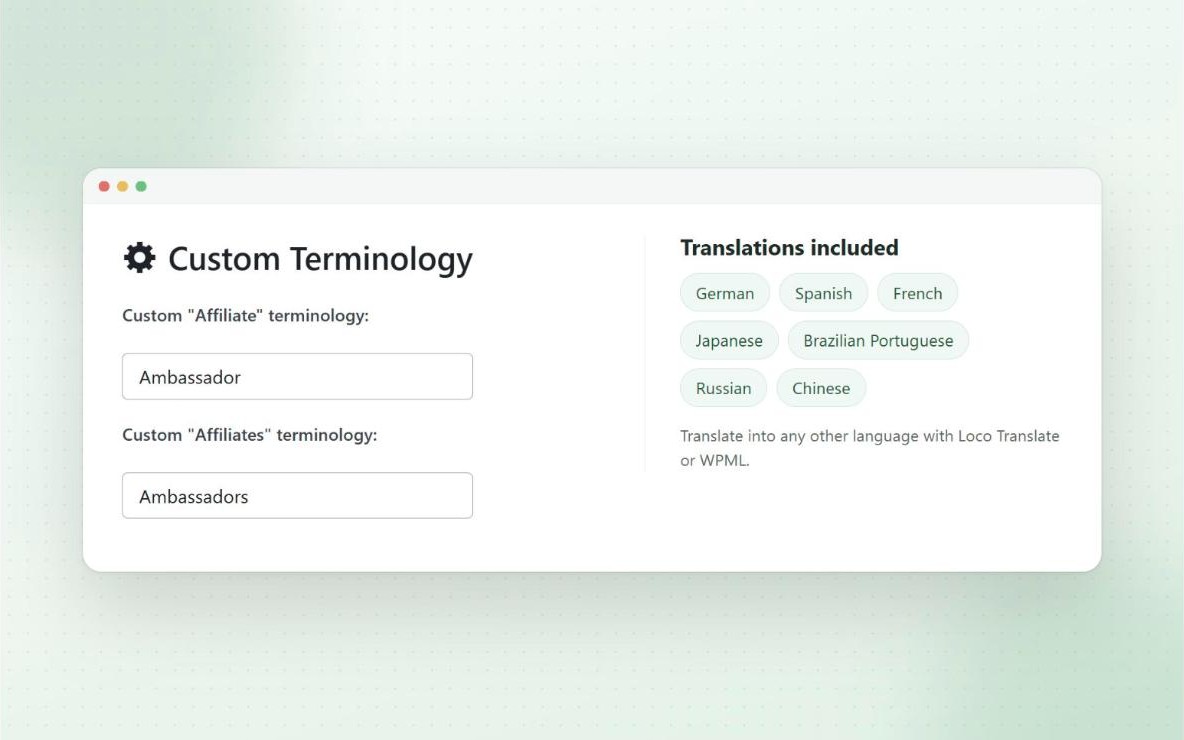
Your reps will see a dashboard with their stats. The custom terminology setting on the Design tab swaps the word “Affiliate” for whatever you choose, such as “Sales Rep”, across the dashboard and admin pages.
2. Put reps in their own group
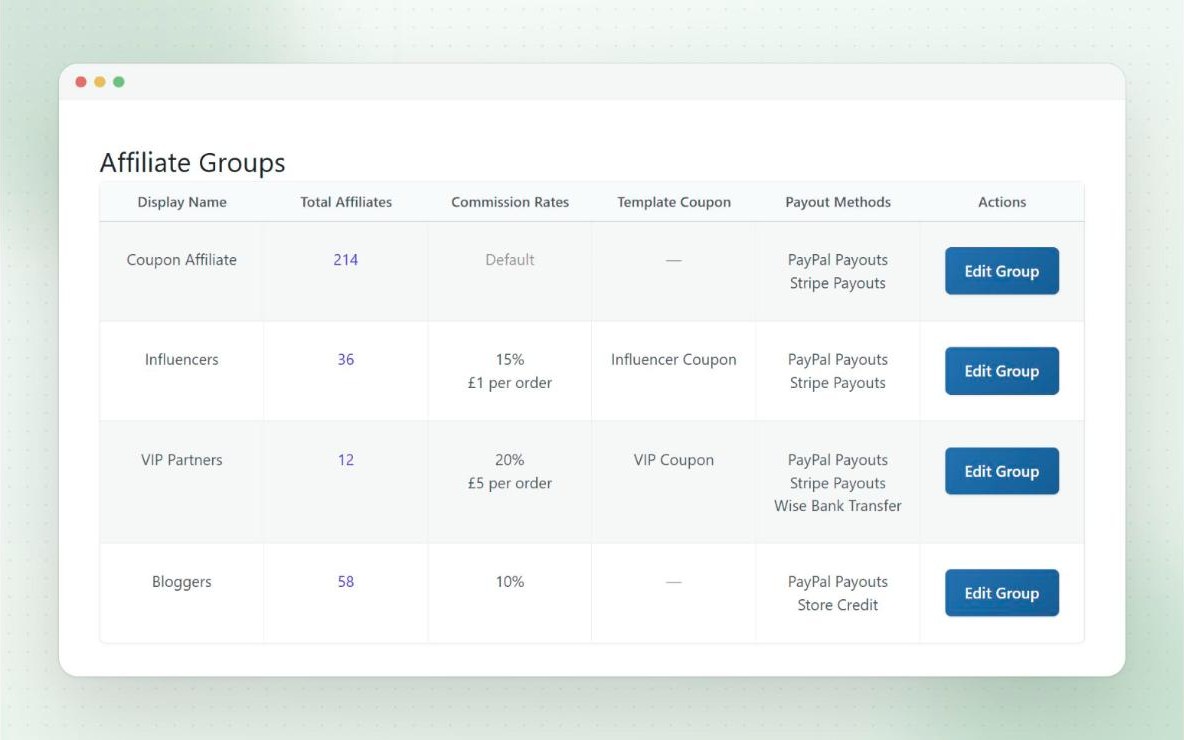
If you also run an affiliate or influencer program, create a “Sales Reps” group with its own commission rate and payout methods. Our affiliate groups guide covers how groups work.
3. Give each rep a code
Each rep gets a WooCommerce coupon linked to their account. Codes are built from a template coupon, so every rep’s code has the same settings. A short code like SAM or ACME-JO is easy to say over the phone or print on a card.
If reps shouldn’t offer a discount, set the template’s discount to 0 so the code only tracks the sale. If a small first-order discount helps them close, add one.
4. Turn on lifetime commission
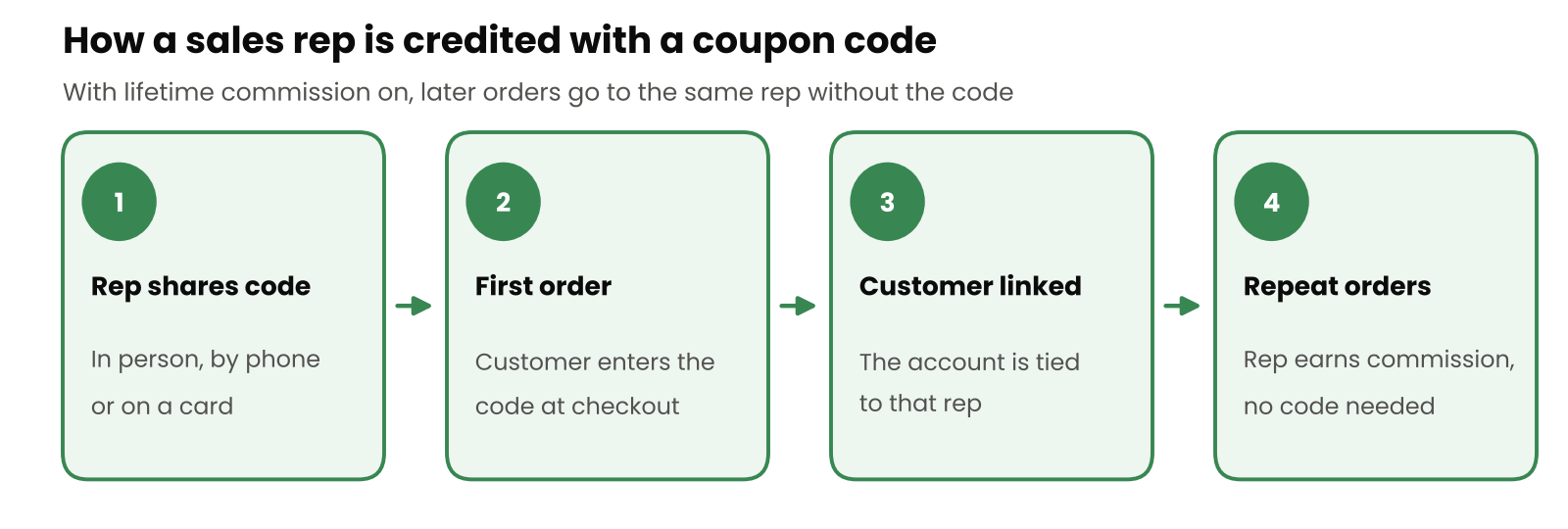
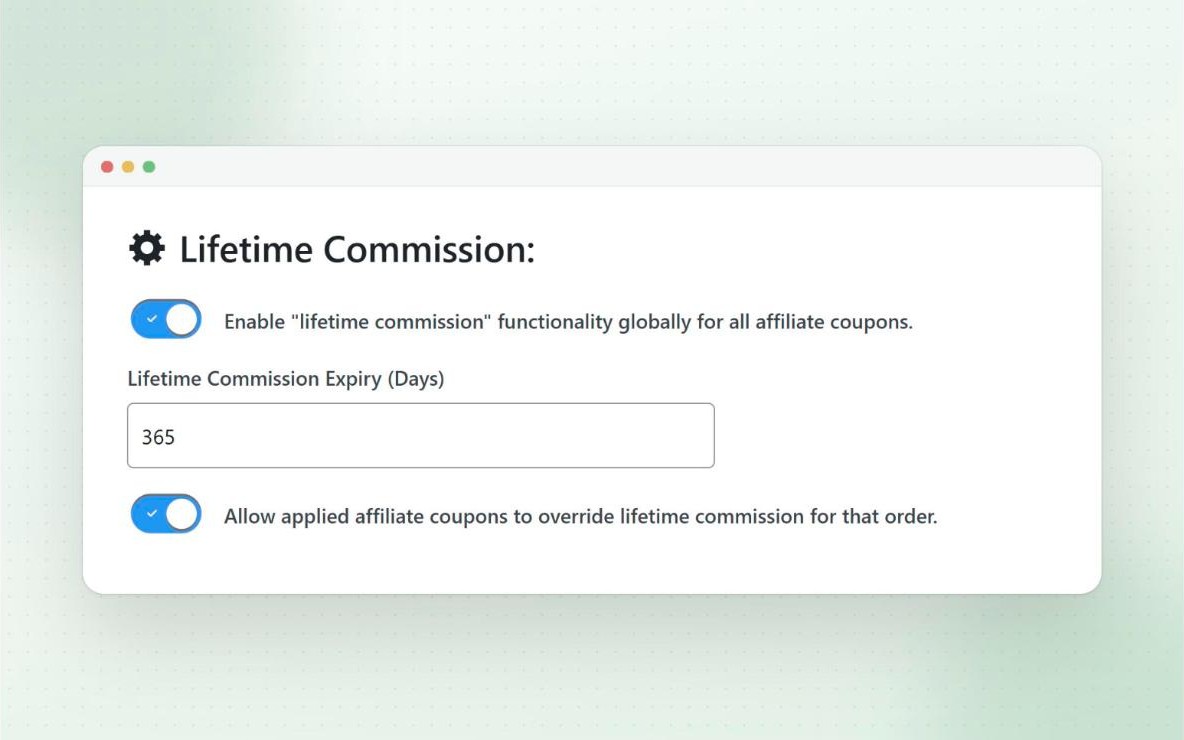
This step does the most for repeat business. With lifetime commission on, a customer who uses a rep’s code is linked to that rep. Every later order from that customer is credited to the rep, even without the code. Later orders don’t get the coupon discount unless the customer enters the code again.
You can set an expiry, such as 365 days, so the link doesn’t last forever. For customers who were buying before you set this up, link them to a rep by hand from the rep’s Lifetime tab.
5. Handle phone and email orders
When your staff enter an order in the WooCommerce admin for a rep’s customer, apply the rep’s coupon to the order before saving it. The sale is then tracked like any other.
If an order was already completed without the code, open it and use the “Add a tracking coupon to this order” link in the Coupon Affiliates box. This credits the sale to the rep’s stats, but it doesn’t add commission to a completed order, so you add that separately. The manual assignment guide explains the details.
6. Track sales and pay reps
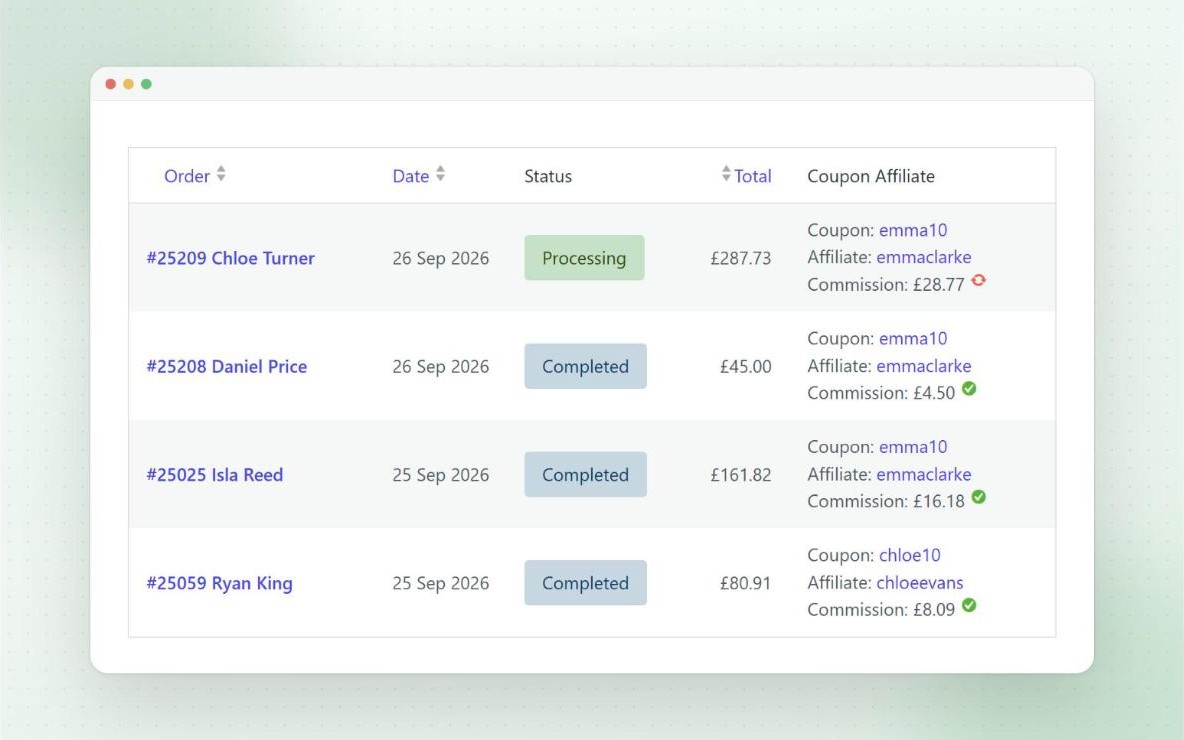
Every order shows which rep’s coupon was used and the commission it earned. Each rep can see their own orders and earnings on their dashboard, and you can view each rep’s referred orders and customers from the admin.
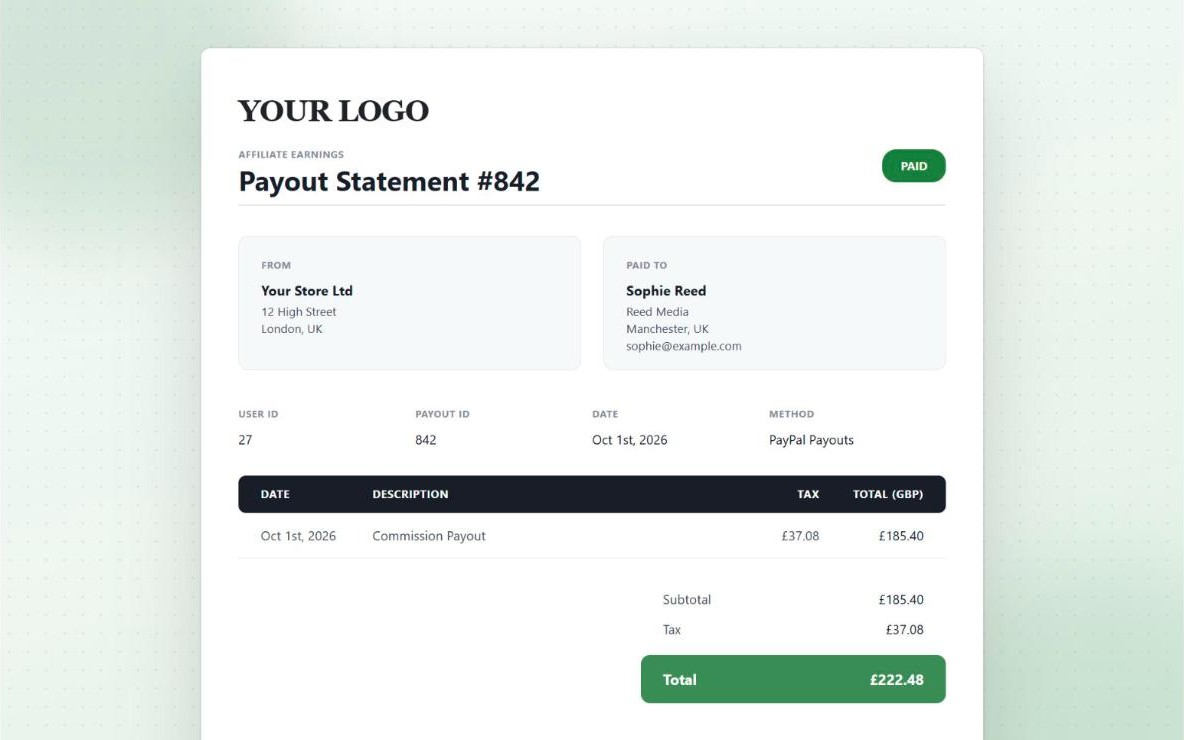
With PRO you can pay reps by PayPal, Stripe, Wise or store credit, on a schedule or in bulk, and send PDF statements for their records. Our guide to paying affiliates in WooCommerce covers the payout setup.
Setting Commission for Sales Reps
Reps are often paid differently from affiliates, because they spend more time on each customer. A few common setups:
- A flat rate on every order, the simplest option and easy to explain.
- A higher rate on first orders. The new customer bonus raises commission on a customer’s first order, which rewards reps for opening new accounts.
- Commission for a fixed period. A lifetime link that expires after a year pays the rep while the account is new, then the customer becomes a house account.
- Different rates for different products, where margins vary across your range.
Whatever you choose, work out what it costs on your margins first. Our guide to setting commission rates walks through the sums.
FAQ
Can sales reps place orders for customers with Coupon Affiliates?
Not from their own dashboard. Your staff can enter an order in the WooCommerce admin with the rep’s coupon applied, and the rep is credited. If reps need to build orders on customers’ accounts themselves, a sales agent plugin such as SalesKing or Sales Agent for WooCommerce is the better fit.
What is the difference between a sales rep and an affiliate?
An affiliate usually promotes you to an audience, through a blog, social media or an email list, and is paid per sale. A sales rep usually works with specific customers or accounts, often in person or by phone, and expects to be credited for that customer’s repeat orders. The tracking can be the same: a code per person, with lifetime commission for repeat orders.
Do customers have to enter the rep’s code on every order?
No. With lifetime commission on, the first order with the code links the customer to the rep, and later orders are credited to the rep automatically until any expiry you set.
Can I track sales reps without giving customers a discount?
Yes. Set the coupon’s discount to 0, so the code only tells you which rep the customer came from.
Is there a free way to track sales rep commission in WooCommerce?
The free version of Coupon Affiliates gives each rep a code and tracks their sales and commission. Lifetime commission, group rates and built-in payouts need PRO.
Our Take
We make Coupon Affiliates, so weigh our view with that in mind. If your reps build orders for customers, a sales agent plugin is the better tool, and SalesKing covers more of that work than the other option here. If your reps send customers to your store and you want them credited on repeat orders, a coupon code per rep with lifetime commission does it with less setup, and the same plugin can run an affiliate program alongside.
To try it, start with the free version or try PRO free for 7 days. If your reps work more like brand ambassadors, our brand ambassador program page shows that setup.

Elliot Sowersby is a WordPress developer from Yorkshire, United Kingdom. He is the founder and lead developer of Coupon Affiliates and RelyWP.
Leave a Reply