
Shopify Collabs only works on Shopify stores, so there is no version of it for WooCommerce. You can run the same kind of creator program on WooCommerce with an affiliate plugin, which covers applications, personal discount codes and links, sales tracking and payouts. The one part you won’t get from a plugin is Collabs’ creator network, so you’ll need to find creators yourself.
Best for:
- Store owners comparing platforms: what Collabs does and what it costs
- WooCommerce stores that want the same features: how each Collabs feature maps to WooCommerce
- Stores with no creators yet: how to recruit without a marketplace
Disclosure: we make Coupon Affiliates (a RelyWP plugin), and it is the WooCommerce plugin used in the examples below. We’ve noted where Collabs does something our plugin doesn’t.
Jump to a section:
- What Shopify Collabs does
- How we compared them
- Collabs features and their WooCommerce equivalents
- Creator applications
- Discount codes and links
- Gifting products
- Paying creators
- What each one costs
- Finding creators without a marketplace
- Frequently asked questions
What Shopify Collabs does
Collabs is Shopify’s own app for running a creator or affiliate program. According to Shopify’s help pages, a store can use it to:
- Invite creators directly, or let them apply through a page on the online store
- Offer commission to any Collabs creator through an open access program
- Give approved creators their own links and discount codes
- Send gifts and track them
- Track affiliate sales and pay commission
It is available on all Shopify plans except Starter and Retail. Commission is paid through automatic payments that are added to your Shopify bill.
One change matters if the creator network was the main draw for you. Shopify’s help page said in November 2026 that Collabs isn’t accepting new creator signups at this time. Stores can still send direct invites and accept applications.
How we compared them
We read Shopify’s help pages for Collabs and its App Store listing in November 2026, and matched each feature to what a WooCommerce store can do with Coupon Affiliates, using our own documentation. Fees, prices and ratings are from those pages on that date and can change.
Collabs features and their WooCommerce equivalents
| Collabs feature | On WooCommerce with Coupon Affiliates | Free or PRO |
|---|---|---|
| Application page on your store | Affiliate registration form on any page | Free |
| Personal codes and links | A coupon and referral link for each creator | Free |
| Sales tracking | Creator dashboard with orders and commission | Free |
| Gifts | Free product order as a bonus reward, or a 100% off coupon | PRO for the automatic reward |
| Automatic commission payments | PayPal, Stripe, Wise or store credit payouts | PRO |
| Creator network and open access program | No equivalent | Not available |
Creator applications
Collabs lets you set up an online store page where creators apply, with a survey you can edit. On WooCommerce, the Coupon Affiliates registration form does the same thing. You add it to a page, creators fill it in, and you approve each one from your admin area.
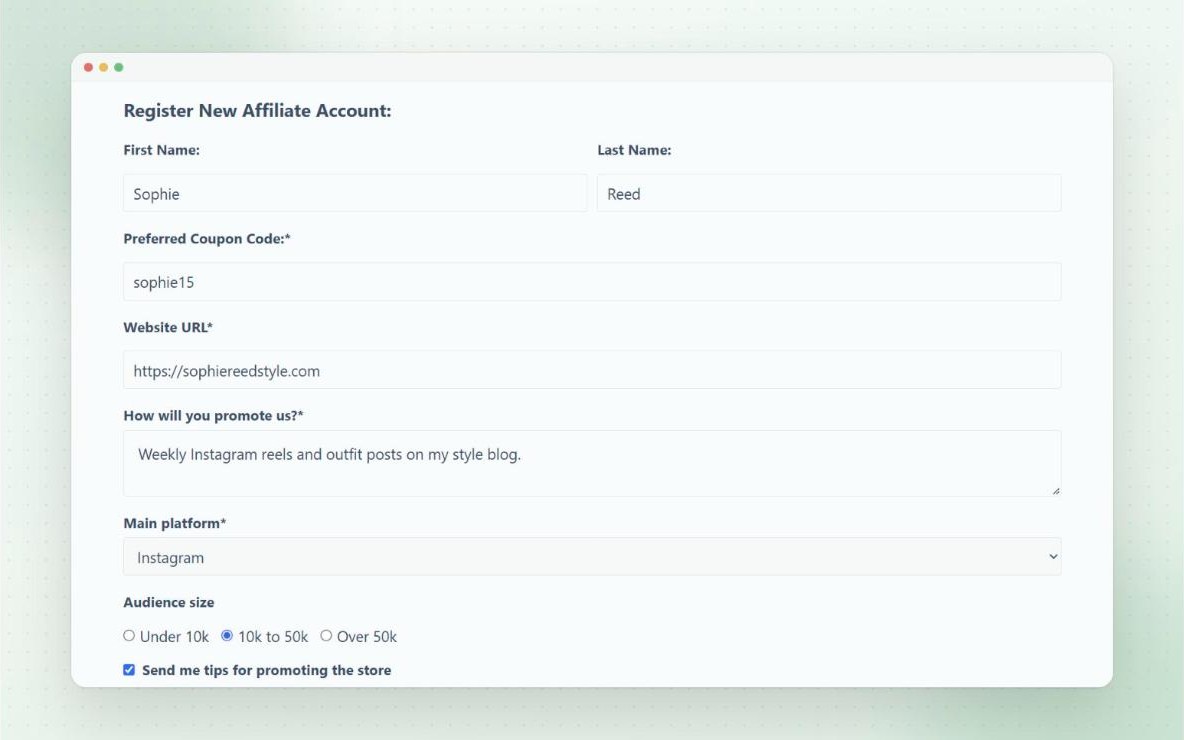
You can add your own fields, such as the creator’s main platform and audience size. Our guide on how to approve affiliate applications covers what to check before you say yes.
Discount codes and links
In Collabs, approved creators get personalized links and codes. Coupon Affiliates works the same way and treats the coupon as the main way to track a sale. When you approve a creator, the plugin creates their WooCommerce coupon for them. Any order that uses the code is credited to that creator, including orders where the customer typed the code after hearing it in a video.
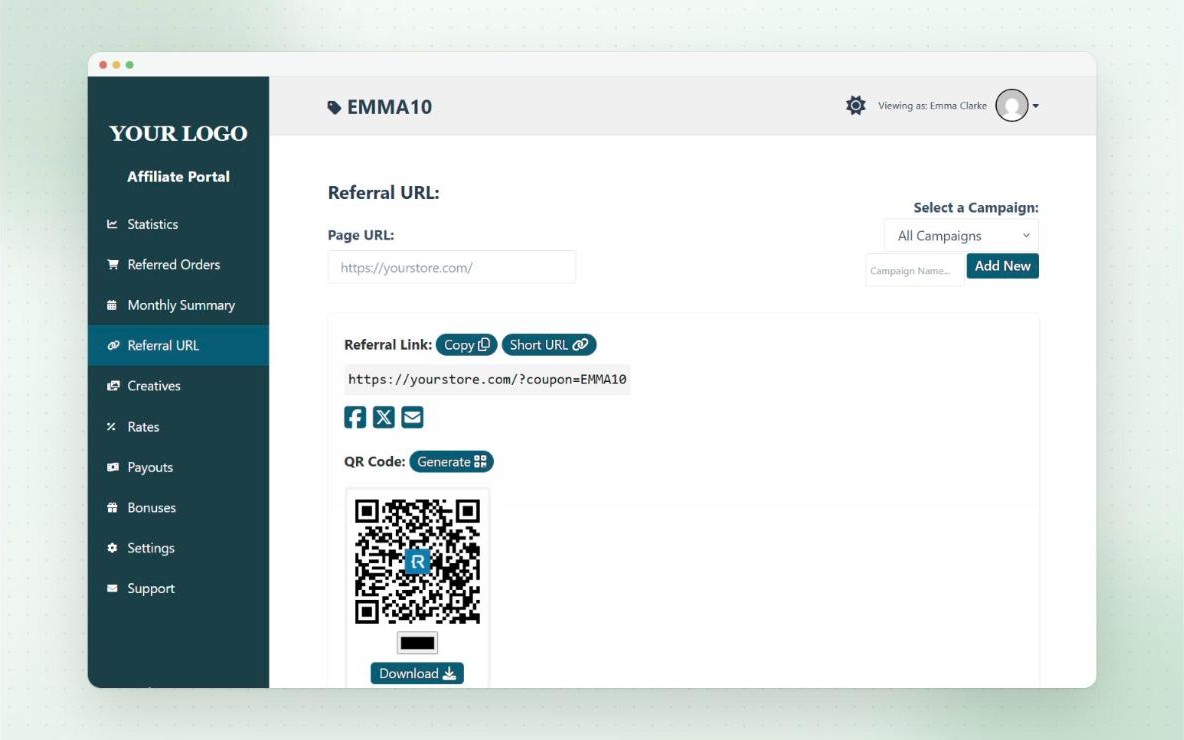
Each creator also gets a referral link that applies their coupon automatically and counts clicks. They see their orders and commission in their own dashboard. These parts are all in the free version.
Gifting products
Collabs can send gifts to creators and track them through Shopify. WooCommerce has no gifting feature, but there are two ways to do it:
- A 100% off coupon. Create a WooCommerce coupon for the full price of the product, limit it to one use and to the creator’s email address, and send them the code. This works on any WooCommerce store.
- A free product reward (PRO). In Coupon Affiliates, a performance bonus can create a free order for a chosen product. You can attach it to a welcome bonus, so a creator gets a product when they join, or to a sales goal.
Neither option gives you the gift tracking screen that Collabs has. You follow up on gifted products from your orders list.
Paying creators
Collabs pays commission through automatic payments. Shopify charges a 2.9% processing fee on each automatic commission payment, which appears on your Shopify bill. New commission is held before it is paid. The default is 30 days, and you can set it anywhere from 1 to 90 days. Creators receive the money by PayPal or bank transfer once they turn on automatic payouts.
On WooCommerce, Coupon Affiliates PRO pays creators by PayPal, Stripe, Wise bank transfer or store credit. PayPal, Stripe and store credit payouts can be sent automatically, and you can set a limit and require approval for a creator’s first payout. You can also delay commission to cover your refund window.
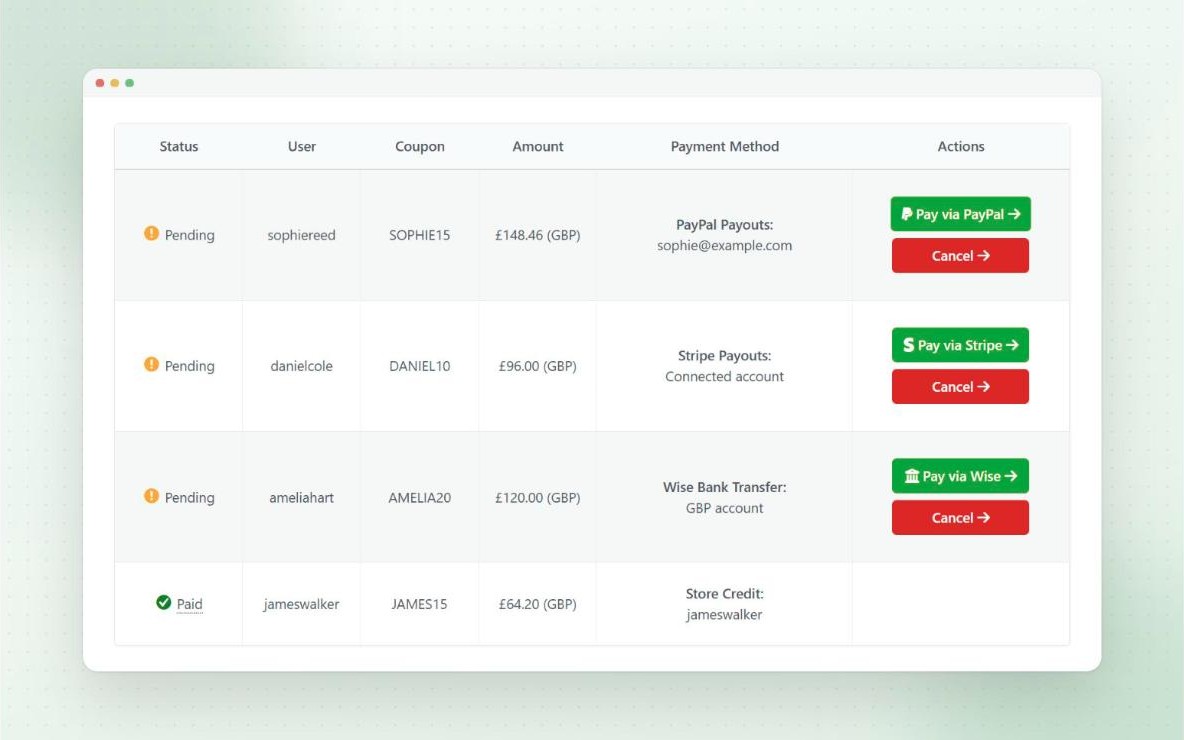
The plugin doesn’t add a fee of its own to payouts. PayPal, Stripe and Wise may charge their usual fees, so check those with each provider. In the free version there is no payout system, and you pay creators yourself outside the plugin. Our guide on how to pay affiliates in WooCommerce compares the methods.
What each one costs
| Shopify Collabs | Coupon Affiliates on WooCommerce | |
|---|---|---|
| Price | Free to install | Free core plugin. PRO from $179.99 a year for one site |
| Fee on commission paid | 2.9% on automatic payments | None from the plugin |
| Platform | Shopify only | WooCommerce only |
| Free trial | Not needed | 7 days for PRO |
To put the Collabs fee in context, a store that pays $10,000 in commission in a year through automatic payments would pay $290 in processing fees. A store that pays $2,000 would pay $58.
Where Collabs does more
A plugin doesn’t replace everything. Collabs has two things you won’t find in Coupon Affiliates:
- A creator network. Collabs is a marketplace-style app, and creators already on it can search for products and apply to programs. A WooCommerce plugin only handles the people you bring to it.
- Billing through your platform. Collabs commission is added to your Shopify bill, so there is no payment account to connect. On WooCommerce you connect PayPal, Stripe or Wise yourself.
Finding creators without a marketplace
Without a network, recruiting is up to you. A good place to start is people who already know your brand:
- Past customers, invited by email or from a link on the order confirmation page
- Followers who already tag the store on Instagram or TikTok
- Creators in your niche, contacted directly with a clear offer
Our guide on how to recruit affiliates lists 11 ways to find partners. For platform-specific advice, see the guides to Instagram and TikTok affiliate programs.
When you’re ready to build the program, how to create an affiliate program in WooCommerce goes through the full setup step by step.
Frequently Asked Questions
Can I use Shopify Collabs with WooCommerce?
No. Collabs is installed from the Shopify App Store and needs a Shopify store on any plan except Starter and Retail.
What is the closest thing to Shopify Collabs for WooCommerce?
An affiliate plugin. It gives you applications, creator codes and links, tracking and payouts. It doesn’t give you a creator marketplace. Coupon Affiliates is our plugin, and our roundup of the best WooCommerce affiliate plugins compares it with the others.
Does Shopify Collabs charge a fee?
The app is free to install. Shopify charges a 2.9% processing fee on automatic commission payments, according to its App Store listing and help pages in November 2026.
Can WooCommerce creators use discount codes without links?
Yes. With a coupon-based plugin, the code alone is enough to credit the sale. See how to create an affiliate program without affiliate links.
Can I call it an ambassador or creator program?
Yes. The program can use any label you like. Our page on running a brand ambassador program in WooCommerce shows how that looks.
Summary
If your store is on Shopify, Collabs is free to install and already part of your admin, with a 2.9% fee on the commission it pays out. If your store is on WooCommerce, you can’t use it, and an affiliate plugin gives you the same program without the creator network.
We make Coupon Affiliates, so weigh our view with that in mind. Its free version covers applications, codes, links and tracking, and PRO adds payouts and gifting rewards. You can start with the free plugin and move to PRO when you need to pay creators from inside WordPress.

Elliot Sowersby is a WordPress developer from Yorkshire, United Kingdom. He is the founder and lead developer of Coupon Affiliates and RelyWP.
Leave a Reply