
To run a TikTok affiliate program for your own store, give each creator a discount code that is theirs alone, plus a link for their profile. Links typed into TikTok captions and comments can’t be clicked, so most viewers either type the code at your checkout or tap the link in the creator’s bio. Your affiliate plugin then credits the creator for every order that uses their code. You don’t need a TikTok Shop for any of this.
This guide is written for store owners who work with creators. It covers how TikTok Shop’s affiliate program compares with running your own, where links work on TikTok, the steps to set a program up, and the disclosure rules your creators have to follow.
Jump to what you need:
- Deciding between TikTok Shop and your own store? TikTok Shop affiliates vs your own program
- Planning content? Where shoppers can click on TikTok
- Ready to start? How to run a TikTok affiliate program
- Using WooCommerce? Setting it up in WooCommerce
A quick disclosure: we make Coupon Affiliates, a coupon-based affiliate plugin for WooCommerce, and we use it as the example in the setup section, including what it can’t do on TikTok.
TikTok Shop Affiliates vs Running Your Own Program
Most guides to TikTok affiliate marketing are about TikTok Shop. In that setup, you list your products inside TikTok, creators tag them in videos and LIVEs, and the customer pays without leaving the app. You set the commission, TikTok tracks the sale, and TikTok takes its own seller fee on each order. TikTok Shop is open to sellers in a limited list of countries, which includes the US and the UK, and you apply through TikTok’s Seller Center.
Running your own program works differently. The sale happens on your website. You recruit the creators, give them codes and links, and pay them from your own store. The two can run side by side. Here’s how they compare:
| TikTok Shop affiliates | Your own program | |
|---|---|---|
| Where the sale happens | Inside TikTok | On your own store |
| What you need | An approved TikTok Shop seller account, with your products listed there | An affiliate plugin on your store |
| Where it works | TikTok videos, LIVEs and creator showcases | TikTok, plus Instagram, YouTube, podcasts and anywhere else a code can be shared |
| Who can join | Creators who meet TikTok Shop’s requirements in supported countries | Anyone you approve |
| Customer details | The order is placed through TikTok | The customer orders from you directly |
| Costs | Creator commission plus TikTok’s seller fees | Creator commission plus your plugin |
TikTok Shop suits low-priced products that people buy on impulse while watching. Your own program suits stores that want the customer on their own site, that sell in countries TikTok Shop doesn’t cover, or that already work with creators on more than one platform. It’s reasonable to use both.
Where Shoppers Can Click on TikTok
TikTok gives creators very few places to put a working link to your store, so plan each placement before you brief them.
| Place | Clickable link to your store? | What creators do instead |
|---|---|---|
| Profile bio | Yes, one link, for accounts that qualify | Add their referral link, or a landing page with their code |
| Video caption | No | Put the discount code in the caption |
| Inside the video | No | Say the code out loud and show it as on-screen text |
| Comments | No | Pin a comment with the code |
| LIVE | No | Repeat the code during the stream and keep it on screen |
| TikTok Shop product tags | Only to products listed in TikTok Shop | Use these if you also sell through TikTok Shop |
The bio link has a condition. A personal account needs at least 1,000 followers before the website field appears, and a business account can add a link sooner, sometimes after registering the business with TikTok. Buffer’s guide to TikTok bio links goes through the current requirements. A small creator with a few hundred followers may have no clickable link at all, so a sale can only be credited to them through their code.
Why Discount Codes Suit TikTok
A code works anywhere a viewer can read or hear it, and on TikTok that covers nearly everything a creator posts. A few other things help:
- Most viewers aren’t followers. TikTok shows videos to people on the For You feed who have never visited the creator’s profile. A code in the video reaches them. A link in the bio needs an extra visit to the profile first.
- Shoppers buy later. Someone sees a video on their phone in the evening and orders from a laptop at the weekend. They can still type the code at checkout, even though they never tapped a link.
- Links open inside TikTok. A bio link opens in TikTok’s in-app browser. If the shopper leaves and buys in Safari or Chrome later, the referral cookie from that first visit isn’t there. A typed code still counts.
- Codes are easy to say. TikTok is watched with the sound on, so a short code spoken in the first few seconds is heard as well as seen.
Give each creator both: a referral link that applies their code for the bio, and the code itself for everything else. Our guide to cookieless affiliate tracking explains how code-based tracking works.
How to Run a TikTok Affiliate Program
These steps are specific to TikTok. For working with creators on any platform, see our guide to influencer affiliate marketing. We also have guides for Instagram, YouTube and Twitch.
1. Find creators whose viewers buy what you sell
Start with people who already post about your product type. Search TikTok for your category and for your own brand, and look at who is making videos your customers comment on. Your existing customers who post on TikTok are good candidates too. For a wider search, TikTok One has a Creator Marketplace where brands can look for creators by topic and audience.
Follower count tells you less on TikTok than on other platforms, because a small account can have a video shown to a very large audience. Look at recent videos and the comments under them. Ask applicants for their TikTok handle and how they plan to promote you, so you can check their account before you approve them.
2. Give each creator a code that’s easy to say
Every creator needs their own code, so each sale goes to the right person. On TikTok the code will be spoken, so test it by saying it out loud. A name plus the discount, like MAYA15, is clear when heard once. Avoid codes with letters and numbers that sound alike, such as O and 0. Our list of catchy discount code ideas has more formats.
3. Give them one link for their bio
TikTok allows one link in a bio, so make it count. A referral link that opens your store with the creator’s code already applied saves the shopper a step (WooCommerce can do this with URL coupons). Many creators use a link-in-bio page that holds several brands, and your referral link can go on that page. You can also give each creator a landing page with their name and code on it. Our guide to building affiliate landing pages shows how.
4. Brief them on where the code goes
Leave the style of the video to the creator, and be specific about the code. Ask for it in four places:
- Spoken in the video, early on.
- Shown as on-screen text for at least a few seconds.
- Written in the caption.
- Repeated in a pinned comment.
Formats that suit a code include product demos, before-and-after videos, unboxings and LIVE streams where the creator answers questions. Send creators the product and a few facts about it, and let them write their own script.
5. Boost the best videos with Spark Ads
When a creator’s video sells well, you can pay to show it to more people. TikTok calls this a Spark Ad. The video runs as an ad from your ad account, and it still appears as the creator’s own post.
You need the creator’s permission, which they give with a code. According to TikTok’s Spark Ads help page, the creator opens the video, taps the three dots, taps Ad settings and generates a video code. They choose how long the permission lasts (7, 30, 60 or 365 days) and send you the code. You then enter it in TikTok Ads Manager under Spark ads posts.
Agree the terms before you ask for a code. Creators often charge a usage fee for ads, and the creator keeps earning commission on orders placed with their code while the ad runs. Put both points in writing.
6. Track each creator
With one code per creator, your store shows who made each sale. Expect most TikTok orders to arrive by typed code, with fewer link clicks than you’d see from a blog or an email. Judge creators on orders and revenue per code. Our guide to WooCommerce coupon tracking explains how to read the numbers.
7. Pay commission after the return window
A video that spreads quickly can bring a burst of orders, and some of them will be returned. Wait until your return window has closed before paying commission on an order, and take commission off refunded orders. Our guides to refunds and clawbacks and affiliate commission rates cover the setup and the rate.
Disclosure Rules for TikTok Affiliates
TikTok has its own rule, and it covers affiliate codes. Its Branded Content Policy counts a post as branded content if the creator will receive a commission on sales, and it gives affiliate links and promotional codes as examples. For those posts, the creator has to switch on TikTok’s commercial content disclosure setting before posting. TikTok then adds a “Paid partnership” label to the video. TikTok’s help page for advertisers says a video that isn’t disclosed properly may not be eligible for the For You feed.
The law applies as well. In the US, the FTC’s Disclosures 101 for Social Media Influencers guide says to disclose the relationship if a creator got anything of value for mentioning a product, and not to assume a platform’s own disclosure tool is enough. In the UK, the ASA’s influencer guide says an ad must be obviously identifiable.
Ask your creators to:
- Turn on the commercial content disclosure setting for every video that mentions their code.
- Add “Ad” or “#ad” at the start of the caption.
- Say in the video that they earn from sales made with their code.
Put these rules in your affiliate terms, and check posts from time to time. This is general guidance, not legal advice, so check the rules for the countries you sell in.
Setting It Up in WooCommerce
WooCommerce doesn’t track affiliates on its own, so you need an affiliate plugin. Here’s how the steps above work in Coupon Affiliates. Features marked PRO need the paid version.
Let creators apply with their own code
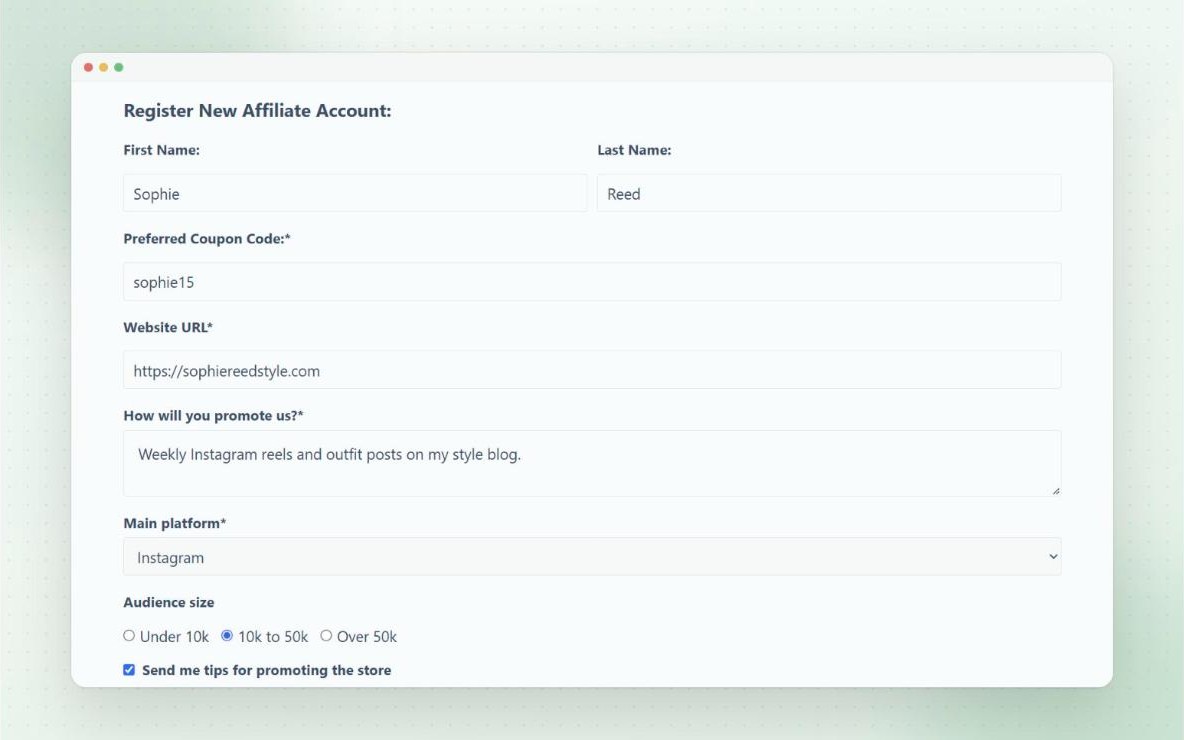
Add the affiliate registration form to a page on your store and share it with creators. Applicants pick their preferred code, and when you approve them, their coupon is created from a template coupon with your discount and commission settings. With PRO, you can add custom fields to the form, such as their TikTok handle and audience size.
A bio link that applies the code
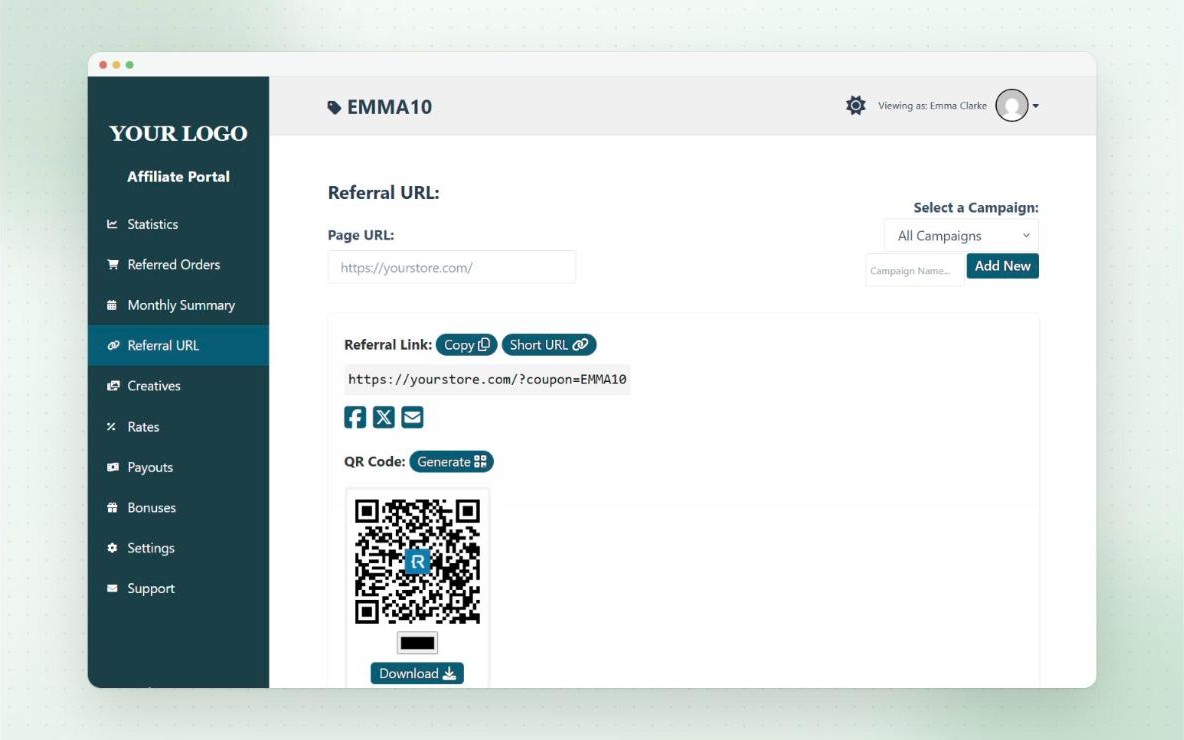
Each creator gets a referral link that applies their coupon for anyone who clicks it. This is in the free version. With PRO, creators can turn it into a short link on your own domain, which is tidier in a bio, and make a QR code to show on screen in a video.
Orders credited by code
Any order that uses a creator’s coupon counts as their sale, whether the shopper clicked the bio link or typed the code after watching a video. Creators see their own orders and commission in their dashboard, and this works in the free version.
Pay after the return window (PRO)
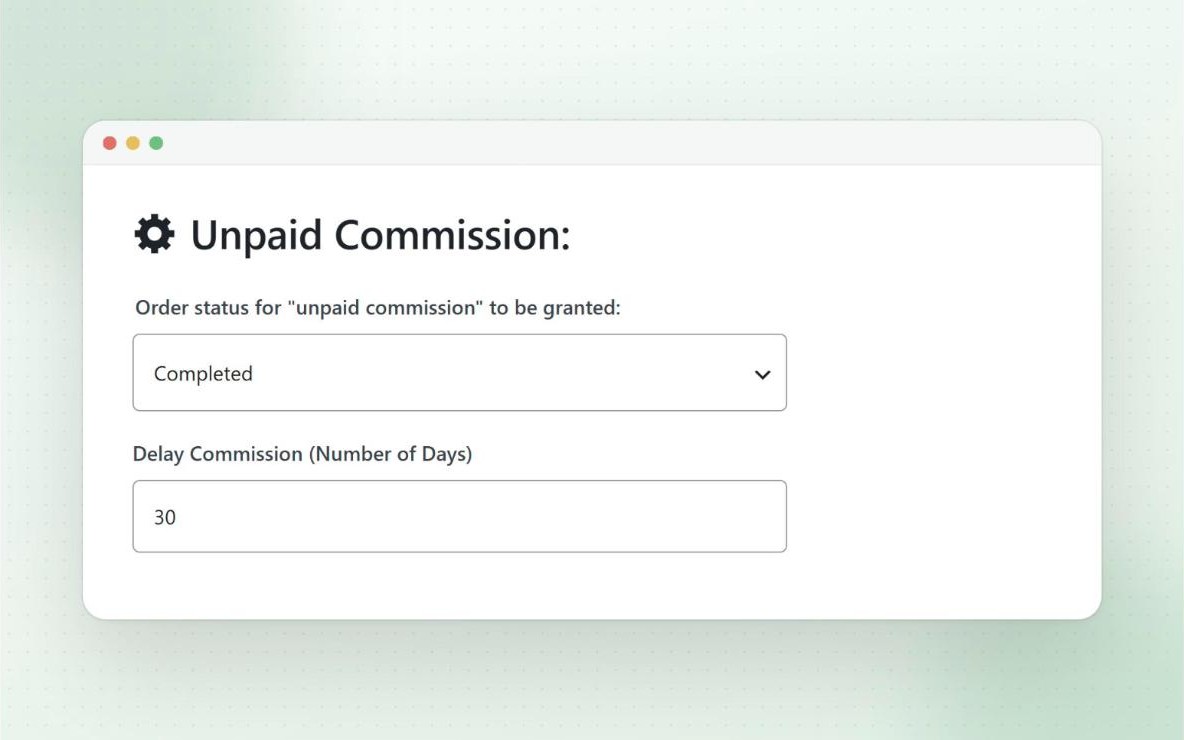
With PRO, you can delay commission by a set number of days after an order completes. Payouts through PayPal, Stripe, Wise or store credit also need PRO. On the free version, you pay creators outside the plugin. Commission is removed automatically when an order is refunded, and this works in the free version too.
What it doesn’t do for TikTok: Coupon Affiliates doesn’t connect to TikTok Shop, so it can’t track orders placed inside the TikTok app. It also can’t show a creator’s views, likes or follower numbers. You see clicks on their links and the orders placed with their code on your store. For TikTok stats, you’ll need the creator’s own analytics.
Pricing: the free version is on WordPress.org, and PRO has a 7-day free trial. See our pricing page for current prices, or how Coupon Affiliates works for influencer programs.
Mistakes to Avoid
- Relying on the bio link alone. Most viewers never open the creator’s profile. If the code isn’t in the video, those sales can’t be credited.
- Giving several creators the same code. You can’t tell who made the sale.
- Using a code that’s hard to hear. A long or random code gets mistyped, and the creator loses the credit.
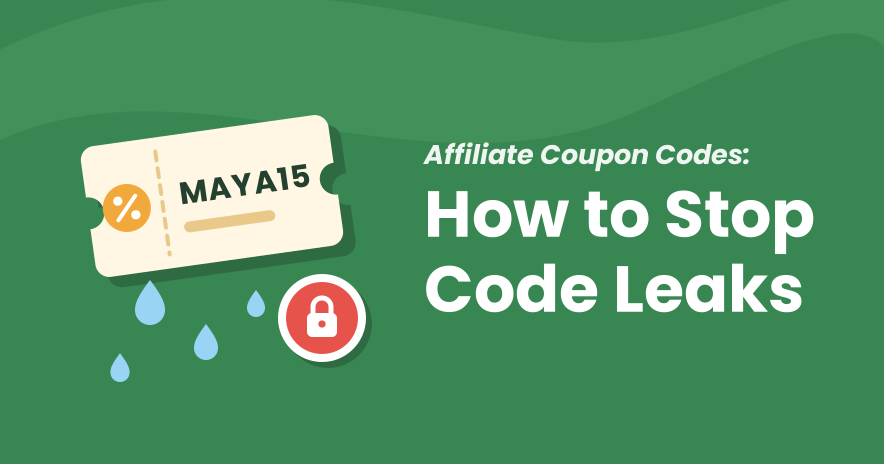
- Letting a code spread to coupon sites. A code from a popular video can end up on coupon websites and browser extensions. Our guide to affiliate coupon code leaks covers how to limit that.
- Skipping the disclosure setting. An undisclosed video risks reduced reach on TikTok and breaks advertising rules.
- Running a creator’s video as an ad without written terms. Agree the usage fee and the time period first.
Frequently Asked Questions
Do I need a TikTok Shop to run a TikTok affiliate program?
No. Your own program only needs an affiliate plugin on your store. Creators share codes and a bio link, and the orders happen on your website. You only need TikTok Shop if you want customers to buy inside the TikTok app.
Can creators put a link to my store in a TikTok caption?
They can type one, but viewers can’t tap it. A clickable link to your store can only go in the profile bio, and only on accounts that qualify. Everywhere else, creators share the code.
Can I work with creators who have fewer than 1,000 followers?
Yes. A personal account under 1,000 followers may not be able to add a bio link, but it can still share a code in every video. Since you only pay commission on sales, there’s little risk in approving small accounts.
Can I use TikTok Shop and my own program together?
Yes. Some brands sell a few products through TikTok Shop and send everything else to their own store. Keep the two separate in your reporting, because TikTok Shop orders are tracked by TikTok and store orders are tracked by your affiliate plugin.
Do creators have to disclose a discount code on TikTok?
Yes, if they earn commission from it. TikTok’s Branded Content Policy covers promotional codes that pay a commission, and creators need to turn on the commercial content disclosure setting for those videos.
What commission should I pay TikTok creators?
There’s no standard rate. Work back from your margin, then decide whether you also need to pay a fee for the video itself. Our guide to affiliate commission rates walks through it.
Our Take
TikTok gives creators one link at most, so you’ll track nearly all creator sales through codes. Give every creator a short code they can say out loud and a bio link that applies it, ask for the code in the video itself, and pay commission after returns have cleared. Use Spark Ads to get more from the videos that sell. TikTok Shop is a good option for some products, but it only covers sales made inside TikTok, while a code works on your own store and on every other platform.
We’re biased, since we make a coupon-based plugin. If your creators post on TikTok, though, a code-first setup will credit them for more of the sales they make. If you’d like to try it, the free version of Coupon Affiliates covers codes, referral links and the affiliate dashboard.

Elliot Sowersby is a WordPress developer from Yorkshire, United Kingdom. He is the founder and lead developer of Coupon Affiliates and RelyWP.
Leave a Reply