
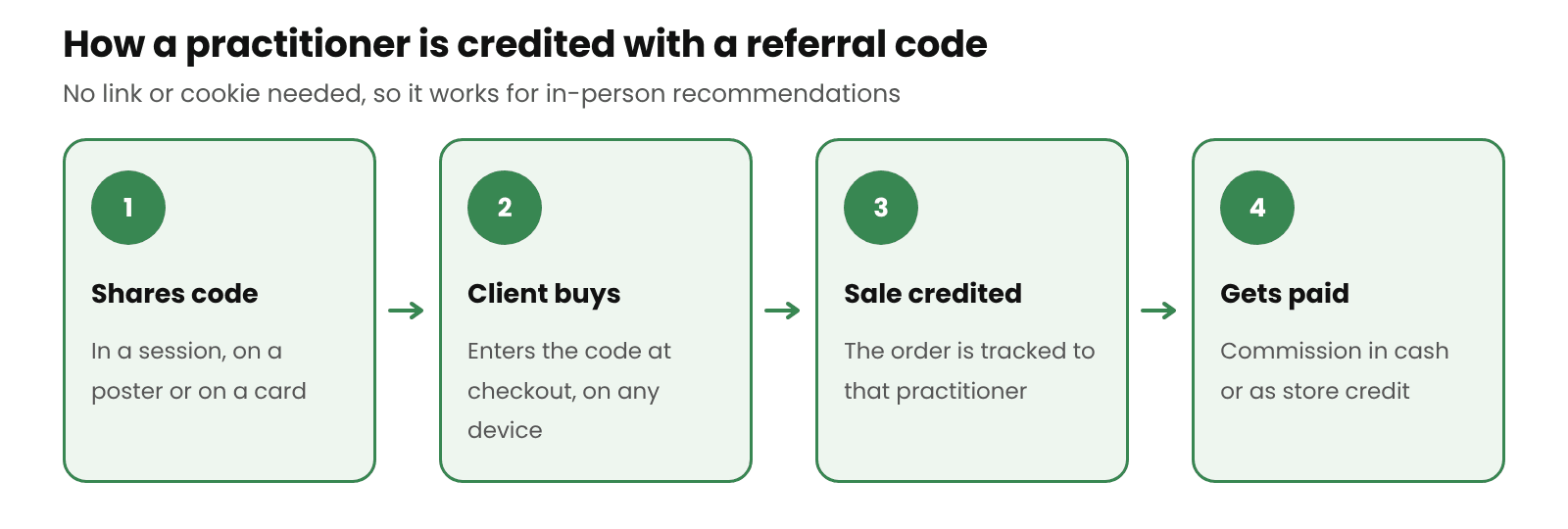
Personal trainers, coaches, physios, hairdressers and other practitioners recommend products to their clients face to face. A link doesn’t work in that setting, but a short discount code does. The client remembers it, types it at checkout, and the sale is credited to the practitioner who recommended you.
This guide shows how to set that up on a WooCommerce store: one code per practitioner, separate terms for professional partners, printed QR codes for studios and clinics, and paying them in cash or store credit. The setup steps use Coupon Affiliates, our WooCommerce affiliate plugin.
Why codes work better than links for practitioners
Most affiliate tracking relies on a link and a browser cookie. That works for bloggers. It doesn’t work when the recommendation happens at the end of a training session or during a haircut. The client may buy days later, on a different device, without clicking anything.
A coupon code solves this. Each practitioner gets their own code, such as COACHSAM or STUDIO10. When a client uses it, the order is credited to that practitioner, however the client reached your store. The client also gets a discount, which gives them a reason to use the code. Our guide to cookieless affiliate tracking with coupons explains this in more detail.
Who this works for
- Personal trainers and gym or studio owners
- Yoga and pilates teachers
- Nutritionists and dietitians
- Physios, sports therapists and massage therapists
- Hairdressers, barbers and beauty therapists
- Life, business and sports coaches
- Dog trainers and groomers
Each of these has a group of regular clients who trust their advice. A practitioner with 30 loyal clients can send more sales than an online account with thousands of followers who have never met them.
If your store sells medicines or medical services, check the rules in your country before paying anyone for referrals, as some places restrict payments for patient referrals. Our health and wellness affiliate guide covers this in its FAQ.
Step 1: Give each practitioner their own code
In Coupon Affiliates, every affiliate is a WordPress user linked to their own WooCommerce coupon. Practitioners can apply through your registration form, or you can add them yourself with Add New Affiliate on the Registrations page. Adding them yourself suits practitioners you’ve already met: you create the account and code, and they get a welcome email with a link to their affiliate dashboard.
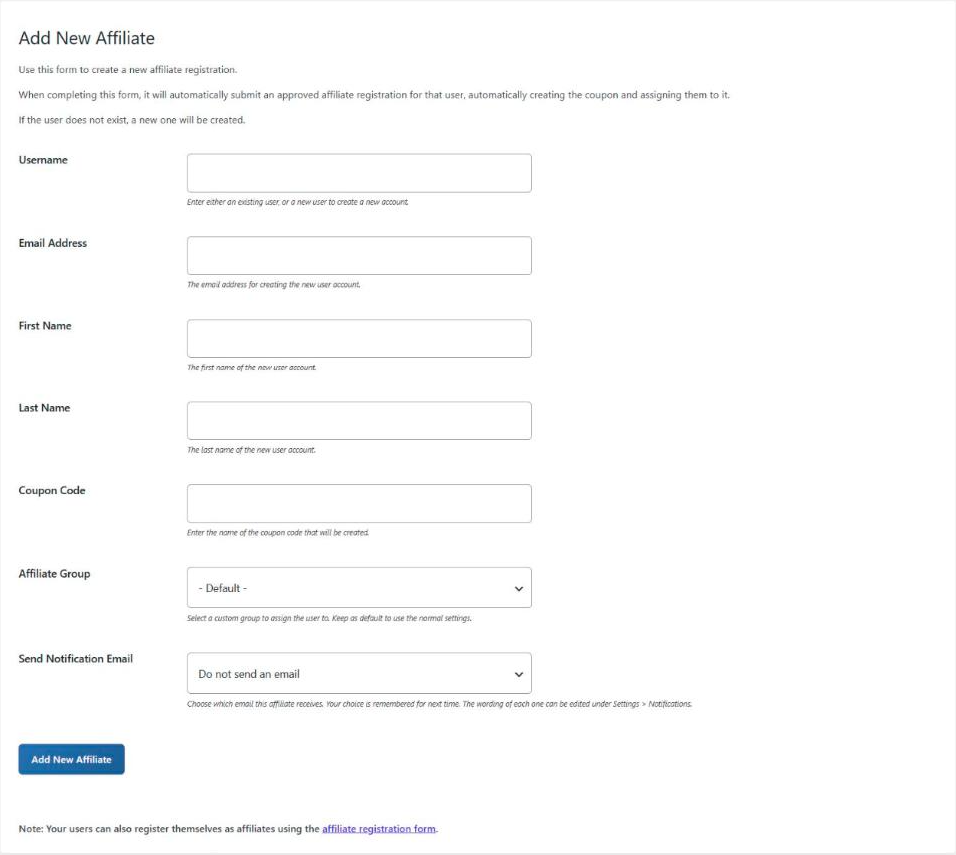
Keep codes short and easy to say out loud, because the client may only hear the code once before typing it at checkout. Our coupon code generator can help with ideas.
If you’re signing up a whole team, such as every trainer at a partner gym, the Bulk Create tool creates several affiliate coupons at once.
Step 2: Put practitioners in their own group
Practitioners usually need different terms from online affiliates. They may send fewer orders, but their clients see them every week and can come back to buy again.
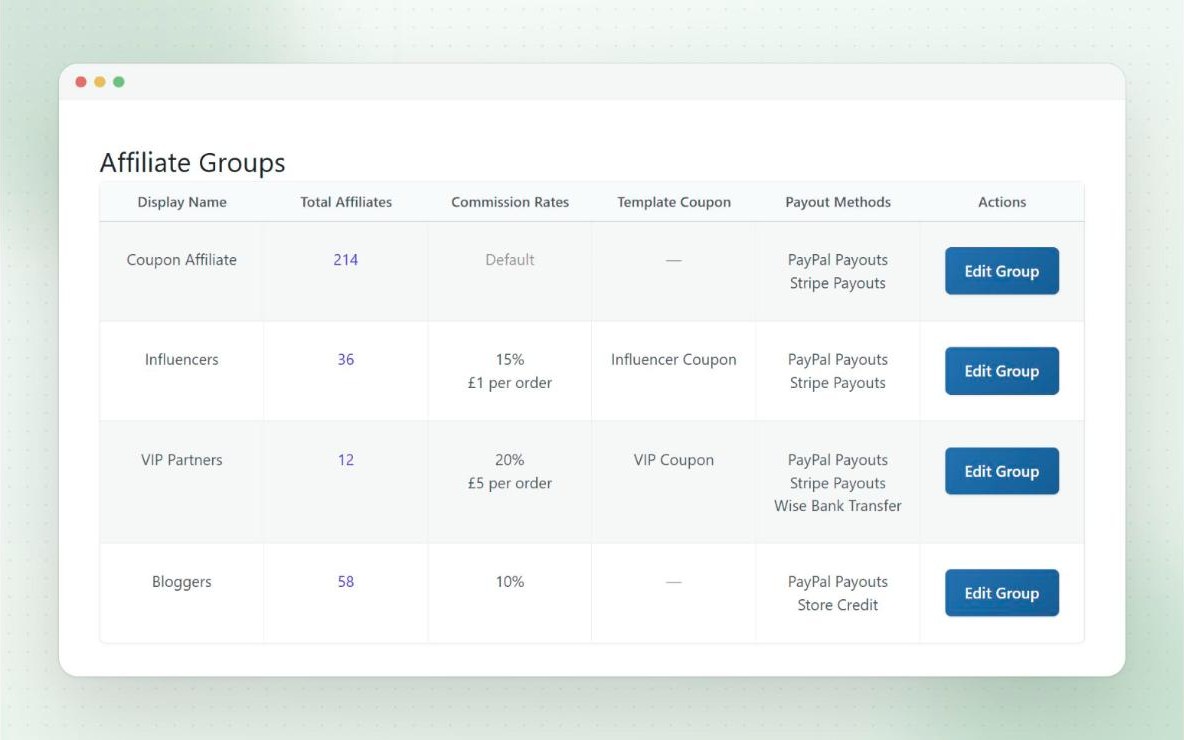
Create an affiliate group for practitioners and set its commission rate, payout methods and creatives. To get people into the group, you can either set it as the default group for new registrations, or use multiple template coupons to give practitioners their own registration form. Anyone who signs up through that form joins the practitioner group automatically.
Our affiliate groups guide covers the setup, and our guide to setting affiliate commission rates helps you choose a rate.
Step 3: Give them something to put on the wall
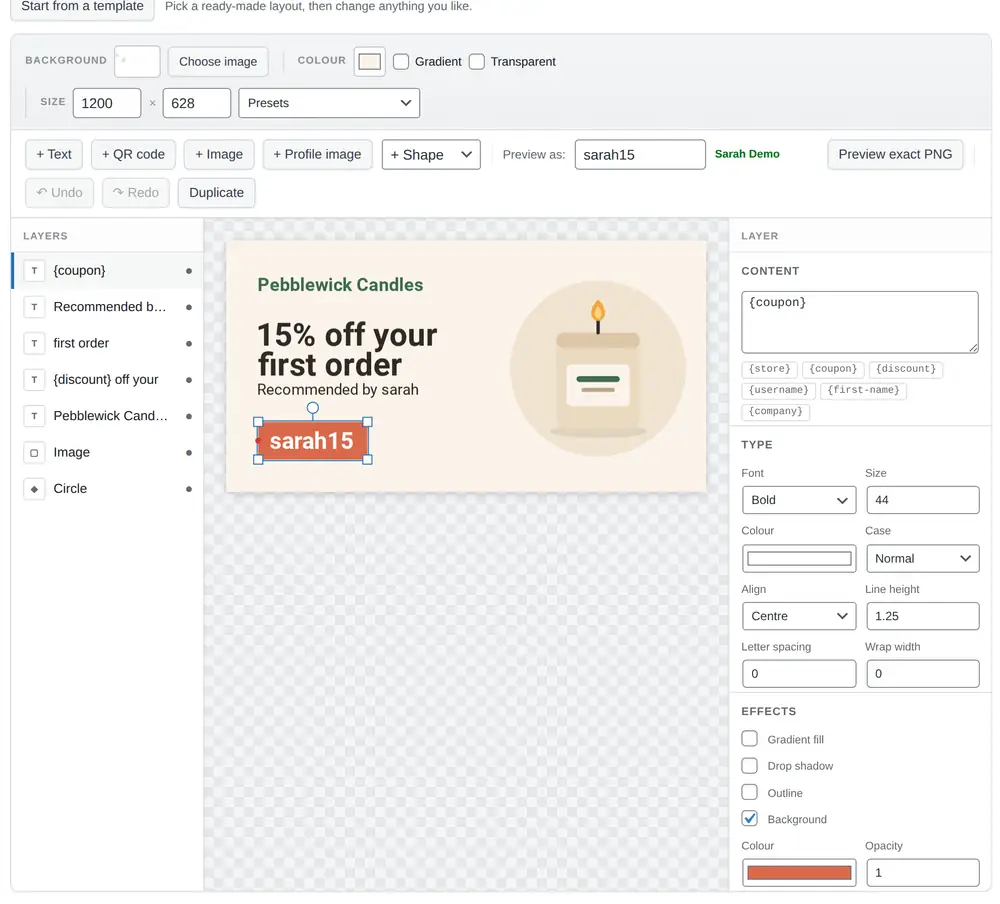
Practitioners see clients in person, so printed material helps. With Coupon Affiliates PRO, dynamic creatives fill in each affiliate’s own details. You design one image with your branding and add the affiliate’s name, coupon code and referral QR code. Each practitioner then gets their own version on their dashboard, ready to download.
Ideas that suit practitioners:
- A poster for a gym, studio or salon wall with their code and a QR code
- A small card to hand to clients at the end of a session
- A social image they can share in their client group chat or newsletter
You can limit creatives to certain groups, so practitioners see the print materials and online affiliates see banners. Our post on affiliate banners and creatives has sizes and examples.
Step 4: Decide how to pay them
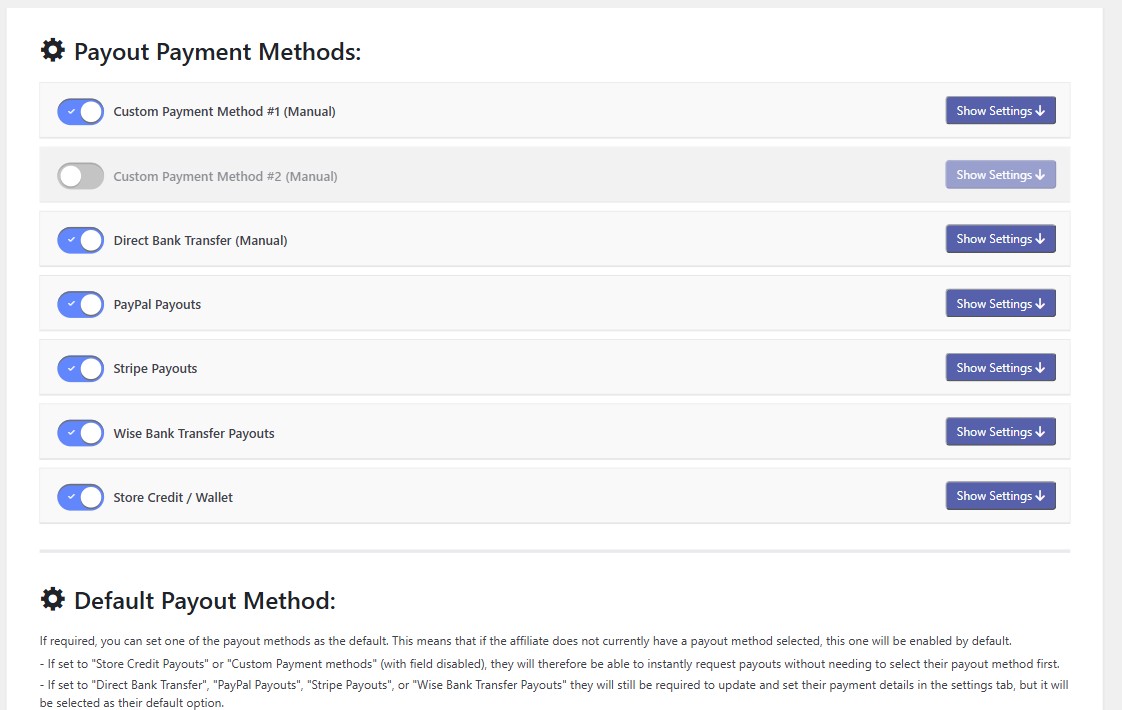
Coupon Affiliates PRO can pay affiliates through PayPal, Stripe, Wise bank transfers or store credit. Many practitioners use the products they recommend, so store credit can suit them well. Commission is paid into a wallet they spend in your store, and you can add a bonus for anyone who picks store credit, for example an extra 25%.
You can limit payout methods by group as well, so you could offer practitioners store credit and bank transfer only. Our guide to paying affiliates in store credit covers when it makes sense and how much bonus to offer.
Step 5: Reward repeat clients
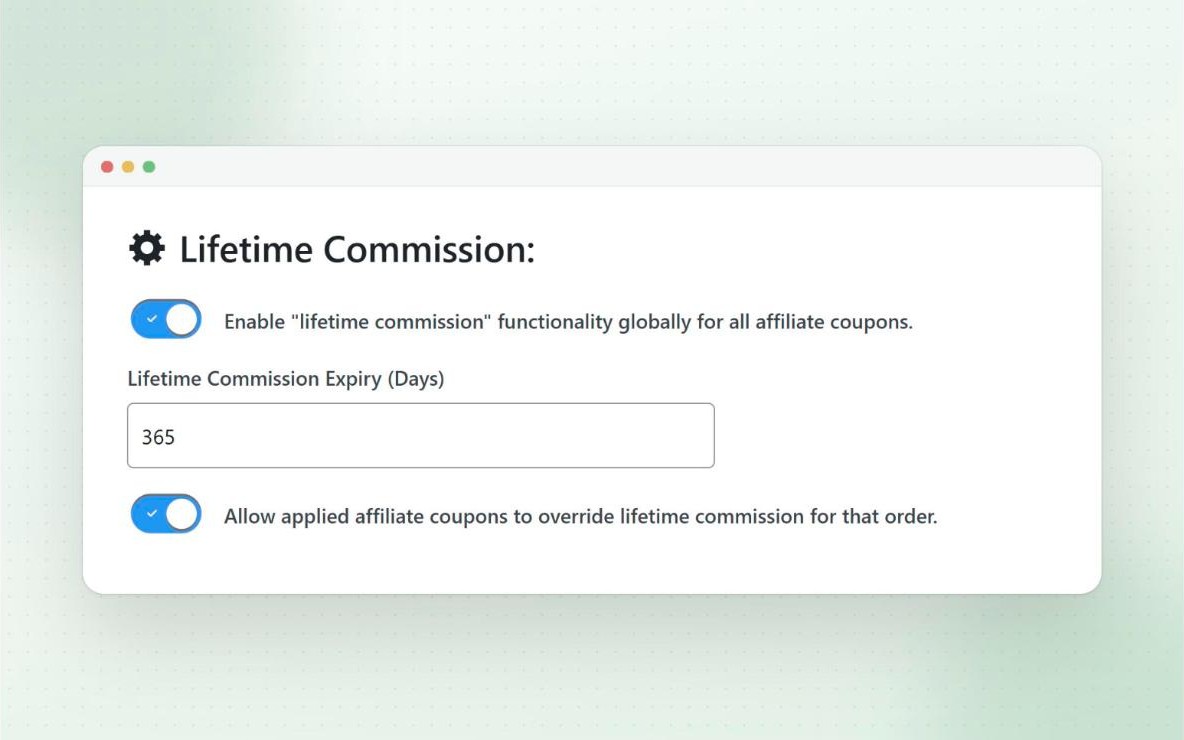
A client who buys on a trainer’s advice may reorder for months. With lifetime commission (PRO), a customer who uses a practitioner’s code is linked to that practitioner, and their later orders earn commission even without the code. This only works for customers with an account, not guest checkouts.
Protect the codes
A practitioner’s code is meant for their clients. If it appears on a coupon site, it can start earning commission on sales they didn’t send. If the discount is meant to win new clients, limit affiliate coupons to new customers. You can also stop affiliates using their own code in the Fraud Prevention settings. Our guide to preventing coupon abuse covers the rest.
Frequently asked questions
How much commission should I pay a personal trainer?
Start from your margin after the client’s discount, then decide what share of that you can give up for each sale. Our commission rate guide and commission calculator walk through the numbers.
Can a practitioner have a code and a referral link?
Yes. Each affiliate gets a coupon code and a referral link, so they can share the link online and the code in person. Sales from both are credited to the same affiliate.
Do practitioners need to say they earn commission?
In most countries, advertising rules expect people to say when they’re paid to recommend something. Ask practitioners to make it clear, for example with a line on the poster or card such as “I earn commission from this code”, and put the rule in your affiliate terms.
Can I set this up with the free version?
The free version covers affiliate registration, a coupon code and referral link for each practitioner, and commission tracking. Dynamic creatives, automated payouts, store credit payouts and lifetime commission need PRO. The pricing page has the full list.
Final thoughts
Practitioners already recommend products to people who trust them. A short code, a poster with a QR code and a fair rate turn those recommendations into sales you can track and pay for. Start with two or three practitioners you know, check which codes get used, and add more from there.

Elliot Sowersby is a WordPress developer from Yorkshire, United Kingdom. He is the founder and lead developer of Coupon Affiliates and RelyWP.


Leave a Reply