My PRO features and settings are not showing. How do I fix this?
Updated October 23, 2026
Firstly, please make sure you have installed the PRO version of the plugin.
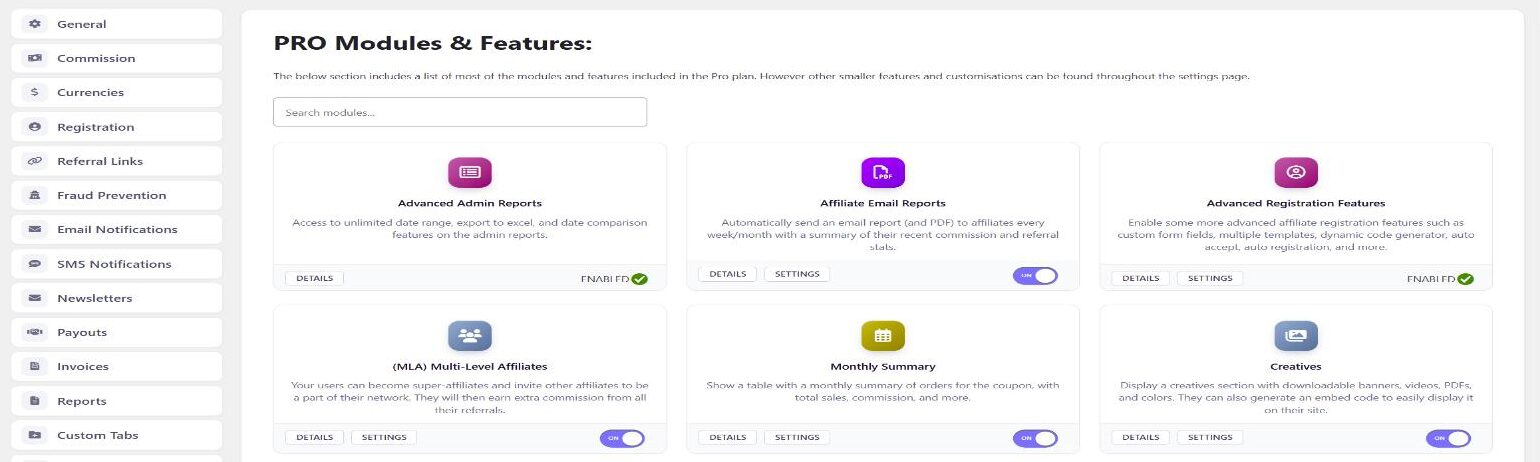
If you do have the PRO version installed, you may need to enable certain modules/features in the “PRO Modules” section in the plugin settings. By default some of these are disabled and need to be enabled manually, such as lifetime commission, payouts, landing pages, etc.
Simply go to the “PRO Modules” section (the last item in the plugin settings tab list, also linked from the Coupon Affiliates admin menu) and toggle on the features you want to enable. You can use the “Search modules” box to quickly find a specific module.
Module enabled, but its settings tab is missing?
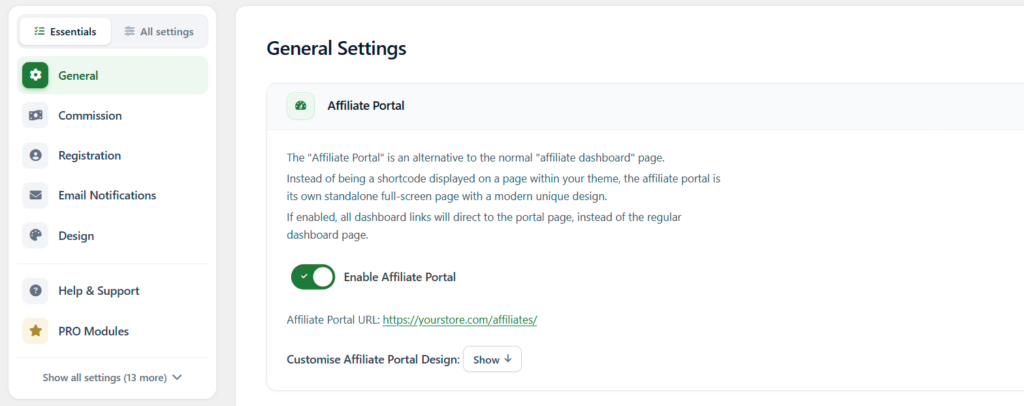
Check the switch at the top of the settings tab list. With Essentials selected, only the main tabs are shown (General, Commission, Registration, Email Notifications, Design, Help & Support and PRO Modules), so the tabs for PRO modules such as Payouts or Multi-Level Affiliates are hidden.
Click All settings, or the “Show all settings” link at the bottom of the list, to see every tab. The choice is saved for each admin, so another admin on your site may see a different list.