
(PRO) Referral URL Campaigns
Updated
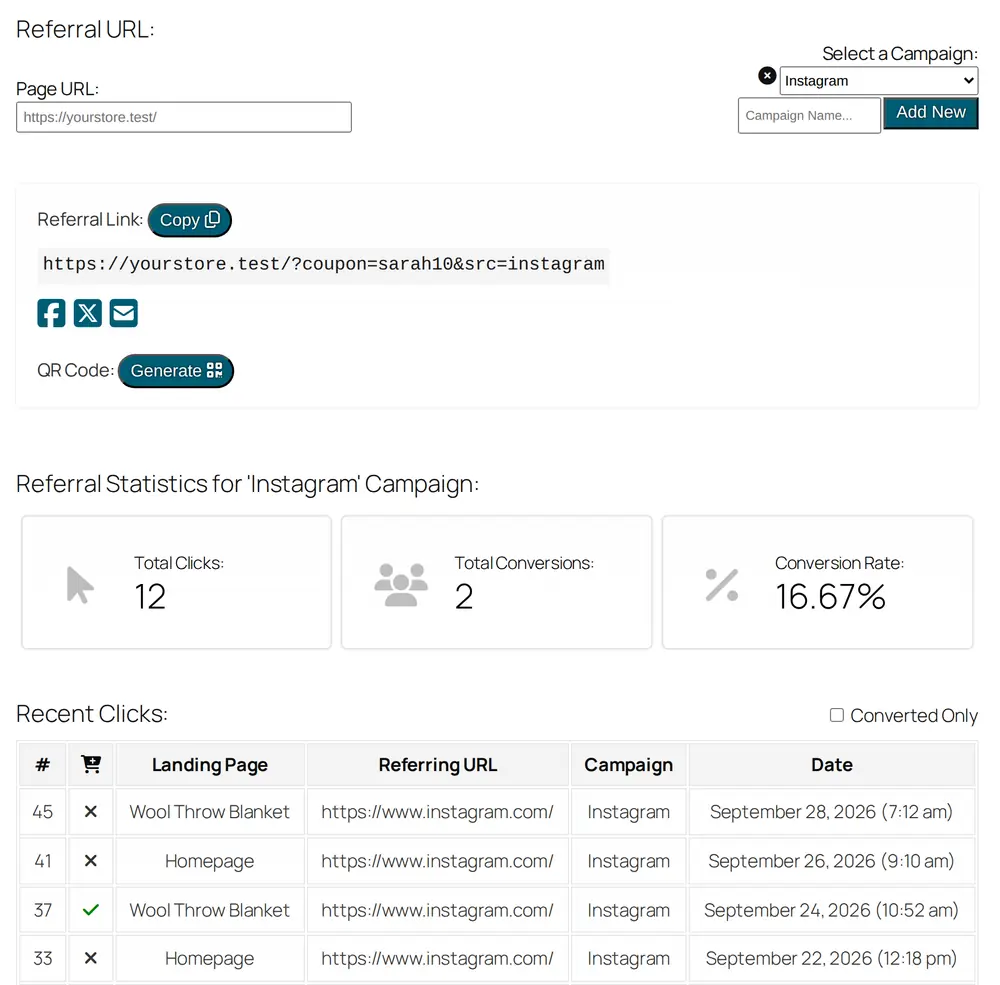
Allow your affiliates to create referral “campaigns”, so they can use a separate referral link for each place they promote you and track the clicks and conversions for each one.
On the “Referral URL” tab of their dashboard, affiliates type a campaign name and click “Add New”. When they pick a campaign from the “Select a Campaign” dropdown, the campaign is added to their referral link (for example &src=instagram), and the stats below switch to that campaign: total clicks, conversions, conversion rate and a list of recent clicks.
The “Campaigns (Referral URL)” module is turned on by default. You’ll find it in the “PRO Modules” section of the plugin settings, and under “Referral Campaigns” in the Referral URLs settings, where you can also change the “Campaign URL variable” (src by default).