
Referred Orders
Updated
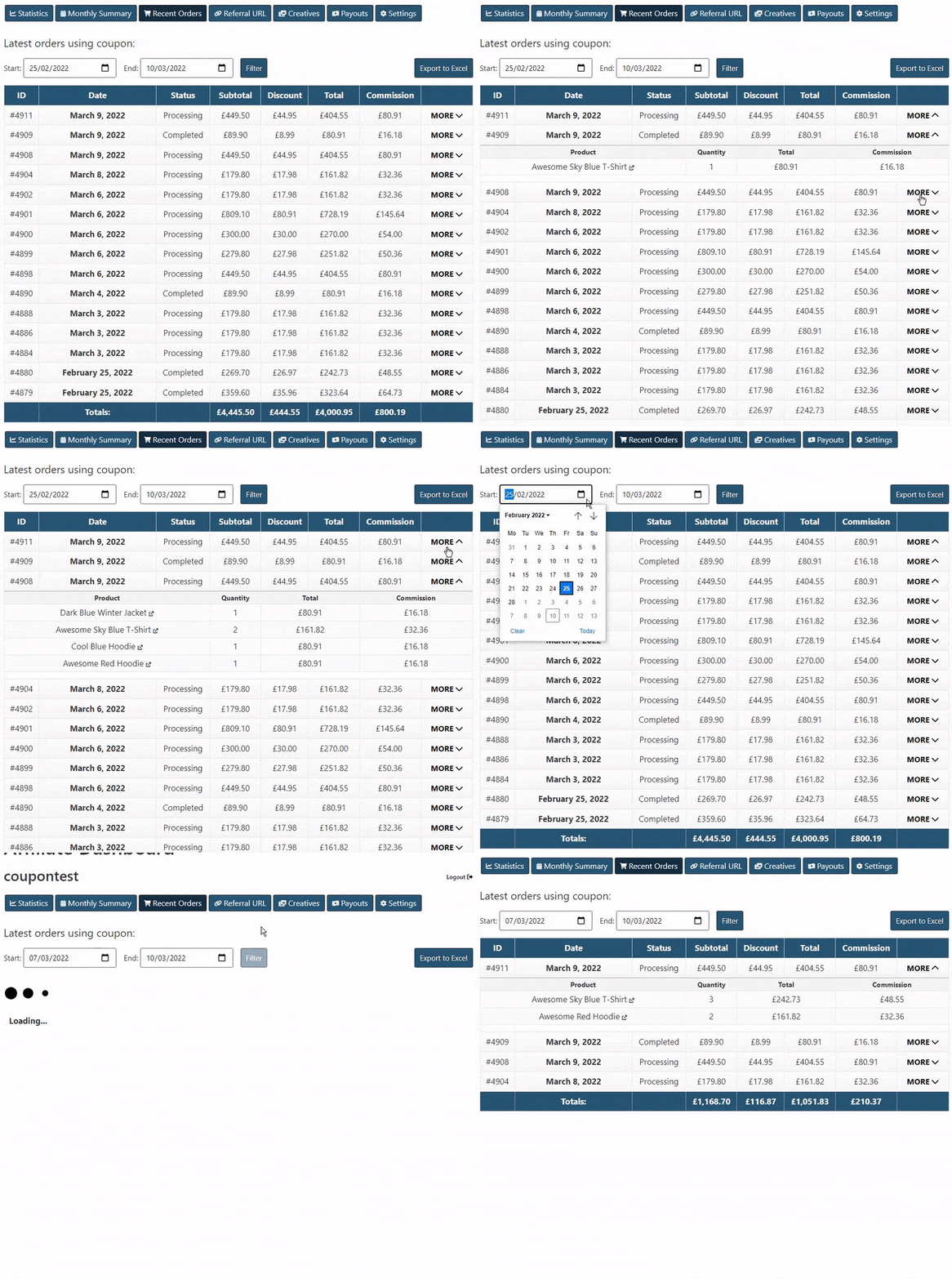
In the affiliate dashboard, users will also be able to see a recent orders table, which contains general non-sensitive info such as date, order total, discount, products, commission, country, etc, and a monthly orders & commission summary table. Any of these columns can be disabled if needed.
A date filter is also available, to filter the table and show all orders for the coupon within a certain date range.
At the bottom of the orders list, the combined totals for all orders within the selected date range will also be shown.
Here’s an example:
Customer last name
In the General settings, you can show the customer’s last name in the Referred Orders table. There is also a sub-option to show only the first letter of the last name, if you want to keep more customer privacy.
This tab is named Referred Orders (previously Recent Orders).